



Update — September 27, 2026: The same approval gate, applied to a services back office, is in AI roll-ups as an agent operating system.
Most “AI agent projects” begin with a chat box and end with a different chat box. The model may have a new system prompt, but the user still has to gather the inputs, check the answer, and move the work forward.
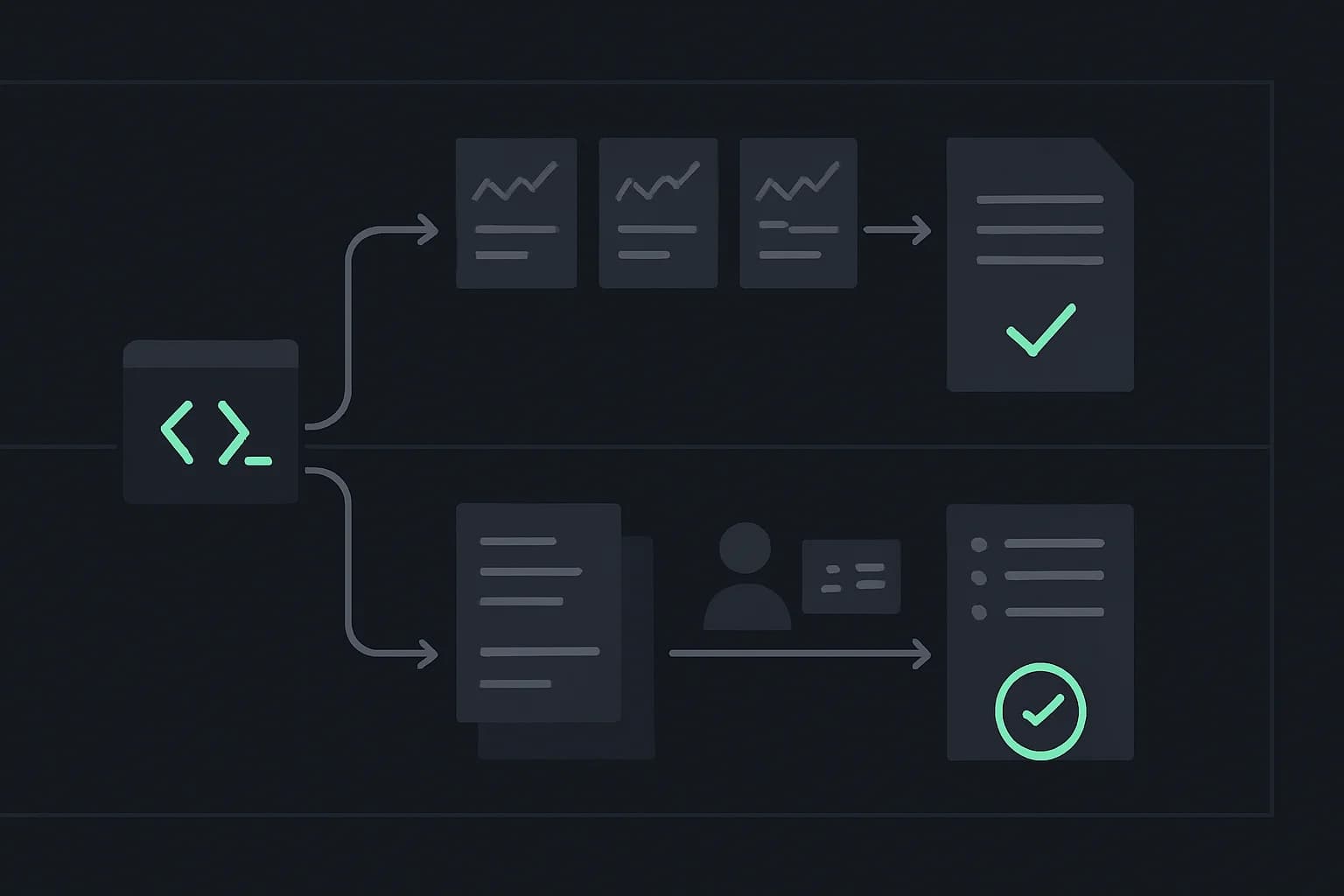
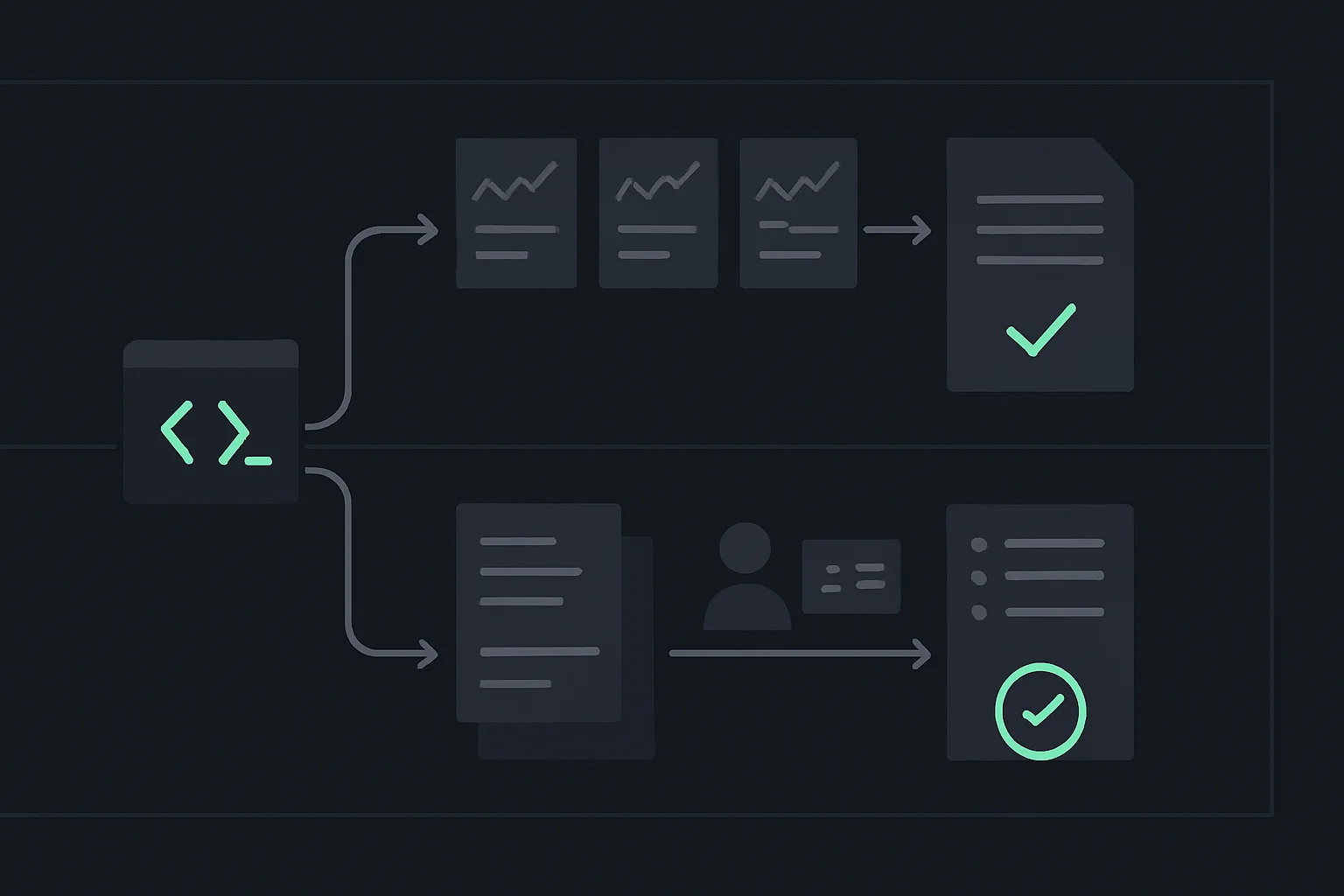
A useful agent removes one repeatable piece of work. It starts from a trigger, gathers evidence through narrow tools, produces a verifiable artifact, and stops. This guide shows how to build AI agents with Claude Code around two outcomes that make that difference visible: a cited daily financial briefing and a ranked job-search shortlist.
The goal is not unrestricted autonomy. It is dependable delegation. If the vocabulary is new, read what AI agents are and how they work before building. If you already know the terms, start with the design table below.
TL;DR: what are we building?
| Question | Direct answer |
|---|---|
| What makes these agents, not chatbots? | They select tools, inspect results, and repeat inside a bounded loop. |
| What is the first project? | A scheduled, read-only agent that turns fresh market data and company filings into a cited morning briefing. |
| What is the second project? | A job-search agent that finds roles, normalizes requirements, ranks fit, and drafts truthful notes for human review. |
| What builds the code? | Claude Code acts as the coding harness; you define the product boundary and review its changes. |
| What runs the agent? | Vercel AI SDK's ToolLoopAgent, typed tools, and explicit stop conditions. |
| What should stay manual? | Trading, sending applications, editing a candidate's factual profile, and any other consequential write. |
| What is the production rule? | No uncited claims, no open-ended loops, no secret access in prompts, and no irreversible action without approval. |
What should you decide before asking Claude Code to build anything?
Write five lines before you open the terminal:
- Outcome: what artifact exists when the run succeeds?
- Trigger: what starts a run: a person, a schedule, or an event?
- Tools: which narrow, typed operations may the model call?
- Verifier: what objective checks can reject the result?
- Stop rule: when must the loop finish or ask a person?
That is the smallest useful agent harness. The model supplies reasoning. The harness controls access, execution, retries, and termination. Our production agent-loop guide covers checkpoints and failure recovery in depth; for these first projects, keep the loop intentionally small.
Anthropic's current Claude Code setup guide recommends its native installer and supports macOS, Windows, and major Linux distributions. It also documents claude --version and claude doctor as verification commands. Follow the live guide rather than copying an old Node requirement from a third-party tutorial, because installation details change.
Once Claude Code works, start it inside an empty project folder:
claude
Then use a planning prompt before asking it to edit files:
We are building a read-only AI agent with Vercel AI SDK.
Before writing code, propose:
1. the typed input and output schemas,
2. the smallest set of tools,
3. the verification rules,
4. the maximum number of loop steps,
5. which actions must require human approval.
Do not implement until the boundary is explicit.
That prompt is deliberately product-shaped. Claude Code can write files and run checks, but it cannot decide how much financial, identity, or communication risk you are willing to accept. For more terminal patterns, keep the Claude Code command reference nearby.
How do you turn a task into a Vercel AI SDK agent?
Vercel defines agents as systems where an LLM uses tools in a loop to accomplish a task. Its official ToolLoopAgent reference exposes the pieces we need: instructions, tools, stopWhen, step preparation, and finish callbacks. The SDK's loop-control documentation says the default agent ceiling is 20 steps; use a lower, deliberate cap for a narrow workflow.
This starter is intentionally incomplete at the adapter layer. fetchMarketData and searchAuthorizedJobs must call data sources whose terms permit your use case.
import { ToolLoopAgent, stepCountIs, tool } from 'ai';
import { z } from 'zod';

const marketSnapshot = tool({
  description: 'Fetch a current read-only snapshot for approved ticker symbols',
  inputSchema: z.object({
    symbols: z.array(z.string()).min(1).max(10),
  }),
  execute: async ({ symbols }) => fetchMarketData(symbols),
});

const searchJobs = tool({
  description: 'Find open roles from an authorized job source',
  inputSchema: z.object({
    query: z.string(),
    location: z.string(),
    limit: z.number().int().min(1).max(25),
  }),
  execute: async (input) => searchAuthorizedJobs(input),
});

export const builderAgent = new ToolLoopAgent({
  model: 'anthropic/claude-sonnet-4.5',
  instructions: `
    Use tools for current facts. Never invent missing values.
    Preserve source URLs and timestamps in every output item.
    Do not trade, send applications, or contact anyone.
    If required evidence is unavailable, report the gap and stop.
  `,
  tools: { marketSnapshot, searchJobs },
  stopWhen: stepCountIs(6),
});
The exact model identifier is configuration, not architecture. The durable decisions are the tool schemas, the read-only boundary, preserved provenance, and the six-step ceiling. If you need branching state machines or durable jobs later, compare frameworks against the same requirements instead of rewriting the product around a framework's vocabulary.
Project 1: how do you build a daily financial briefing agent?
Start with an informational brief, not a trading bot. The successful output is a dated report that answers four questions for a small watchlist:
- What changed since the previous close or previous briefing?
- Which new primary-source filings or company announcements matter?
- Which claims are confirmed, and which remain uncertain?
- What should the reader inspect next?
Which tools does the briefing agent need?
| Tool | Input | Output | Permission |
|---|---|---|---|
getMarketSnapshot | Approved symbols | Price/volume snapshot with timestamp | Read-only |
getRecentFilings | Company identifier, form types | Filing metadata and source URLs | Read-only |
compareWithPriorBrief | Current + prior structured data | Material deltas | Read-only |
renderBrief | Verified facts | Markdown or HTML artifact | Local write |
publishBrief | Approved artifact | Email/Slack/dashboard delivery | Human approval at first |
For US public-company filings, the SEC documents unauthenticated JSON endpoints for submissions and XBRL facts on its official EDGAR API page. The SEC also warns that automated access must follow its developer policies. Market prices still require a market-data source with appropriate licensing; a search result or model memory is not a price feed.
Give the agent a structured contract rather than “tell me what happened in markets”:
Build today's briefing for the approved watchlist.

Required output per company:
- observed change with source timestamp
- new primary-source filing or "none found"
- two-sentence relevance summary
- source URLs
- confidence: confirmed | partial | unavailable

Rules:
- informational only; never recommend or place a trade
- every current claim needs a source URL and timestamp
- do not substitute model memory for unavailable data
- compare against the stored prior briefing
- stop after six tool steps
How should it run every morning?
A scheduler should call one protected route. Vercel's Cron Jobs documentation says cron triggers are HTTP GET requests to production deployments and use UTC. Its management guide adds three production details people miss: failed invocations are not automatically retried, overlapping runs can happen, and the same event can occasionally be delivered more than once.
That means your handler needs:
- authentication such as
CRON_SECRET; - a lock to prevent overlapping runs;
- an idempotency key such as
briefing:2026-08-22; - explicit error logging and alerting;
- storage for the structured result before delivery.
Do not let the scheduler call a “send message” tool directly. Generate and verify first. Add delivery only after several manual runs show that missing sources, stale data, and partial outages are visible rather than silently converted into confident prose.
Project 2: how do you build a job-search agent without automating trust away?
A useful job-search agent reduces discovery and comparison work. It should not impersonate the candidate.
Use this outcome: a deduplicated shortlist of open roles, ranked against a factual profile, with evidence for every score and a draft application plan for the candidate to approve. This is narrower than the end-to-end Claude Code job-search framework, which also covers CV generation, reviewer agents, and ATS checks.
What state should the job agent keep?
Separate stable facts from preferences:
type CandidateProfile = {
  verifiedSkills: string[];
  verifiedAchievements: Array<{
    claim: string;
    evidenceRef: string;
  }>;
  targetRoles: string[];
  preferredLocations: string[];
  dealBreakers: string[];
};
The agent may rank against those fields. It may not “improve” them. A generated claim such as “led a team of 20” is not harmless copy polish; it is a false statement tied to a real person.
Which steps belong in the workflow?
- Search an authorized source with a narrow role and location query.
- Normalize title, employer, location, salary when present, requirements, source URL, and closing date.
- Deduplicate by canonical URL and employer/title/location combination.
- Reject expired listings and records missing a source.
- Score each role against verified profile fields.
- Explain matched and missing requirements with quoted field names, not invented experience.
- Draft a shortlist and application checklist.
- Stop for human review.
USAJOBS, for example, publishes an official Job Search API for currently open US federal listings. Its API overview documents API-key authentication and pagination. For any other job board, inspect its terms and supported API before scraping; “the browser can load it” is not permission to automate it.
Your scoring function should be deterministic enough to audit:
type FitScore = {
  roleId: string;
  requiredSkillsMatched: string[];
  requiredSkillsMissing: string[];
  preferenceMatches: string[];
  dealBreakers: string[];
  score: number;
  evidence: string[];
};
Let the model extract requirements into that schema. Compute the final score in code. This prevents a fluent explanation from quietly changing the weighting between candidates or runs.
Which actions need a human approval gate?
Vercel AI SDK supports per-tool approval with needsApproval, documented in its official tool-calling guide. Use approval for an action based on its consequence, not because the tool sounds sophisticated.
| Action | Automatic? | Why |
|---|---|---|
| Read a public filing | Yes | Reversible, read-only |
| Normalize a job listing | Yes | Internal transformation |
| Save a draft briefing | Yes | Reviewable artifact |
| Send a briefing to a private test channel | After testing | Limited audience, still a write |
| Email an employer | No | External communication in a person's name |
| Submit a job application | No | Shares personal data and makes factual claims |
| Place a trade | No | Financial and irreversible consequence |
An approval tool can be input-sensitive:
const sendApplication = tool({
  description: 'Submit an approved application to an employer',
  inputSchema: z.object({
    roleId: z.string(),
    approvedDraftId: z.string(),
  }),
  needsApproval: true,
  execute: async (input) => submitApprovedApplication(input),
});
The SDK returns an approval request rather than pausing invisibly. Your application must collect a decision and send the approval response back on a subsequent model call. That explicit two-call flow is a feature: it gives the user a visible boundary before the side effect.
How do you verify these agents before deployment?
Do not evaluate the final prose alone. Test each layer.
Test the tools without a model
Use fixed inputs and assert schemas, timeouts, source timestamps, pagination, and failure results. A tool should return unavailable or a typed error when its source fails, not an empty array that the model can misread as “nothing happened.”
Test the agent with recorded fixtures
Record sanitized tool results for:
- a normal day;
- an upstream timeout;
- one stale source mixed with fresh sources;
- duplicate job listings;
- an expired listing;
- a profile with a tempting but unsupported claim.
Then assert that the agent cites sources, exposes missing evidence, respects the step cap, and never calls a prohibited write tool. The agent-loop architecture guide explains retries, checkpoints, and no-progress detection once the fixtures pass.
Test the outcome with a human rubric
For the briefing, ask whether a reader can distinguish observation from interpretation and open every source. For job search, ask whether the candidate can explain every fit score and confirm every application claim.
If the rubric depends on “the answer feels good,” the verifier is not finished.
When should you use a framework instead of writing the loop yourself?
Use ToolLoopAgent when the workflow is model-directed: the model chooses among tools, reads results, and decides the next tool until a cap or approval stops it. Use AI SDK's lower-level generateText or streamText when your application must control each transition explicitly.
Move to a graph or durable-workflow framework when you need long waits, resumable state across deployments, branching approvals, many parallel workers, or replay after partial failure. The types of AI agents guide helps distinguish sequential, hierarchical, and multi-agent designs. Do not adopt multi-agent orchestration because two agent names look impressive in a diagram. Adopt it when isolation or parallelism solves a measured bottleneck.
Connections should be equally deliberate. MCP can expose external tools through a standard protocol, but a larger tool catalog also increases the permission surface. Start with local typed tools. Add MCP when the same connector must serve multiple agent hosts or when an existing approved server already owns the integration.
What should you ask Claude Code to build next?
Once the design is stable, give Claude Code one bounded milestone at a time:
Implement only the financial briefing's data contracts and mock tools.
Add fixture tests for normal, stale, and unavailable data.
Do not add scheduling, delivery, a database, or external API calls yet.
Run the relevant tests and report the exact command and output.
Then replace one mock adapter, verify it, and continue. This incremental pattern is slower than a one-shot prompt for the first ten minutes and much faster than debugging five coupled systems at once.
If you want to build these systems with guided setup rather than stitching the pieces together alone, join the AI Builder Workshop. The two-week cohort teaches the core technical concepts in context, guides Node.js and Python setup, and moves from smaller Claude Code projects to AI agents and a deployed full-stack app.
Related on explainx.ai
- Claude Code for product managers, founders, and marketers — the prototype workflow before agents
- 5 practical Python automation projects — deterministic scripts and safe side-effect patterns
- Build a full-stack AI chat app with auth — the deployment and identity layer
- What Are AI Agents? Complete Guide — agent fundamentals before implementation
- How to Build Your First Agent Loop — triggers, actions, verification, and memory
- AI Agent Loop Architecture — production retries, checkpoints, and handoffs
- What Is an Agent Harness? — the scaffolding around the model
- Claude Code Commands: Complete Reference — practical terminal controls
- Claude Code Job-Search Framework — a deeper career-workflow example
- What Is MCP? — portable tool connections for agents
- Types of AI Agents — when sequential, hierarchical, or multi-agent designs fit
Official references: Claude Code setup · Vercel AI SDK agents · Vercel AI SDK loop control · Vercel Cron Jobs · SEC EDGAR APIs · USAJOBS API
Claude Code installation details, Vercel AI SDK APIs, scheduler behavior, and public data-source requirements are accurate as of August 22, 2026. Check the linked official documentation before deploying against live services.