



The word "agent" appears in almost every AI conversation in 2026. Vendors call everything an agent. But the term has a precise meaning — and understanding that meaning is the difference between building systems that actually work and bolting a chatbot to a workflow and hoping for the best.
This guide covers everything: what an agent is, how it differs from a chatbot, the four core components, how tool use works at the API level, the agent loop, the major design patterns, memory types, real-world examples, multi-agent architectures, what agents still cannot do, safety considerations, and the practical steps to start building.
What an AI Agent Actually Is
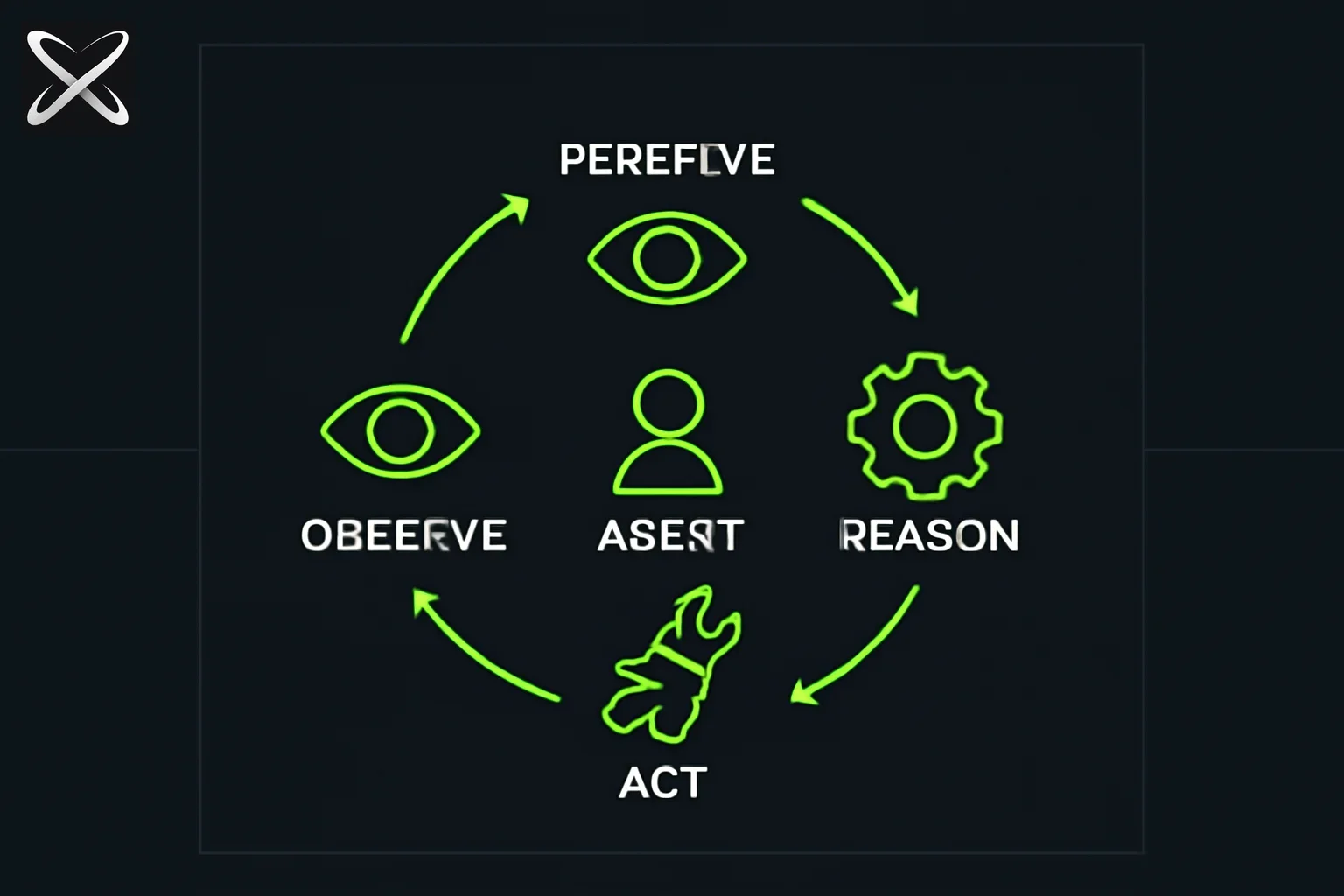
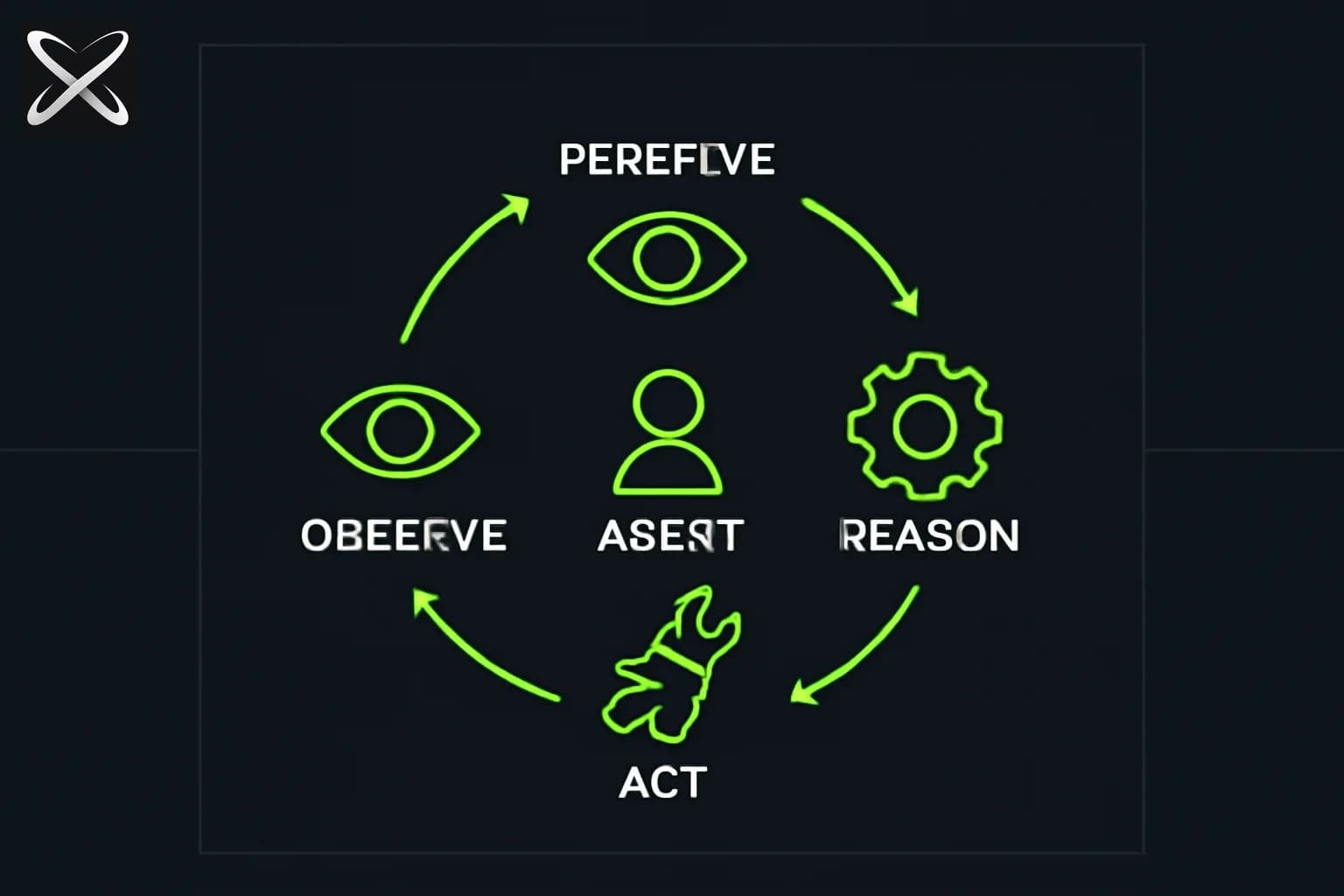
An AI agent is a system that perceives its environment, decides on an action, executes that action, observes the result, and repeats — until a goal is achieved or the task is explicitly ended.
That one sentence contains the entire definition. Break it apart:
- Perceives: the agent receives inputs — the original goal, tool outputs, memory retrieved from a database, error messages, anything relevant to the current state of the task.
- Decides: a language model (the reasoning engine) processes those inputs and determines what to do next.
- Executes: a tool is called — code runs, a search query fires, a file is written, an API is hit.
- Observes: the result of that tool call is returned and added to the context.
- Repeats: the model sees the new state and decides the next action.
The key word is repeats. A chatbot does not repeat. It receives a message, generates a reply, and stops. An agent operates in a loop until the goal is done or a stopping condition is met.
The underlying model might be identical in both cases. What makes something an agent is the architecture wrapped around that model: the loop, the tools, and the ability to act in the world.
The Chatbot vs. Agent Distinction with Concrete Examples
The fastest way to internalize the difference is through examples that do the same job in fundamentally different ways.
Chatbot example — "Write a function that sorts a list"
You type the prompt. The model generates a Python function. It returns the text. Done. You copy the code into your editor. Whether the code works is your problem.
Agent example — "Fix all the failing tests in this repo"
- The agent reads the test suite to understand the structure.
- It runs the tests and identifies which ones fail.
- It reads the source files related to the first failing test.
- It writes a fix and applies it to the file.
- It runs the tests again to see if the fix worked.
- New failures may have appeared because the fix had side effects.
- It reads those new failures, traces the root cause, writes more fixes.
- It repeats until all tests pass — or until it hits a limit and asks for human help.
No human typed each of those steps. No human copied output from one place to another. The agent maintained state across multiple actions, used the result of each action to decide the next one, and kept going until the goal was met.
That is the entire distinction. The chatbot responds to one message. The agent executes a multi-step goal autonomously.
| Dimension | Chatbot | Agent |
|---|---|---|
| Interaction model | One prompt, one reply | Goal, then a sequence of actions |
| State across turns | Conversation history only | Tool outputs, file states, test results |
| Tool use | Optional (for one call) | Central — drives every step |
| Autonomy | None | Supervised to semi-autonomous |
| Stopping condition | After generating text | When goal is achieved or hard stop reached |
| Error handling | Explains errors | Observes errors and tries to fix them |
The Four Components of Every Agent
Every practical agent has exactly four components. Remove any one of them and the system either degrades to a chatbot or fails to function.
1. Perception — What the Agent Sees
Perception is the set of inputs available to the agent at each step of the loop. In a language-model-based agent, perception arrives through the context window. It includes:
- The original goal or task description
- The conversation history so far
- The output of the most recent tool call
- Any retrieved information from long-term memory
- System instructions defining the agent's behavior and available tools
The quality of perception is a design choice. An agent that can see its entire task history, the current file system state, recent error logs, and relevant documentation retrieved from a vector store is far more capable than one that can only see the last two tool outputs.
2. Reasoning — The Decision-Making Engine
Reasoning is performed by the language model. Given the current perception (everything in context), the model decides what to do next: which tool to call, with what arguments, or whether the task is complete.
This is where the intelligence lives. A more capable model produces better reasoning: it identifies the root cause of a bug rather than applying a surface fix; it notices that three sub-tasks can be parallelized; it recognizes when it does not have enough information and asks a clarifying question rather than guessing.
The reasoning step is also where chain-of-thought happens. Many agent frameworks instruct the model to reason out loud before committing to an action — writing a scratchpad of intermediate thinking that makes the decision transparent and often improves accuracy.
3. Action — Tool Calls
Action is how the agent affects the world outside its context window. Without tools, the model can only generate text. With tools, it can run code, browse the internet, read and write files, call REST APIs, query databases, and spawn other agents.
Tools are the hands of an agent. They are the bridge between language and causation.
How tool use works at the API level:
- The developer defines available tools in the API request (name, description, input schema).
- The model generates a JSON tool call — structured output saying "call this tool with these arguments."
- The harness (the code wrapping the model) intercepts the tool call and executes it.
- The result is returned to the model as a tool result message.
- The model continues reasoning from the new state.
The model itself never directly executes code or makes HTTP requests. It requests an action; the harness executes it. This separation is important for safety: the harness can sandbox, log, and gate-check every action before it runs.
4. Memory — What the Agent Remembers
Memory determines whether an agent can maintain coherent state across a long task.
The four types of memory available to agents:
In-context memory: everything currently in the context window. Fast, immediately available, but limited by the context window size and lost when the session ends.
External long-term memory: a vector database or key-value store that persists across sessions. The agent retrieves relevant memories using semantic search (embedding the query and finding nearest neighbors). This is how agents can "remember" information from previous runs, past conversations, or a knowledge base.
Episodic memory: structured logs of past agent runs — what task was attempted, what actions were taken, what worked and what failed. An agent can retrieve relevant episodes to learn from prior experience without fine-tuning.
Procedural memory / system prompt: persistent instructions baked into every invocation — the agent's identity, its constraints, its available tools, and its behavioral guidelines.
We explore the engineering of agent memory in depth in What Is Loop Engineering for AI Agents.
Tools: The Hands of an Agent
A language model without tools is a very sophisticated text predictor. Tools are what turn it into an agent that can change things.
The most commonly used agent tools in 2026:
| Tool Category | Examples | What it enables |
|---|---|---|
| Code execution | Python runner, shell, Node.js | Run code, execute tests, process data |
| Web search | Search APIs, browser control | Retrieve current information |
| File operations | Read, write, list, delete files | Interact with codebases, documents |
| API calls | REST clients, GraphQL | Interact with external services |
| Database access | SQL executor, vector search | Query structured and semantic data |
| Sub-agent spawning | Fork new agent instances | Delegate subtasks in parallel |
| Browser automation | Playwright, Puppeteer | Fill forms, click buttons, scrape pages |
The architecture of tool use matters enormously. When a model calls a web search tool and receives 10,000 tokens of search results, those tokens consume context window space. When a code executor returns a 500-line stack trace, the model must parse it and identify the relevant lines. Effective agent design means crafting tools that return dense, relevant results rather than raw dumps.
A tool description in an API request looks like this:
{
  "name": "run_python",
  "description": "Execute Python code and return stdout, stderr, and exit code.",
  "input_schema": {
    "type": "object",
    "properties": {
      "code": {
        "type": "string",
        "description": "The Python code to execute."
      }
    },
    "required": ["code"]
  }
}
The model reads the description, the input schema, and decides when to call the tool and with what arguments. A well-written tool description is as important as a well-written prompt — it tells the model exactly what the tool does and when to use it.
For a full treatment of the harness layer that manages tool execution, see What Is an Agent Harness? Complete Guide 2026.
The Agent Loop
The agent loop is the central architectural pattern. Everything else in agent design is a variation on this core cycle.
The canonical form — also called ReAct (Reason + Act):
1. Receive goal
2. Reason about the next action (what tool to call, with what arguments)
3. Call the tool
4. Observe the result
5. Go to step 2
   (exit when goal is achieved or hard stop is reached)
Each iteration of the loop is a step. A simple task might take 3–5 steps. A complex software engineering task might take 40–80 steps. Tasks requiring hundreds of steps push the limits of current models.
The loop is conceptually simple, but the implementation details matter a great deal:
Exit conditions: how does the agent know it is done? Common approaches include: the model explicitly outputs a "task complete" signal, a verifier checks the goal criterion, or a human reviews and approves. Agents without clear exit conditions can loop indefinitely.
Error handling: when a tool call fails (network error, syntax error, permission denied), the agent must decide whether to retry with different arguments, try a different approach, or escalate to a human. Good agents handle errors gracefully; bad agents get stuck in error loops.
Iteration limits: a hard ceiling on the number of steps prevents infinite loops. When the limit is reached, the agent either surfaces its partial work for human review or fails cleanly. Sensible defaults are 20–30 steps for most tasks; specialized agents may warrant 100+.
Context management: as the loop runs, the context window fills with tool outputs, reasoning traces, and intermediate results. Agents for long tasks must manage this actively — summarizing earlier steps, truncating irrelevant results, or writing key information to external memory before it is evicted.
Agent Design Patterns
The agent loop is the foundation. Design patterns are the common ways of structuring agents and multi-agent systems on top of that foundation. These patterns come from the Anthropic and DeepMind taxonomy of agentic architectures and reflect what actually works in production systems.
Pattern 1: Prompt Chaining
The task is decomposed into a linear sequence of steps. Each step's output becomes the next step's input. The "agent" in this case may be a single model called multiple times, each call focused on one subtask.
When to use it: tasks with a natural sequential structure where each step depends on the previous one — research then write, outline then draft then edit, extract data then validate then format.
Example: a market research agent that (1) searches for recent news on a topic, (2) summarizes the findings, (3) identifies key themes, (4) writes a structured report. Each step receives only the output of the previous step, keeping each call focused.
Limitation: entirely sequential; no parallelism. A failure at step 2 propagates to all later steps.
Pattern 2: Routing
An initial classifier or router receives the raw input and decides which specialist agent or subpipeline should handle it. The router itself is usually a lightweight model call.
When to use it: when inputs arrive in multiple categories that require different handling — customer support queries routed to billing vs. technical vs. account agents; code issues routed to frontend vs. backend vs. infrastructure specialists.
Example: an enterprise support agent that classifies each incoming ticket as "billing," "technical," or "account," then routes it to a specialist sub-agent with domain-specific tools and system prompts.
Limitation: routing errors send tasks to the wrong specialist, and the router must be retrained as new categories emerge.
Pattern 3: Parallelisation
Independent subtasks are dispatched to multiple agent instances simultaneously. Results are aggregated by a coordinator once all sub-agents complete.
When to use it: tasks that decompose into independent units of work — analyzing multiple documents simultaneously, running multiple code implementations in parallel to compare quality, searching multiple data sources at once.
Example: a due diligence agent that splits a company's 200-page filing into 20 sections, spins up 20 parallel agent instances each responsible for extracting key data from one section, then merges the structured results.
Limitation: adds orchestration complexity; requires careful design of the merge step; parallel errors must be handled independently.
Pattern 4: Orchestrator-Subagent
A coordinator (orchestrator) agent receives the high-level goal and breaks it into subtasks. It delegates each subtask to a specialist subagent with the appropriate tools and context. Subagents report results back to the orchestrator.
When to use it: complex tasks requiring multiple specializations — a software project requiring frontend, backend, and testing agents coordinated by a project manager agent; a research project requiring search, summarization, and fact-checking specialists.
Example: an orchestrator agent that receives "build a REST API with authentication and tests," creates three subagents (API implementation, auth middleware, test suite), coordinates their work, resolves conflicts between their outputs, and integrates the final result.
Limitation: the orchestrator model must be capable enough to plan effectively; coordination overhead can slow down simpler tasks; debugging multi-level agent hierarchies is complex.
Pattern 5: Evaluator-Optimizer
One agent generates a solution; a separate evaluator agent scores it against defined criteria. If the score is below the threshold, the generator receives the feedback and tries again. The loop continues until quality is met or a maximum number of iterations is reached.
When to use it: tasks where quality can be defined by explicit criteria — code that must pass tests, writing that must meet readability scores, solutions that must satisfy formal constraints.
Example: a content generation agent where the generator drafts a product description, an evaluator checks it against brand guidelines and SEO requirements, returns a structured score and list of issues, and the generator refines it — repeating until all criteria pass.
Limitation: requires well-defined evaluation criteria (hard for creative or ambiguous tasks); can get stuck in local optima where the generator keeps making the same types of improvements.
Memory Types in Detail
Memory is often the overlooked component of agent architecture. A model's intelligence determines the quality of its reasoning at each step; memory determines how much context it has to reason about.
In-Context Memory
Everything in the current context window. This includes the system prompt, the conversation history, tool outputs, retrieved documents, and any intermediate reasoning. For GPT-4o and Claude Opus 4.5, context windows in 2026 reach 128K to 200K tokens — roughly 100,000–150,000 words.
In-context memory is fast (zero retrieval latency), perfectly accurate (no retrieval errors), and immediately available to the model. It is also expensive (every token costs compute), size-limited, and entirely lost when the session ends.
Design implication: for short tasks, put everything in context. For long tasks, be selective about what enters context at each step.
External Long-Term Memory
A database that persists across sessions, retrieved semantically. The agent encodes a query as a vector embedding and finds the most relevant stored documents using approximate nearest neighbor search.
The canonical implementation: a vector database (Pinecone, Weaviate, pgvector) stores embeddings of past information — previous conversations, knowledge base documents, past task results. At each step, the agent retrieves the top-k most relevant items and adds them to context.
Design implication: the quality of retrieval depends entirely on the quality of embeddings and the quality of what was stored. Garbage in, garbage out — if past task logs are poorly structured, retrieval returns useless context.
Episodic Memory
Structured logs of past agent runs. Rather than storing raw text, episodic memory stores structured records: what was the goal, what steps were taken, what worked, what failed, what the final outcome was.
When a new task arrives, the agent retrieves the most similar past episodes and uses them as few-shot examples of how to approach the current task — effectively learning from experience without fine-tuning.
Procedural Memory (System Prompt)
The persistent instructions that define the agent's identity, constraints, and behavior. Unlike the other memory types, procedural memory does not change across runs — it is baked in by the developer.
This includes: the agent's role description, its available tools, its behavioral constraints (do not delete files without confirmation, always cite sources, ask for clarification when the goal is ambiguous), and any stylistic guidelines.
For more on how memory and context management fit into the broader loop engineering problem, see What Is Loop Engineering for AI Agents 2026.
Real Examples of Agents in 2026
Understanding design patterns is abstract. Seeing them in real systems makes them concrete.
Claude Code
What it is: Anthropic's autonomous coding agent, available as a terminal-based CLI.
What it perceives: the codebase (via file read tools), test output (via shell execution), error messages, and the developer's stated goal.
Tools it has: file read/write, shell execution (for running tests, linters, build tools), web search (for documentation), and sub-agent spawning (for parallelizing independent tasks).
How its loop works: receives a coding goal; reads relevant files; writes or modifies code; runs tests to verify the change; observes test results; if tests fail, reads the failure output, diagnoses the root cause, writes a fix, and repeats. Continues until tests pass or human review is requested.
Design pattern: primarily orchestrator-subagent for complex multi-file changes; prompt chaining for linear workflows; evaluator-optimizer for tasks with clear test-based success criteria.
Devin (Cognition AI)
What it is: a software engineer agent designed to handle complete engineering tasks from specification to deployed code.
What it perceives: task descriptions, codebase content, documentation, web search results, and the output of every command it runs.
Tools it has: a full development environment — browser, terminal, code editor, test runner, deployment scripts.
How its loop works: reads the task specification; explores the codebase to understand the architecture; plans the implementation; writes code; runs tests; iterates on failures; when code passes tests, runs deployment scripts; reports the result to the requesting developer.
Perplexity
What it is: a search-then-synthesize agent that answers questions by retrieving and reasoning over live web content.
What it perceives: the user's question and the results returned by web search queries.
Tools it has: web search, URL content fetching, citation tracking.
How its loop works: receives a question; generates a set of search queries that decompose the question into answerable sub-queries; fetches results; synthesizes them into a coherent answer with citations; for complex questions, runs additional search rounds to fill gaps identified in the first pass.
Design pattern: prompt chaining (query decomposition → search → synthesis) with parallelisation (multiple queries run simultaneously).
ByteDance DeerFlow 2
What it is: an open-source deep research agent using a LangGraph harness.
What it perceives: research topics, web search results, academic papers, structured data sources, and its own planning outputs.
Tools it has: web search, document fetching, Python code execution for data analysis, structured note-taking.
How its loop works: receives a research question; generates a hierarchical research plan; executes the plan by dispatching sub-agents to gather evidence for each sub-question; aggregates findings; identifies gaps; runs additional research rounds to fill them; writes a structured report.
Design pattern: orchestrator-subagent with episodic memory (past research sessions inform how new topics are approached).
OpenAI Codex
What it is: a cloud-based coding agent that can execute multiple tasks in parallel sandboxed environments.
What it perceives: task descriptions, repository contents, test output, and linter results from its sandboxed execution environment.
Tools it has: full Linux environment per task, git operations, test runners, package installers.
How its loop works: accepts multiple tasks simultaneously; spins up an isolated sandbox for each; writes code, runs tests, applies fixes in parallel across all tasks; surfaces completed work for developer review.
Design pattern: parallelisation at the task level (many tasks simultaneously), evaluator-optimizer within each task (write code → run tests → evaluate → fix → repeat).
Multi-Agent Systems
A single agent has a fundamental constraint: its context window. A 200K-token window is large, but a real codebase can have millions of tokens of content. A complex business process can have hundreds of distinct subtasks. A single agent working sequentially will run out of context, get confused by irrelevant information, or become a bottleneck.
Multi-agent systems solve these problems by distributing work across multiple specialized agents.
Why single agents have limits:
- Context window exhaustion: long tasks accumulate more context than fits in the window.
- Sequential bottlenecks: a single agent can only work on one thing at a time.
- No specialization: a general-purpose agent is mediocre at everything; a specialist agent trained and prompted for one domain excels at it.
- Reliability at scale: a single agent making an error at step 30 of a 40-step task loses all prior work; a multi-agent system can isolate and recover from failures.
The typical multi-agent structure:
An orchestrator agent receives the high-level goal, decomposes it into subtasks, and dispatches each subtask to a specialist subagent. Each subagent has its own system prompt, its own set of tools, and its own context — completely isolated from the other subagents. Results flow back to the orchestrator, which assembles the final output.
This pattern appears in enterprise AI deployments because enterprise tasks are inherently multi-domain. A contract review process involves legal analysis (specialist A), financial term extraction (specialist B), risk classification (specialist C), and summary generation (specialist D). No single agent does all four well.
The OpenAI Partner Network explicitly identifies agent specialization as a key tier of enterprise AI deployment precisely because real enterprise workflows involve chains of multi-agent coordination. Similarly, Anthropic's managed agents are built around multi-agent orchestration as the primary enterprise deployment model.
For a deeper look at where the agentic era is heading across industries through 2030, see The Agentic Era: How AI Agents Will Transform Everything.
What Agents Cannot Do Reliably (Yet)
Honest assessment of current limitations is more useful than hype. As of mid-2026, agents have four significant failure modes.
Long-Horizon Tasks (50+ Steps)
Agents perform well on tasks that require 5–20 steps. Performance degrades significantly above 30–40 steps. At 50+ steps, models tend to:
- Lose track of the original goal and start optimizing for a subtask.
- Repeat steps they have already completed.
- Contradict earlier decisions without realizing it.
- Accumulate small errors that compound into large failures.
The root cause is attention: as the context window fills with steps and outputs, the model's attention is distributed across more tokens, and earlier parts of the task receive less weight. Techniques like summarization, memory externalization, and structured planning help — but do not fully solve the problem.
Tasks with Ambiguous Success Criteria
An agent cannot verify when it is done if "done" is not well-defined. "Make this codebase better" is not a success criterion. "Make all unit tests pass with 100% coverage for the authentication module" is.
When success criteria are ambiguous, agents either loop indefinitely (trying different improvements with no stopping condition) or stop too early (claiming the task is done when it has only partially addressed the goal).
This is not just a technical limitation — it is a design requirement. Every agent task should have an explicit, verifiable success criterion.
Consistent Preferences Over Long Sessions
Agents that run for hours across many tool calls can develop inconsistencies in their decision-making. A preference expressed early in the task ("use camelCase for variable names") may be forgotten or overridden by the time the agent is working on file number 15.
This is a manifestation of the attention and context management problem. Solutions include explicit preference extraction into system prompts, periodic consistency checks, and structured style guides the agent can reference at each step.
Real-World Physical Actions
Beyond controlling a keyboard and mouse on a computer (which computer-use agents can do), agents have no reliable interface to the physical world. They cannot pick up objects, navigate physical spaces, interact with hardware directly, or take actions that require physical presence.
This is not a language model limitation per se — it is a sensor and actuator limitation. The path to physical AI agency runs through robotics and IoT integration, which are separate engineering problems from what this guide addresses.
Safety and Trust in Agents
Agents make mistakes. Every tool call is a point of failure. And unlike chatbot errors — which are embarrassing but reversible — agent errors can be irreversible.
An agent that deletes the wrong files, sends an email to the wrong recipient, or executes a destructive database query cannot undo those actions. This is why agent safety is not optional — it is a prerequisite for deployment.
Human-in-the-Loop Gates
Before any irreversible action, the agent should pause and request human approval. Common categories of irreversible actions:
- Deleting files or records
- Sending emails or messages
- Making financial transactions
- Deploying to production
- Modifying access controls or permissions
The implementation is straightforward: a tool named request_approval that pauses execution and surfaces the proposed action to a human reviewer. The reviewer approves or rejects; the agent proceeds accordingly.
This gate does not need to be applied to every action — only irreversible ones. Reversible actions (reading files, running read-only queries, searching the web) can run without gates.
Sandboxing
Do not give an agent real credentials until it has been tested thoroughly in a sandboxed environment. A sandbox might include:
- A test database with dummy data (not production)
- A read-only filesystem mount (can read but not write)
- A restricted API key with limited permissions
- A test environment that does not send real emails or make real payments
Start agents in the most restricted environment possible and expand permissions incrementally as trust is established.
Hard Iteration Limits
Every agent loop must have a maximum number of steps. Without a hard limit, a confused agent can loop indefinitely — burning compute, consuming API quotas, and potentially taking harmful actions repeatedly.
Set the limit based on the complexity of the task. Most tasks should complete in well under 30 steps. For complex engineering tasks, 80–100 steps may be appropriate. If the agent reaches the limit, it should surface its work-in-progress for human review rather than failing silently.
Compounding Error Awareness
Because each step builds on the previous step, errors compound. A wrong assumption at step 5 leads to incorrect actions at steps 6 through 20. Agents should be designed to:
- Validate assumptions before acting on them
- Run verification steps after significant changes (e.g., run tests after writing code)
- Express uncertainty and ask for clarification rather than guessing
For a deeper treatment of the alignment and safety considerations that govern agent behavior, see What Is AI Alignment? Goals, Outer vs. Inner, and Why Product Teams Should Care.
How to Start Building Agents
The biggest mistake new agent builders make is trying to build a complete multi-tool, multi-step, multi-agent system on day one. That is the wrong approach. The correct sequence is iterative: start minimal, prove the loop works, then expand.
Step 1: Start with One Tool
Choose the single most important tool for your use case. For coding agents, that is code execution. For research agents, that is web search. For document agents, that is file reading.
Build a minimal loop: the model receives a goal, calls the one tool, observes the result, and either calls the tool again or declares the task done.
Test this loop exhaustively before adding any more tools. Understand its failure modes. Learn how the model behaves when the tool returns errors, empty results, or unexpectedly large outputs.
Step 2: Add Verification
How will you know the task is done correctly? Define this before adding more complexity.
For code tasks: run the test suite and verify all tests pass.
For research tasks: check that all sub-questions have been addressed.
For data tasks: validate the output against a schema or a set of constraints.
Verification is the difference between a system you can trust and one that claims to be done when it is not.
Step 3: Add a Retry Loop with Error Handling
Once you have verification, add a retry loop: if verification fails, feed the failure back to the model with a clear error message and let it try again.
Test what happens when the task is genuinely impossible. Does the agent loop forever? Does it escalate? Define and implement the stopping condition explicitly.
Step 4: Expand the Tool Set
Add tools one at a time. After each addition, test the full loop to ensure the model calls the new tool in appropriate situations and does not call it inappropriately. Update tool descriptions if the model misuses them.
A common mistake is adding many tools at once and then trying to debug confusing agent behavior. Tools interact with each other in non-obvious ways. Isolate tool additions.
Step 5: Move to Multi-Agent When You Hit Single-Agent Limits
When your single agent starts failing due to context length, task complexity, or specialization requirements, that is the signal to move to a multi-agent design. Do not start with multi-agent complexity. Earn it.
For a complete treatment of the skills and specializations that agents can be given, see What Are Agent Skills? Complete Guide.
For a guide to goal-oriented agent design — defining tasks as goals rather than step-by-step instructions — see Goal Mode AI Agents Complete Guide 2026.
The Practical Takeaway
AI agents are not magic. They are a specific architecture — perception, reasoning, action, memory — running in a loop, using tools to act on the world, repeating until a goal is achieved.
The sophistication is real: the ability to pursue multi-step goals autonomously, to handle errors and adapt, to coordinate multiple specialists, to maintain state across a complex task. But the architecture is straightforward enough that any developer can understand it, implement it, and build on top of it.
What changes when you truly internalize the agent paradigm is how you think about software tasks. Instead of building a step-by-step script where you specify every action, you define a goal, give the agent the tools to pursue it, set the guardrails, and let it find the path.
The agent loop is the new function call. Tools are the new libraries. Agent design patterns are the new software architecture patterns. And understanding them is now a foundational skill for anyone building serious AI systems.
Related Posts
- Agentic misalignment Summer 2026 — Anthropic's four failure modes
- The Agentic Era: How AI Agents Will Transform Everything (2026–2030)
- What Is an Agent Harness? Complete Guide 2026
- What Is Loop Engineering for AI Agents 2026
- What Are Agent Skills? Complete Guide
- Goal Mode AI Agents Complete Guide 2026
- Anthropic Claude Managed Agents: Dreaming of Multiagent Orchestration 2026
- What Is AI Alignment? Goals, Outer vs. Inner, and Why Product Teams Should Care