



Update — October 7, 2026: Claude Code v2.1.292+ lets you ask for subagents at a specific effort level. See how to mix low-effort scouts with high-effort reviewers.
Related — October 7, 2026: A viral post claimed Claude Code's suggested next message is training data; Anthropic says it is not. See the claim, the reply and how to turn it off.
Update — September 11, 2026: /diff is now a persistent pane you can scroll and click — it updates in real time so you can review code without switching windows (Boris Cherny, Sept 10). Same news cycle: Claude Code desktop flexible pane pop-out for custom multi-window layouts and side-by-side sessions. Full write-up: Claude Code desktop flexible panes + persistent /diff.
Update — July 17, 2026: Boris Cherny published Steps of AI Adoption — a 0–4 maturity model naming /loop, /goal, auto mode, and Agent view as Step 2–3 advance requirements. See also /checkup below for Step 1 → 2 hygiene.
Update — July 9, 2026: New maintenance command /checkup, announced by Boris Cherny on X, audits your Claude Code setup: cleans up unused skills, MCPs, and plugins to save context; dedupes local CLAUDE.md against the checked-in version; splits a bloated root CLAUDE.md into nested files plus skills; disables slow hooks; updates Claude Code to the latest version; enables auto mode by default; and pre-approves frequently-denied read-only commands. It confirms every change with you before applying anything — see the command types table below for how it fits alongside /doctor and /fewer-permission-prompts.
Update — August 26, 2026: Evergreen local setup guide with hiring-market caveats — AI job search Claude Code framework (35.8k stars).
Update — June 25, 2026 (v2.1.191): /rewind can now restore conversation context from before /clear ran — not just generic checkpoints. Background agent stops from the tasks panel are permanent. Registry: /slash-commands/claude-code-rewind. Full changelog: Claude Code 2.1.191 guide.
Claude Code is Anthropic's agentic CLI for reading, editing, and running code in your repo. Beyond natural-language prompts, it exposes 90+ slash commands—typed at the start of a message—that switch models, manage permissions, spawn subagents, review diffs, compact context, and orchestrate long-running work.
This article is a complete command reference, organized the way Anthropic documents them in the Commands reference. It is not a replacement for upstream docs: command availability, version gates, and plan restrictions change frequently. Use this as a map of the surface area and a workflow guide; verify behavior against code.claude.com/docs before you ship team runbooks.
Sister guides: Codex slash commands · Gemini CLI slash commands · OpenCode slash commands · Cursor CLI slash commands
TL;DR
| Question | Answer |
|---|---|
| How do I see all commands? | Type / in Claude Code, or / + letters to filter. |
| Where must commands appear? | At the start of your message only. |
| First session in a repo? | /init → /memory → /mcp → /agents → /permissions. |
| Long conversation? | /context to inspect usage; /compact to summarize and free window. |
| Parallel work? | /agents, /tasks, /background, /batch, /fork. |
| Cloud cron agents? | /claude-api managed-agents-onboard → scheduled deployments + vaults on Claude Platform. |
| Before merge? | /diff → /code-review → /security-review → /review. |
| Custom commands? | Author skills; MCP servers can expose /mcp__<server>__<prompt>. |
| Sister guides? | Codex · Gemini CLI · OpenCode · Cursor CLI |
How slash commands fit a typical workflow
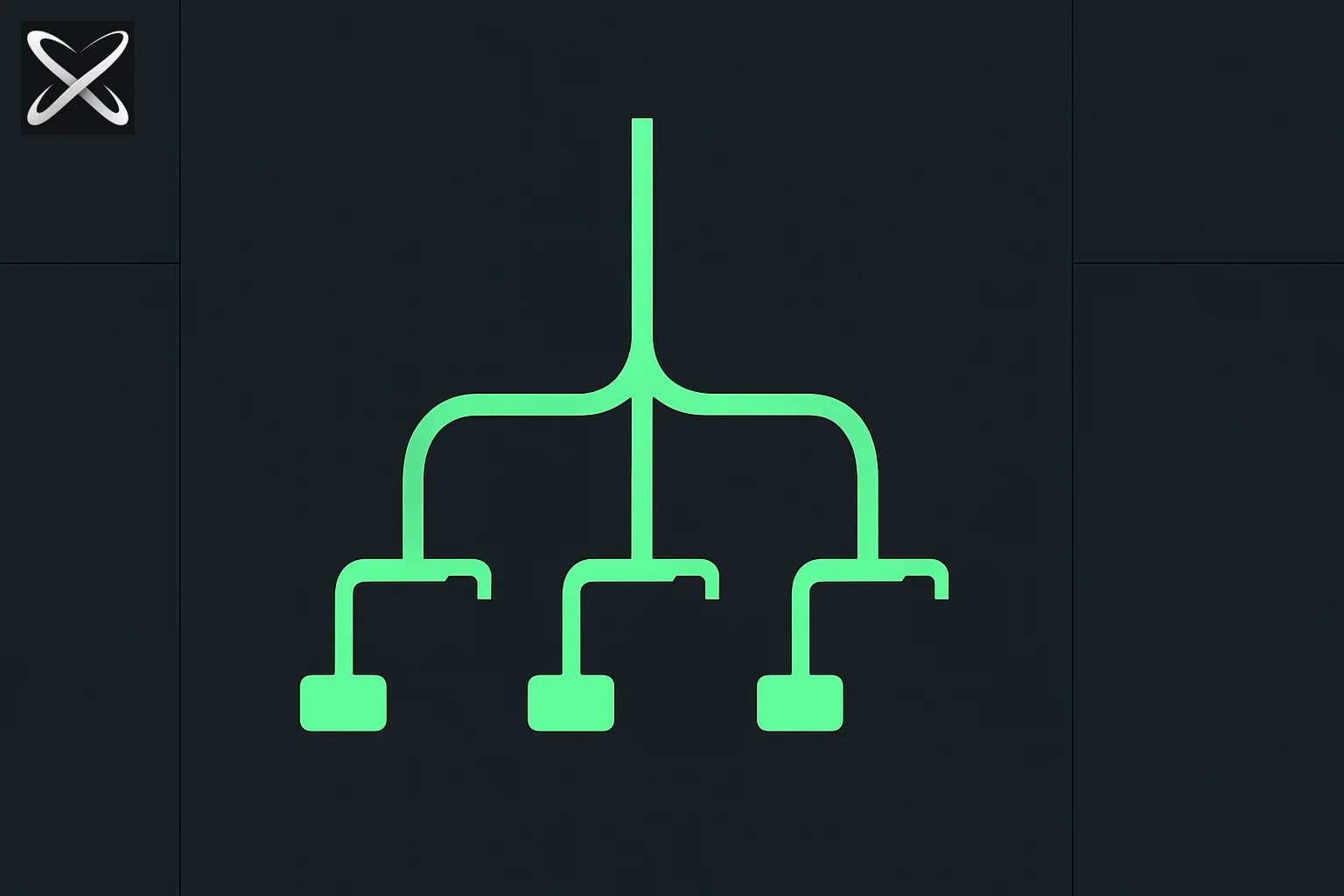
 Claude Code command reference diagram showing a single slash branching into a tree of command tags
Anthropic groups commands by where they appear in a session lifecycle. The pattern below is the fastest way to learn the table—not alphabetical order.
flowchart LR
  A[Setup /init /memory /mcp] --> B[Work /plan /model /compact]
  B --> C[Parallel /agents /batch /background]
  C --> D[Ship /diff /code-review /review]
  D --> E[Between sessions /clear /resume /rewind]
First session in a repo
| Step | Command | What it does |
|---|---|---|
| 1 | /init | Generate a starter CLAUDE.md for the project |
| 2 | /memory | Edit memory files, toggle auto-memory, view entries |
| 3 | /mcp | Connect MCP servers |
| 4 | /agents | Configure subagents |
| 5 | /permissions | Set allow, ask, and deny rules for tools |
Set CLAUDE_CODE_NEW_INIT=1 for an interactive /init that also walks through skills, hooks, and personal memory files.
During a task
| Command | Purpose |
|---|---|
/plan [description] | Enter plan mode before a large change |
/design [description] | Research preview: generate editable UI artboards to prototype before you build (guide) |
/model [model] | Switch model; save as default or session-only |
/effort [level|auto] | Adjust reasoning depth (low through max, ultracode) |
/context [all] | Visualize context usage as a colored grid |
/compact [instructions] | Summarize conversation to free context window |
/btw <question> | Side question that does not bloat history |
Running work in parallel
| Command | Purpose |
|---|---|
/agents | Manage agent configurations |
/tasks | List background work (alias: /bashes) |
/background [prompt] | Detach session as background agent (alias: /bg) |
/batch <instruction> | Decompose large changes into parallel worktree subagents |
/fork <directive> | Background subagent inherits full conversation (v2.1.161+) |
/branch [name] | Fork your conversation to try another direction |
See our loop engineering guide for /loop and dynamic workflows for /workflows and /deep-research.
Before you ship
| Command | Purpose |
|---|---|
/diff | Persistent scrollable/clickable pane for uncommitted and per-turn diffs — updates in real time (desktop pane pop-out supported; Sept 2026) |
/code-review [--fix] [--comment] [target] | Local diff review; --fix applies fixes; ultra runs cloud review |
/simplify [target] | Cleanup-only review (no bug hunt, v2.1.154+) |
/security-review | Read-only security pass on branch diff |
/review [PR] | Review a pull request locally |
For cloud multi-agent review, prefer /code-review ultra (alias: /ultrareview). See our ultrareview deep dive.
Between sessions and when things go wrong
| Command | Purpose |
|---|---|
/clear [name] | New conversation; previous saved in /resume (aliases: /reset, /new) |
/resume [session] | Resume by ID or name (alias: /continue) |
/branch [name] | Fork conversation at current point |
/rewind | Roll back code and/or conversation to checkpoint; v2.1.191+ restores context from before /clear (aliases: /checkpoint, /undo) |
/doctor | Diagnose installation; press f to auto-fix |
/debug [description] | Enable mid-session debug logging |
Test the lifecycle grouping on a few real moments before the full tables:
Command types: built-in, skill, and workflow
Not every entry in the table is coded into the CLI binary.
| Type | Meaning | Examples |
|---|---|---|
| Built-in | Core CLI behavior | /model, /clear, /permissions |
| Skill | Bundled prompt Claude can also invoke automatically | /batch, /loop, /code-review, /run, /verify |
| Workflow | Multi-subagent background orchestration | /deep-research |
| MCP prompt | Discovered from connected servers | /mcp__<server>__<prompt> |
| Removed / gated | Version or environment specific | /vim (removed v2.1.92), /pr-comments (removed v2.1.91) |
Run /skills to list bundled and project skills. Run /reload-skills (v2.1.152+) after adding skills on disk without restarting.
Setup, project, and directory commands
| Command | Purpose |
|---|---|
/init | Initialize project with CLAUDE.md; set CLAUDE_CODE_NEW_INIT=1 for interactive flow |
/memory | Edit CLAUDE.md files, auto-memory, view auto-memory entries |
/add-dir <path> | Add working directory for file access (config mostly stays in primary project) |
/cd <path> | Move session to new working directory; preserves prompt cache (v2.1.169+) |
/hooks | View hook configurations for tool events |
/permissions | Manage allow, ask, deny rules (alias: /allowed-tools) |
/fewer-permission-prompts | Scan transcripts and add prioritized allowlist to .claude/settings.json |
/checkup | Audit and clean up skills, MCPs, plugins, CLAUDE.md, hooks, and permissions; confirms before changing anything |
/sandbox | Toggle sandbox mode (supported platforms only) |
/install-github-app | Set up Claude GitHub Actions for a repository |
/install-slack-app | Install Claude Slack app via OAuth |
/web-setup | Connect GitHub to Claude Code on the web via local gh CLI |
/team-onboarding | Generate team onboarding guide from 30-day usage history |
/run-skill-generator | Write project skill so /run and /verify know how to launch your app (v2.1.145+) |
/cd vs /add-dir: /cd relocates the session (resume finds it from the new directory). /add-dir grants access without moving—useful for monorepos and cross-repo work. Restrict /cd targets with Cd permission rules.
Session, context, and conversation commands
| Command | Purpose |
|---|---|
/clear [name] | Empty context; label previous session for /resume (aliases: /reset, /new) |
/compact [instructions] | Summarize conversation; optional focus instructions |
/context [all] | Context usage grid; pass all to expand per-item breakdown |
/btw <question> | Quick aside without adding to conversation history |
/copy [N] | Copy last (or Nth-latest) assistant response; interactive code-block picker |
/export [filename] | Export conversation as plain text |
/recap | One-line session summary on demand |
/rename [name] | Rename current session (shown on prompt bar) |
/resume [session] | Resume by ID, name, or picker; background sessions marked bg (alias: /continue) |
/branch [name] | Branch conversation at this point; return to original via /resume |
/fork <directive> | Background subagent with full conversation inheritance (v2.1.161+) |
/rewind | Rewind code and/or conversation to checkpoint; v2.1.191+ restores context from before /clear (aliases: /checkpoint, /undo) |
/goal [condition|clear] | Work until condition met; clear stops early (/goal guide) |
/stop | Stop attached background session (keeps transcript and worktree) |
/exit | Exit CLI; in background attach, detaches without stopping (alias: /quit) |
/branch vs /fork: /branch is you exploring a forked copy. /fork is Claude working in the background while you continue. Before v2.1.161, /fork was an alias for /branch.
Model, effort, and performance commands
| Command | Purpose |
|---|---|
/model [model] | Switch model; picker supports session-only switch with s |
/effort [level|auto] | Set effort: low, medium, high, xhigh, max, ultracode, or auto |
/advisor [model|off] | Enable/disable advisor tool (second model consults at key moments, v2.1.98+) |
/fast [on|off] | Toggle fast mode |
/usage | Session cost, plan limits, activity stats (aliases: /cost, /stats) |
/usage-credits | Configure extra usage when limits hit (formerly /extra-usage) |
/limit-reset | Reset current 5-hour session limit once per week; weekly limit unaffected (A/B testing, Sept 2026 — details) |
/heapdump | Write JS heap snapshot to Desktop for memory diagnosis |
/effort levels: max and ultracode are session-only. ultracode combines xhigh reasoning with automatic workflow orchestration. Changes apply immediately without waiting for the current response to finish.
For Fable 5 and model selection context, see Is Fable 5 available on Claude Code?. Advisor pairing: Fable advisor + Sonnet executor guide — /advisor fable with Sonnet 5 main.
Parallel agents, loops, and orchestration
| Command | Purpose |
|---|---|
/agents | Manage subagent configurations |
/tasks | View and manage background tasks (alias: /bashes) |
/background [prompt] | Detach as background agent; monitor with claude agents (alias: /bg) |
/batch <instruction> | Research, decompose into 5–30 units, spawn worktree subagents + PRs |
/loop [interval] [prompt] | Repeat prompt while session open; omit prompt for maintenance check (alias: /proactive) |
/schedule [description] | Create/update/list/run cloud routines (alias: /routines) |
/workflows | Watch, pause, resume, or save running workflows |
/deep-research <question> | Workflow: parallel web search, fetch, cross-check, cited report |
/ultraplan <prompt> | Removed — was cloud plan draft + browser review; use /plan or Claude Code on the web |
/autofix-pr [prompt] | Cloud session watches current branch PR; fixes CI and review comments |
/remote-env | Default environment for cloud agents |
/loop examples (from scheduled tasks docs):
/loop 5m check if the deploy finished
/loop babysit all my PRs
/loop 30m /your-skill-name
Pair /loop with /goal for self-correction loops that run until a validator passes.
Scheduling: /loop vs /schedule vs Managed Agents
Anthropic shipped scheduled deployments and vault environment variables for Claude Managed Agents in public beta at Code with Claude Tokyo (June 2026), confirmed again by @ClaudeDevs on June 11. These are platform-level features—you configure them from the Claude API or via onboarding in Claude Code, not as a single new slash command.
| Mechanism | Where it runs | Best for |
|---|---|---|
/loop | Local session (laptop must stay open) | CI polling, PR babysitting, in-session maintenance |
/schedule / /routines | Anthropic cloud routines from CLI | Simple recurring cloud tasks without full Managed Agent setup |
| Scheduled deployments | Claude Managed Agents (API / dashboard) | Production cron—daily reports, compliance scans, monitoring with vault credentialed CLIs |
/autofix-pr | Cloud session on current branch | Watch one PR until CI and review comments pass |
Onboard Managed Agents from the CLI:
/claude-api managed-agents-onboard
Or ask: "Start onboarding for managed agents in Claude API."
That flow covers:
- Scheduled deployments — cron expression + timezone; each fire starts a new agent session (no external scheduler to host)
- Vault environment variables — register API keys by secret name and allowed domains; keys inject at network egress only; compatible CLIs include Browserbase, KERNEL, Notion, Ramp, and Sentry
/remote-env— set the default cloud environment for agents spawned from Claude Code
Deep dive: Code with Claude Tokyo — Scheduled Agents & Vaults · Scheduled deployments API · Vaults API
Review, diff, and shipping commands
| Command | Purpose |
|---|---|
/diff | Persistent diff pane: git + per-turn diffs; scroll, click, real-time updates — no window-switch to keep reviewing (desktop flexible panes, Sept 10 2026) |
/code-review [effort] [--fix] [--comment] [target] | Bug + cleanup review; effort levels low–max; ultra for cloud |
/simplify [target] | Cleanup-only parallel review (v2.1.154+); no correctness bug hunt |
/security-review | Security-focused read-only diff analysis |
/review [PR] | Local PR review; cloud depth via /code-review ultra |
/ultrareview [PR] | Alias for /code-review ultra (research preview) |
Effort and flags:
/code-review medium
/code-review --fix
/code-review --comment
/code-review ultra
/simplify src/auth/
From v2.1.154, /simplify is the cleanup path; /code-review owns bug finding. On earlier versions, /simplify was equivalent to /code-review --fix.
September 2026 — persistent /diff pane: On desktop, /diff is no longer just a transient interactive viewer. Per Boris Cherny (Sept 10, 2026), it opens a persistent pane you can scroll and click, with real-time updates as Claude edits — so you review without switching windows. Pair it with desktop flexible pane pop-out (custom layouts, multi-monitor, side-by-side sessions). Details: flexible panes + /diff news post.
Memory, skills, plugins, and API commands
| Command | Purpose |
|---|---|
/skills | List skills; t sorts by token count; Space hides from menu |
/reload-skills | Re-scan skill directories mid-session (v2.1.152+) |
/plugin [subcommand] | Manage plugins: list, install, enable, disable, or interactive menu |
/reload-plugins [--force] | Reload plugins; --force when MCP tool set changes |
/claude-api [migrate|managed-agents-onboard] | Load API reference; migrate model IDs; onboard Managed Agents (schedules + vaults) |
/run | Launch and drive your app to verify changes (v2.1.145+) |
/verify | Build, run, and observe—not just tests (v2.1.145+) |
/plan [description] | Enter plan mode with optional task description |
Custom slash commands are skills. The gstack factory is an extreme example of encoding team workflows as slash-invokable bundles.
MCP, IDE, and integration commands
| Command | Purpose |
|---|---|
/mcp [reconnect <server>|enable|disable [<server>|all]] | Manage MCP connections and OAuth |
/mcp__<server>__<prompt> | MCP-exposed prompts (dynamic per connected server) |
/ide | Manage IDE integrations and status |
/chrome | Configure Claude in Chrome |
/desktop | Continue session in Desktop app (macOS/Windows + subscription, alias: /app) |
/teleport | Pull web session into terminal (alias: /tp; requires claude.ai subscription) |
/remote-control | Enable remote control from claude.ai (alias: /rc) |
/mobile | QR code for mobile app (aliases: /ios, /android) |
/voice [hold|tap|off] | Voice dictation mode |
For MCP fundamentals, see What is MCP?.
Settings, UI, and account commands
| Command | Purpose |
|---|---|
/config | Settings interface: theme, model, output style (alias: /settings) |
/status | Settings Status tab: version, model, account, connectivity |
/theme | Color theme including auto, daltonized, ANSI, custom from ~/.claude/themes/ |
/tui [default|fullscreen] | Terminal UI renderer; fullscreen enables alt-screen mode |
/focus | Focus view: last prompt, tool summary, final response (fullscreen only) |
/scroll-speed | Adjust mouse wheel scroll speed (fullscreen only) |
/color [color|default] | Prompt bar color; syncs with Remote Control when connected |
/statusline | Configure status line from description or auto-detect shell prompt |
/keybindings | Open keyboard shortcuts file |
/terminal-setup | Shift+Enter and terminal shortcuts (VS Code, Cursor, etc.) |
/login | Sign in to Anthropic account |
/logout | Sign out |
/upgrade | Open upgrade page (Pro/Max plans) |
/privacy-settings | Privacy settings (Pro/Max subscribers) |
/passes | Share free week of Claude Code (eligible accounts) |
/help | Help and available commands |
/release-notes | Interactive changelog version picker |
/insights | Report on session patterns and friction points |
/powerup | Interactive feature lessons with demos |
/radio | Open Claude FM lo-fi radio (full guide) |
/stickers | Order Claude Code stickers |
Diagnostics and cloud-provider setup
| Command | Purpose |
|---|---|
/doctor | Verify installation and settings; f to fix issues |
/debug [description] | Enable debug logging mid-session; analyze debug log |
/setup-bedrock | Amazon Bedrock wizard (when CLAUDE_CODE_USE_BEDROCK=1) |
/setup-vertex | Google Vertex AI wizard (when CLAUDE_CODE_USE_VERTEX=1) |
Bedrock, Vertex, and Foundry deployments may exclude specific features—for example, /ultrareview is documented as unavailable on those paths.
Complete command reference table
Every command from the official Commands page as of June 2026. <arg> = required; [arg] = optional. Skill and Workflow markers match upstream docs.
| Command | Type | Purpose |
|---|---|---|
/add-dir <path> | Built-in | Add working directory for file access |
/advisor [model|off] | Built-in | Enable advisor tool (v2.1.98+; fable v2.1.170+) |
/agents | Built-in | Manage subagent configurations |
/autofix-pr [prompt] | Built-in | Cloud session auto-fixes PR CI and review comments |
/background [prompt] | Built-in | Detach as background agent (/bg) |
/batch <instruction> | Skill | Parallel worktree orchestration for large changes |
/branch [name] | Built-in | Branch conversation at current point |
/btw <question> | Built-in | Side question without bloating history |
/cd <path> | Built-in | Move session to new directory (v2.1.169+) |
/checkup | Skill | Audit/clean skills, MCPs, plugins, CLAUDE.md, hooks, permissions |
/chrome | Built-in | Claude in Chrome settings |
/claude-api [migrate|managed-agents-onboard] | Skill | API reference, migration, Managed Agents onboarding |
/clear [name] | Built-in | New conversation (/reset, /new) |
/code-review [effort] [--fix] [--comment] [target] | Skill | Diff review; ultra for cloud |
/color [color|default] | Built-in | Prompt bar color |
/compact [instructions] | Built-in | Summarize conversation to free context |
/config | Built-in | Settings UI (/settings) |
/context [all] | Built-in | Context usage visualization |
/copy [N] | Built-in | Copy assistant response to clipboard |
/cost | Built-in | Alias for /usage |
/debug [description] | Skill | Mid-session debug logging |
/deep-research <question> | Workflow | Multi-agent cited research report |
/design [description] | Skill (research preview) | Generate editable UI artboards for prototyping (guide) |
/desktop | Built-in | Continue in Desktop app (/app) |
/diff | Built-in | Persistent scrollable/clickable diff pane; real-time updates (Sept 2026) |
/doctor | Built-in | Installation diagnostics |
/effort [level|auto] | Built-in | Model effort level |
/exit | Built-in | Exit CLI (/quit) |
/export [filename] | Built-in | Export conversation as text |
/fast [on|off] | Built-in | Toggle fast mode |
/feedback [report] | Built-in | Submit feedback (/bug, /share) |
/fewer-permission-prompts | Skill | Auto-generate permission allowlist |
/focus | Built-in | Toggle focus view (fullscreen) |
/fork <directive> | Built-in | Background forked subagent (v2.1.161+) |
/goal [condition|clear] | Built-in | Work until goal met or clear goal |
/heapdump | Built-in | JS heap snapshot for memory debugging |
/help | Built-in | Show help |
/hooks | Built-in | View hook configurations |
/ide | Built-in | IDE integration management |
/init | Built-in | Generate starter CLAUDE.md |
/insights | Built-in | Session analysis report |
/install-github-app | Built-in | Claude GitHub Actions setup |
/install-slack-app | Built-in | Slack app OAuth install |
/keybindings | Built-in | Keyboard shortcuts file |
/login | Built-in | Sign in |
/logout | Built-in | Sign out |
/loop [interval] [prompt] | Skill | Scheduled in-session prompts (/proactive) |
/mcp [...] | Built-in | MCP server management |
/memory | Built-in | Edit memory and auto-memory |
/mobile | Built-in | Mobile app QR (/ios, /android) |
/model [model] | Built-in | Switch AI model |
/passes | Built-in | Referral passes (eligible accounts) |
/permissions | Built-in | Tool permission rules (/allowed-tools) |
/plan [description] | Built-in | Enter plan mode |
/plugin [subcommand] | Built-in | Plugin management |
/powerup | Built-in | Interactive feature tutorials |
/pr-comments [PR] | Removed | Removed v2.1.91; ask Claude to view PR comments |
/privacy-settings | Built-in | Privacy settings (Pro/Max) |
/radio | Built-in | Claude FM stream (guide) |
/recap | Built-in | One-line session summary |
/release-notes | Built-in | Version changelog picker |
/reload-plugins [--force] | Built-in | Reload plugins |
/reload-skills | Built-in | Re-scan skills (v2.1.152+) |
/remote-control | Built-in | Remote control from claude.ai (/rc) |
/remote-env | Built-in | Cloud agent default environment |
/rename [name] | Built-in | Rename session |
/resume [session] | Built-in | Resume conversation (/continue) |
/review [PR] | Built-in | Local PR review |
/rewind | Built-in | Checkpoint rollback; v2.1.191+ restores pre-/clear context (/checkpoint, /undo) |
/run | Skill | Launch app to verify change (v2.1.145+) |
/run-skill-generator | Skill | Generate /run//verify project skill |
/sandbox | Built-in | Toggle sandbox mode |
/schedule [description] | Built-in | Cloud routines (/routines) |
/scroll-speed | Built-in | Mouse scroll speed (fullscreen) |
/security-review | Built-in | Security diff analysis |
/setup-bedrock | Built-in | Bedrock configuration wizard |
/setup-vertex | Built-in | Vertex AI configuration wizard |
/simplify [target] | Skill | Cleanup-only review (v2.1.154+) |
/skills | Built-in | List and manage skill visibility |
/stats | Built-in | Alias for /usage (Stats tab) |
/status | Built-in | Status tab in Settings |
/statusline | Built-in | Configure status line |
/stickers | Built-in | Order stickers |
/stop | Built-in | Stop attached background session |
/tasks | Built-in | Background task manager (/bashes) |
/team-onboarding | Built-in | Generate team onboarding guide |
/teleport | Built-in | Web session → terminal (/tp) |
/terminal-setup | Built-in | Terminal keybinding setup |
/theme | Built-in | Color theme picker |
/tui [default|fullscreen] | Built-in | Terminal UI renderer |
/ultraplan <prompt> | Removed | Was browser-reviewed cloud plan; see Ultraplan vs ultrathink |
/ultrareview [PR] | Built-in | Alias for /code-review ultra |
/upgrade | Built-in | Plan upgrade page |
/usage | Built-in | Usage and cost (/cost, /stats) |
/usage-credits | Built-in | Extra usage configuration |
/limit-reset | Built-in | Session-limit reset, once/week (A/B test) |
/verify | Skill | Observe running app behavior (v2.1.145+) |
/vim | Removed | Removed v2.1.92; use /config → Editor mode |
/voice [hold|tap|off] | Built-in | Voice dictation |
/web-setup | Built-in | Connect GitHub for Claude Code on the web |
/workflows | Built-in | Workflow progress view |
/mcp__<server>__<prompt> | MCP | Dynamic prompts from connected MCP servers |
Commands worth memorizing first
If you are new to Claude Code, start with this minimum viable slash stack:
/init                    # project memory
/permissions             # trust boundaries
/plan fix the auth bug   # think before large edits
/goal tests pass         # autonomous multi-turn work
/loop 5m check CI        # scheduled in-session checks
/compact                 # free context mid-session
/code-review --fix       # ship cleaner diffs
/resume                  # pick up yesterday's thread
For token and model discipline outside slash commands, see Top 10 tips for working with Claude efficiently.
Update — August 18, 2026: Anthropic shipped /design (research preview) — generate editable UI artboards before you build, then implement the one you pick. Full breakdown: Claude Code /design command guide.
Update — October 1, 2026: Site-terminal easter eggs on claude.dev (/stickers, /plushies) are not these CLI commands. Hub vs docs map: claude.dev developer hub.
Related explainx.ai guides
-
Debloating a Fire TV Stick with Claude Code, no remote needed
-
Claude Code desktop flexible panes + persistent /diff (Sept 2026) — pop-out panes, multi-monitor layouts, real-time
/diffreview surface -
Claude Code + Unity MCP guide — connect Claude Code to a live Unity Editor
-
Claude Code /design command: UI artboards research preview — prototype UI before you build, then implement
-
ai-job-search: local Claude Code job application framework —
/applywith drafter-reviewer + ATS checks -
Codex slash commands reference — OpenAI CLI counterpart
-
Gemini CLI slash commands reference — Google CLI counterpart
-
OpenCode slash commands reference — open-source TUI counterpart
-
Cursor CLI slash commands reference — Cursor terminal counterpart
-
What is CLAUDE.md? — persistent project memory and
/init -
Code with Claude Tokyo: Scheduled Agents & Vaults — Managed Agents cron + vault env vars
-
Loop engineering —
/loop, cron, and production guardrails -
Claude Code /goal command — autonomous multi-turn agents
-
Dynamic workflows —
/workflows,/deep-research, ultracode -
Claude Code /ultraplan — cloud planning with browser review
-
Claude Code ultrareview —
/code-review ultra -
What are agent skills? — authoring custom commands
-
What is MCP? —
/mcpand server prompts -
Fable 5 loop design —
/goal+ self-correction patterns -
Gary Tan on 400× productivity — team-scale agent workflows
-
Claude Security public beta — scan, validate, patch beyond
/security-review -
Claude Code cross-session messaging —
/list-agents,ListAgents, andSendMessagefor talking between sessions -
Auto mode becomes the default — what
/permissionsshows once auto mode replaces manual approval as the default on Aug 14, 2026
Primary source: Commands — Claude Code Docs · Documentation index
Summary
Claude Code's slash commands are the control plane for agentic development: they set trust (/permissions), memory (/memory), model and effort (/model, /effort), parallelism (/batch, /fork, /background), and quality gates (/code-review, /security-review) without leaving the terminal.
Type / to discover what your build exposes—availability varies by version, plan, and platform. Treat the official Commands page as source of truth; use this reference as a workflow map and complete index you can bookmark.
Command names, version gates, and plan availability reflect Anthropic's documentation as of June 12, 2026, including Managed Agents scheduled deployments and vault environment variables (@ClaudeDevs, June 11). Re-check code.claude.com/docs/en/commands and /release-notes before documenting internal runbooks—Anthropic ships CLI updates frequently.
Update — August 27, 2026: /feedback gained a second mode. Run it with no argument on Claude Code v2.1.238+ and it opens your queue of Claude-drafted bug reports instead of the write-it-yourself dialog (w still opens that, and /bug opens it directly). See Claude Code now drafts your bug reports.
Update — September 1, 2026: Anthropic removed the Ultraplan research preview (/ultraplan, the ultraplan keyword, and browser refine-from-plan). ultrathink is not a slash command — it is a prompt keyword for one-turn deep reasoning. Full explainer: Ultraplan vs ultrathink.
Update — September 11, 2026: /diff persistent-pane behavior (scroll, click, real-time updates) and desktop flexible pane pop-out — full coverage.
Update — October 3, 2026: Mods can register slash commands: how to build a Claude Code mod, a step-by-step tutorial with screenshots.