



Ask ten IT admins "what is Copilot?" and you'll get three different answers, because Microsoft ships three different products under that name. GitHub Copilot writes code. Microsoft 365 Copilot drafts documents and answers chat questions inside Word, Outlook, and Teams — a pre-built assistant you configure, not one you design. Copilot Studio is the third: a low-code platform at copilotstudio.microsoft.com where you build a custom agent from a blank canvas — your own topics, your own grounded knowledge, your own connector actions — and publish it wherever your users already work.
This guide is the practical version: what Copilot Studio actually is, how it differs from the pre-built M365 Copilot experience, the building blocks you'll touch in your first hour, a step-by-step walkthrough building a real FAQ agent, and what it costs once you turn it on for a team. If you came here from a search for a specific use case, the two follow-up guides in this series build a Copilot Studio IT helpdesk agent and a Copilot Studio HR onboarding agent on top of everything covered here.
TL;DR — Copilot Studio in one table
| Question | Answer |
|---|---|
| What is it? | Microsoft's low-code studio for building custom AI agents and workflows, not a pre-built assistant. |
| How is it different from M365 Copilot? | M365 Copilot is pre-built chat + a lightweight Agent Builder for simple Q&A. Studio adds multistep topics, connector actions, generative orchestration, and standing publish targets. |
| Do I need to code? | No — visual topics, triggers, and natural-language authoring. Power Fx and custom code are optional for advanced logic. |
| How does it ground answers in my data? | Generative answers pull from Dataverse, SharePoint, OneDrive, public websites, or any connected knowledge source via retrieval. |
| Can it take actions, not just answer? | Yes — actions call Power Automate flows, 1,400+ prebuilt connectors, custom APIs, or (new in 2026) MCP servers. |
| Where does it publish? | Microsoft Teams, a website widget, SharePoint, Microsoft 365 Copilot itself, or custom channels via Azure Bot Framework. |
| How is it billed? | Copilot Credits — a capacity pack (commonly 25,000/month) or pay-as-you-go; cost scales with how much grounding/reasoning each turn uses. |
| How long to build a basic agent? | An FAQ agent grounded on one SharePoint site or a few uploaded documents: under 30 minutes, no code. |
Series: this is the hub. Use-case builds: IT helpdesk agent · HR onboarding agent. Broader M365 Copilot basics: What is Microsoft 365 Copilot? Beginner's guide.
What is Copilot Studio, exactly?
Microsoft's own docs describe Copilot Studio as "a graphical, low-code studio for building and managing AI-powered agents and workflows" that connect to your organization's data and systems and publish "to the channels where your users already work." That's the whole pitch in one sentence: design once, ground it in your data, deploy where people already are.
Three things it builds, and you can combine them into one business process:
- Agents — conversational assistants that follow your instructions, draw on connected knowledge, and use tools to take action. Some agents run with their own account so they act proactively rather than only replying to a prompt.
- Workflows — drag-and-drop automations that combine agent reasoning with deterministic steps, including human-in-the-loop approval gates. (Covered in depth in explainx.ai's Copilot Studio loop-engineering guide, which is about scheduling and triggers — this post is about building the agent itself.)
- Agent flows — the Power Automate-style deterministic flow format, runnable standalone or attached to an agent as a callable tool.
Copilot Studio vs Microsoft 365 Copilot vs GitHub Copilot
The naming collision is the single biggest source of confusion in Microsoft's Copilot lineup, so it's worth being blunt about the split before touching the builder:
| Product | What it is | Who builds it | Best for |
|---|---|---|---|
| GitHub Copilot | Coding agent (VS Code, CLI, SDK) | Developers | Writing and reviewing code |
| Microsoft 365 Copilot | Pre-built chat + drafting assistant in Word/Excel/Outlook/Teams, plus Agent Builder for simple Q&A agents | Power users, light configuration | Turn-based Q&A over your files, no standing automation |
| Copilot Studio | Full low-code platform: agents, workflows, agent flows | Makers and developers | Custom multistep agents, connector actions, scheduled/event-driven automation, cross-tenant publishing |
Microsoft's Agent Builder inside Microsoft 365 Copilot lets you spin up a lightweight agent from plain language and a SharePoint or file knowledge source in minutes — genuinely useful, and covered end to end in explainx.ai's Microsoft 365 Copilot beginner's guide. But Agent Builder tops out at conversational Q&A: no multistep branching, no autonomous triggers, no 1,400-connector action library. Microsoft explicitly documents copying an Agent Builder agent into Copilot Studio the moment you need any of that — instructions and knowledge carry over, and you add triggers and workflow logic in Studio.
Choose a harness first
Before you touch a canvas, Copilot Studio asks (implicitly, through templates) which harness — the reasoning engine underneath — your agent runs on, because it changes both capability and billing:
| Harness | Best for | Billing |
|---|---|---|
| GitHub Copilot harness | Reasoning-heavy, multistep business processes; the agent plans its own path through tools | Copilot Credits, usage-based |
| Standard harness | Rule-based agents matched to hand-authored topics; falls back to a generative answer when nothing matches | Per-tenant licensing + capacity |
| Copilot chat harness | Extending Microsoft 365 Copilot Chat with your own knowledge sources | Bundled with M365 Copilot licensing |
For a first build — an FAQ agent — the standard harness is the right default: predictable, cheap, and the one most walkthroughs (including this one) assume.
The building blocks you'll actually touch
Topics and triggers
A topic is a hand-authored slice of conversation — a trigger phrase or intent, a sequence of questions and conditions, and an outcome (answer, action, or handoff). Topics are the classic chatbot building block: deterministic, testable, and the right tool when you want to control the exact path for a known scenario ("reset my password," "check my PTO balance").
Generative answers (grounded on your own data)
When a user's message doesn't match any topic, the agent doesn't fail silently — it generates a conversational answer grounded in connected knowledge sources via retrieval-augmented generation. Common grounding sources:
- SharePoint sites and document libraries
- Dataverse tables (Microsoft's structured business data store)
- OneDrive files you upload directly
- Public websites you allow-list
- Any connector-backed data source exposed to the agent
This is the same retrieval pattern covered generally in explainx.ai's MCP architecture guide — ground the model in real data instead of trusting it to know your internal policies from pretraining.
Actions (connectors, flows, and MCP tools)
An agent that only talks is a chatbot; an agent that acts is what "agent" means in 2026. Actions in Copilot Studio come from three places:
- Prebuilt connectors — Microsoft documents over 1,400 external connectors (Dataverse, SharePoint, Outlook, Salesforce, ServiceNow, and more) that an agent can call directly.
- Power Automate flows / agent flows — for logic too complex for a single action, wrap it in a flow and call the flow as a tool.
- MCP servers — new in 2026. Point an agent at a remote Model Context Protocol server and it inherits that server's entire tool and resource set without a one-off connector build. Microsoft's docs are explicit that generative orchestration must be turned on to use MCP, and that Copilot Studio currently supports MCP tools and resources (not yet MCP prompts). If you're already running MCP servers for Claude Code or Cursor, the same server can now feed a Copilot Studio agent — one integration, multiple agent ecosystems.
Generative orchestration
Rather than you scripting every branch, generative orchestration lets the model itself decide, turn by turn, which topic, tool, or knowledge source best answers the current message — closer to how Claude Code or other agent harnesses plan their own next step than to a rigid decision tree. It's also the switch that unlocks MCP tool use.
Step-by-step: build a simple FAQ agent
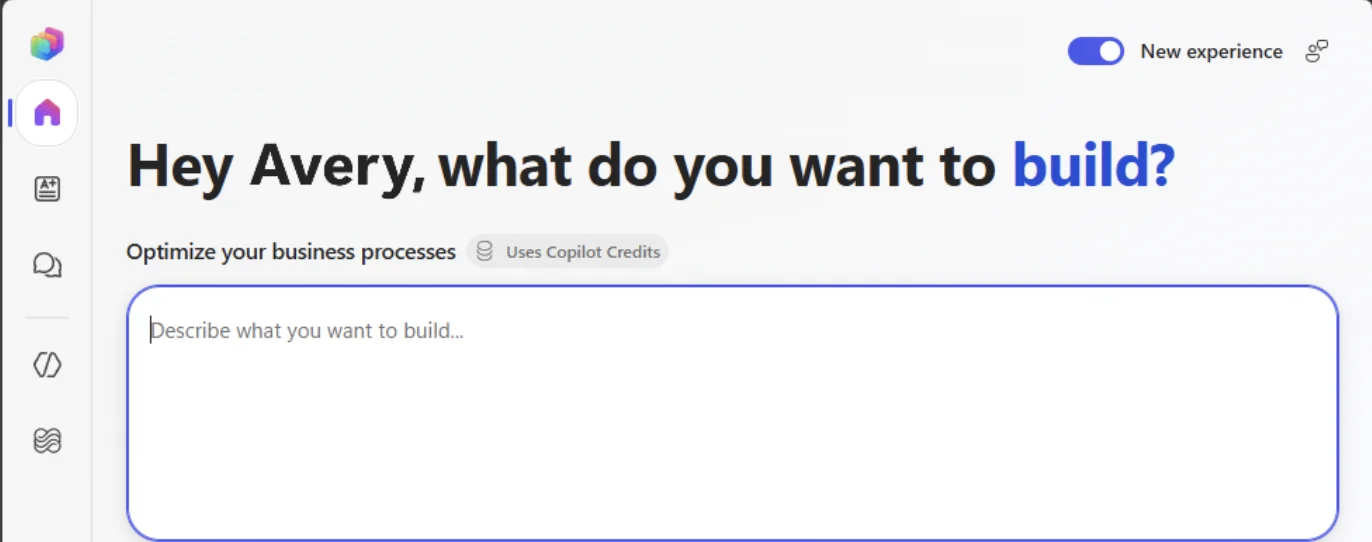
Screenshot: the real Copilot Studio home screen, from Microsoft's official "Copilot Studio overview" documentation.
This walkthrough builds a single-purpose FAQ agent grounded on your own documents — the fastest way to see the platform's actual mechanics before diving into more complex use cases.
1. Create the agent
- Go to copilotstudio.microsoft.com and sign in with a Microsoft 365 or Power Platform account that has Copilot Studio access.
- Select Create → New agent, and choose the standard harness template.
- Describe the agent in plain language when prompted — e.g. "An agent that answers employee questions about our expense policy using our internal wiki." Copilot Studio scaffolds an initial name, description, and starter instructions from that sentence.
2. Connect a knowledge source
- Open the Knowledge tab and add a source: upload a PDF/Word policy document directly, or connect a SharePoint site/library, Dataverse table, or an allow-listed public website.
- Test immediately in the built-in test pane by asking a question the document answers. This is the generative-answers path — no topic authoring required for it to work.
3. Author one deterministic topic
- Add a Topic for a specific, high-volume question you want a guaranteed path for (e.g. "reset password").
- Set a trigger phrase ("reset my password," "forgot password").
- Add conversation nodes: a question node (which system?), a condition node (branch by answer), and a message or action node (send the reset link, or call a connector to trigger the reset).
4. Add an action
- In the topic (or as a standalone action available to generative orchestration), add a connector action — e.g. Send an email via Outlook, or Create a row in Dataverse to log the request.
- Test the action in isolation before wiring it into the full conversation.
5. Test end to end
- Use the test pane's conversation view to run through both the generative-answer path (ask something only in your documents) and the topic path (trigger the deterministic flow).
- Check the Analytics and Evaluations tabs — Copilot Studio ships built-in test sets and a shared grader library so you can validate quality before publishing, not just eyeball it.
6. Publish
- Go to Channels (see the deployment section below) and select Microsoft Teams for the fastest first deployment — it requires no separate hosting.
- Publish, then share the Teams app link with a small pilot group before rolling out org-wide.
That's a complete, working agent: grounded knowledge for open-ended questions, one deterministic topic for a known high-volume scenario, and one connector action — the same three primitives every larger Copilot Studio build (helpdesk, HR onboarding, sales assistant) composes from at scale.
Where agents get deployed
| Channel | Setup effort | Best for |
|---|---|---|
| Microsoft Teams | Lowest — publish, share app link | Internal employee-facing agents |
| Website (webchat widget) | Low — embed a script snippet | Customer-facing FAQ/support |
| SharePoint | Low — add as a page web part | Intranet knowledge-base agents |
| Microsoft 365 Copilot | Medium — publish as an M365 Copilot extension | Extending the existing Copilot chat with domain knowledge |
| Custom channel (Azure Bot Framework) | Higher — requires bot registration and client integration | Slack, mobile apps, proprietary front ends |
An agent isn't locked to one channel — the same agent definition can publish to Teams and a public website simultaneously, sharing the same topics, knowledge, and actions.
MCP-enabled connectors — what changed in 2026
Model Context Protocol support is the most consequential 2026 addition to Copilot Studio's action layer. Per Microsoft's own documentation (updated April 2026):
- Connecting to an MCP server gives an agent access to that server's tools (functions the model can call) and resources (file-like context data) — Copilot Studio does not yet support MCP prompts.
- Tools and resources update dynamically — if the MCP server adds or removes a capability, Copilot Studio reflects the change automatically, no republish required.
- Generative orchestration must be enabled — MCP tools aren't available to agents still running rigid topic-only routing.
- For non-Microsoft MCP servers, you're responsible for what the server does with your data — same trust-boundary reasoning covered generally in explainx.ai's MCP guide.
- You can optionally publish your own MCP connector for cross-tenant reuse via the standard connector certification process.
The practical upshot: if your team already maintains MCP servers for developer tools, the same servers can now extend business-user agents in Copilot Studio — one integration surface instead of parallel connector builds per product.
Pricing basics — Copilot Credits
Microsoft renamed the Copilot Studio billing unit from "messages" to Copilot Credits in late 2025; if you see "message-based pricing" in older material, it refers to the same meter.
| Pricing option | Cost | Notes |
|---|---|---|
| Capacity pack | ~25,000 credits/tenant/month, roughly $0.008/credit on an annual commitment | Predictable monthly spend |
| Pay-as-you-go | ~$0.01/credit via an Azure subscription | No commitment, meter-billed |
Consumption varies sharply by what each turn actually does:
| Interaction type | Approximate credit cost |
|---|---|
| Classic topic answer | ~1 credit |
| Generative answer (RAG) | ~2 credits |
| Tenant-graph grounding | ~10 credits |
| Autonomous agent action | 25+ credits |
A single conversational turn can therefore cost anywhere from 1 to 200+ credits depending on how much retrieval, reasoning, and action-calling the agent does behind the scenes — budget a pilot the way you'd budget an API bill, not a flat per-seat license. The GitHub Copilot harness and standard/Copilot chat harnesses also use different billing mechanics under the hood; check which harness your agent runs on before estimating cost at scale.
Honest limitations
- Agent Builder and Copilot Studio are not interchangeable — moving from one to the other means an explicit migration step, not a settings toggle.
- MCP support is prompts-incomplete — tools and resources work today; MCP prompt templates don't yet.
- Generative answers can be wrong — grounding reduces hallucination risk but doesn't eliminate it; keep a human-review step for anything customer-facing or compliance-sensitive.
- Credit costs are easy to underestimate — an agent that leans heavily on generative orchestration and autonomous actions can burn 25x the credits of a topic-only design for the same conversation volume.
- Cross-tenant MCP connector publishing requires the standard Microsoft connector certification process — it isn't instant.
What this means for what you build or pay
| Choice | Build impact | Pay impact |
|---|---|---|
| Topics only, no generative answers | Fully predictable, easiest to test | Cheapest per turn (~1 credit) |
| Add generative answers on your data | Handles open-ended questions without extra authoring | ~2x credit cost per unmatched-topic turn |
| Add MCP-connected tools | Inherits an entire external tool ecosystem with no per-tool integration work | Requires generative orchestration; action costs scale with tool calls |
| Autonomous agents / event triggers | Standing loops without a custom cron service — see the loop-engineering guide | Highest per-action cost; needs monitoring |
Start with topics plus one grounded knowledge source — the FAQ agent above — before reaching for MCP tools or autonomous triggers. Prove the cheap path works, then add reasoning where it earns its credit cost.
Related reading
Copilot Studio series (explainx.ai)
- Copilot Studio IT helpdesk agent guide — a full ticket-triage build on these same primitives
- Copilot Studio HR onboarding agent guide — a new-hire agent grounded on HR policy docs
- How to run loops in Copilot Studio — Workflows, autonomous agents, and agent flows for standing automation
Microsoft Copilot basics (explainx.ai)
- What is Microsoft 365 Copilot? Beginner's guide — pre-built chat and Agent Builder
- How to run loops in Microsoft 365 Copilot — why chat and Agent Builder can't schedule
- How to run loops in GitHub Copilot — the developer-facing Copilot
- GitHub Copilot: 87% of LLM calls are agent-initiated
Related concepts
- What is MCP? Model Context Protocol complete guide
- What are agent skills? A complete guide
- /loops · Loop Engineering course
Microsoft documentation
- Copilot Studio overview
- Extend your agent with Model Context Protocol
- Orchestrate agent behavior with generative AI
- Licensing for agents powered by the standard harness
Dictionary: Copilot Studio · Microsoft 365 Copilot · Copilot
Feature names, harness options, and credit pricing reflect Microsoft Copilot Studio documentation as of August 2026. Preview features (MCP prompts, natural-language build mode) may change — verify current behavior in your own tenant before production rollout.