



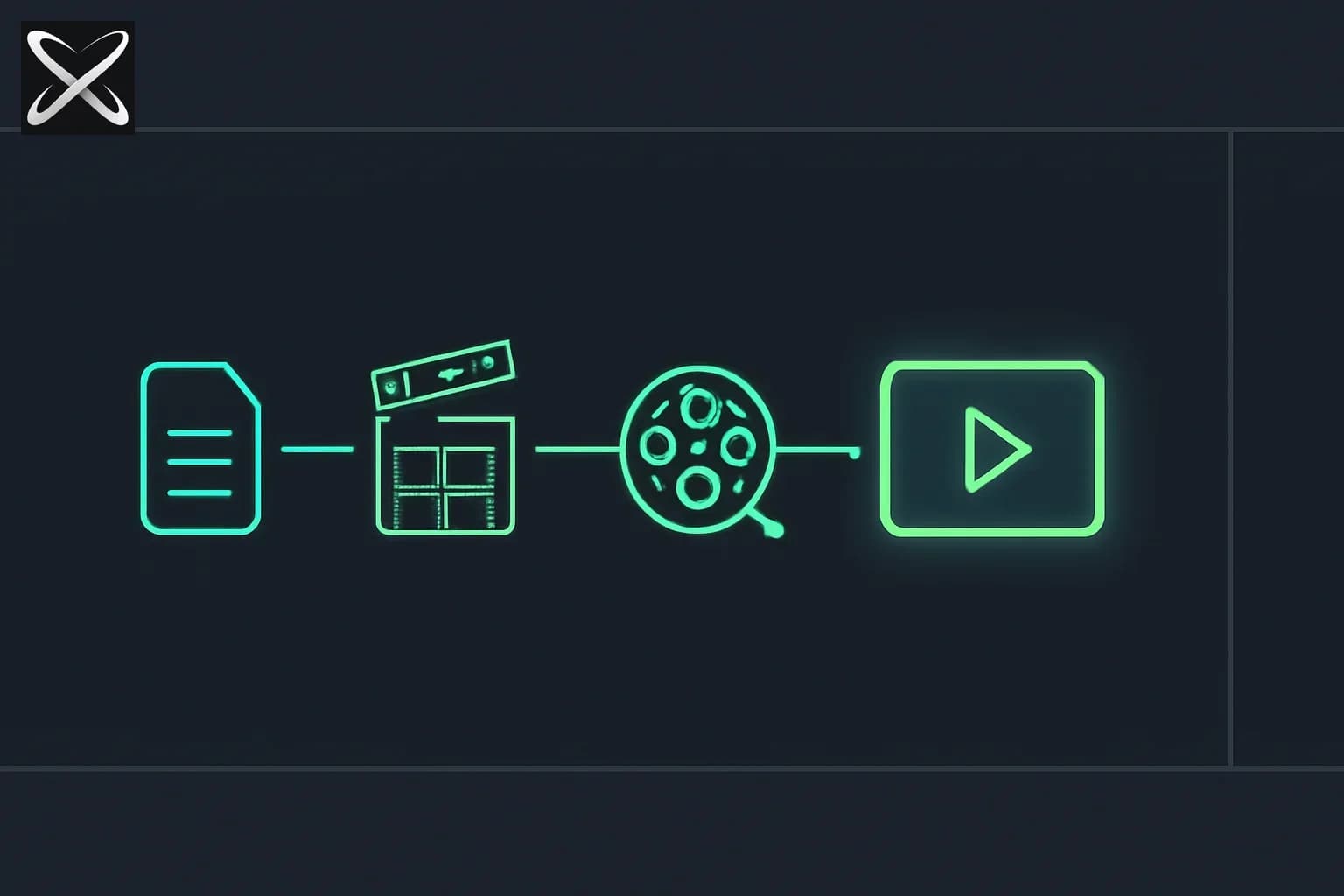
Update — September 11, 2026: HeyGen open-sourced a real-time LiveAvatar stack that uses HyperFrames for live overlays (vocab cards, poker UI) on top of OpenAI GPT-Live-1 — full demos write-up.
A HTML file that renders itself into a frame-accurate MP4 sounds like a party trick until you notice who shipped it. HyperFrames is an open-source framework from HeyGen — the AI avatar and video company, not a weekend side project — and as of September 2026 it sits at 47.9k GitHub stars, 131 watchers, 4.4k forks, and 83+ contributors, with commits landing minutes apart on the repo's activity feed. It is used in production at HeyGen itself, and early community adopters listed in the repo's ADOPTERS.md include tldraw and TanStack.
The tagline is blunt: "Write HTML. Render video. Built for agents." That last clause is the interesting part. explainx.ai has covered a run of AI-agent video tools this year — OpenMontage and video-use both already lean on HyperFrames as a rendering backend for motion graphics. This post is the deep dive on HyperFrames itself: how the composition model works, why it explicitly rejects React and a build step, and what its 20-skill agent architecture teaches about designing multi-skill systems generally — not just for video.
TL;DR — what people are asking
| Question | Answer |
|---|---|
| What is it? | Open-source (Apache 2.0) framework that renders HTML compositions to deterministic MP4 video |
| Who made it? | HeyGen — used in production internally, not a solo maintainer's project |
| Do I need React? | No — plain HTML, CSS, and standard animation libraries; no bundler, no build step |
| How is this different from Remotion? | HTML/CSS authoring vs React/JSX; Apache 2.0 vs Remotion's source-available license |
| Does it work with Claude Code? | Yes — 20 published agent skills, plus Cursor, Gemini CLI, and Codex |
| Is it free? | Yes — the CLI and engine are free; AWS Lambda rendering bills your own account, HeyGen cloud rendering is an optional paid path |
| What can I build today? | Product launch videos, PR-to-changelog videos, faceless explainers, captioned talking-head recuts, motion graphics, beat-synced videos, branching slideshows |
| Requirements | Node.js 22+, FFmpeg |
| Stars / forks / contributors | 47.9k / 4.4k / 83+ (September 2026) |
How HyperFrames actually renders video
A HyperFrames composition is a plain index.html file. Standard elements — video, h1, audio — carry data-* timing attributes instead of living inside a proprietary scene graph:
<video src="clip.mp4"
  data-start="0" data-duration="4"
  data-track-index="0" class="clip"></video>
<h1 data-start="1" data-duration="2">Chapter One</h1>
data-start, data-duration, data-track-index, data-width, data-height, data-volume, and class="clip" do the timeline's job. Animation is not a HyperFrames-specific API — it's whatever library you already know: GSAP, CSS keyframes, Lottie, Three.js, Anime.js, native Web Animations API, or a custom "frame adapter" for anything else. Each composition wires its animations into a single window.__timelines object, which is what makes the next part possible.
There is no build step. The index.html composition plays exactly as-is if you open it in a browser tab. That's the load-bearing design decision — it means a coding agent's output artifact is a file it can write, read back, and diff like any other file in a repo, not a bundle it has to compile before it can inspect.
To render, HyperFrames drives headless Chrome via Puppeteer, seeking window.__timelines to each frame position and capturing it, then encodes the captured frames with FFmpeg. Because every frame is an explicit seek rather than a wall-clock recording, the output is deterministic — the same HTML input always produces the same MP4 output, frame for frame. HeyGen is explicit that this is built for CI pipelines, regression testing, and automated rendering, not just interactive human editing — the same "same input, same output" guarantee that makes automated tests trustworthy in software applies here to video.
Quickstart: from zero to a rendered composition
# Interactive skill picker (asks which of the 20 skills to install)
npx skills add heygen-com/hyperframes

# Non-interactive / agent runs: installs exactly the Core Skills
# group (the /hyperframes router + core domain skills), no prompts
npx hyperframes skills update

# Scaffold a project by hand
npx hyperframes init

# Live-reload browser preview
npx hyperframes preview

# Render the current composition to MP4
npx hyperframes render
Requirements are minimal: Node.js 22+ and FFmpeg on the machine doing the rendering. That's the entire local dependency chain — no cloud account required to get a first MP4 out.
Note the distinction between the two install commands: npx skills add heygen-com/hyperframes with no flags, run non-interactively, installs all 20 published skills at once — appropriate for a human exploring the project, wasteful for an agent that only needs the router. npx hyperframes skills update is the agent-appropriate path — it installs the Core Skills group only, which is what makes the router architecture below actually pay off.
The skills-router architecture — the most interesting part of this repo
Video rendering aside, HyperFrames' agent-tooling design is worth studying on its own, because it solves a problem every builder of a multi-skill agent system eventually hits: you cannot dump 20 skill definitions into an agent's context and expect good behavior. Loaded all at once, 20 skills compete for attention, blow up the context window before any real work happens, and make the agent second-guess which one applies. HyperFrames' answer is a two-tier structure.
Tier 1 — one router skill. /hyperframes reads the request, confirms the brief with the user, and routes to exactly one creation-workflow skill. It does not attempt the work itself — its entire job is triage.
Tier 2a — 10 creation-workflow skills, each scoped to one video shape:
| Skill | What it produces |
|---|---|
/product-launch-video | From a URL, brief, or script — up to ~3 minutes |
/faceless-explainer | Concept explainers with no product/URL; LLM-invented visuals |
/pr-to-video | Turns a GitHub PR into a changelog/feature-reveal video, read via the gh CLI |
/embedded-captions | Adds captions to existing talking-head footage |
/talking-head-recut | Adds lower-thirds, data callouts, kinetic titles to interview/podcast footage |
/motion-graphics | Short unnarrated motion graphics, under 10 seconds |
/music-to-video | Beat-synced video from an audio track |
/slideshow | Interactive presentation decks with branching/hotspot navigation, not a rendered video |
/general-video | Open-ended fallback/companion mode |
/remotion-to-hyperframes | One-way migration tool that ports existing Remotion/React projects to HyperFrames HTML |
Tier 2b — 9 domain skills, loaded on demand rather than by default: /hyperframes-core (the composition contract and timing attributes), /hyperframes-animation (motion rules across every runtime adapter), /hyperframes-keyframes (seek-safe keyframe authoring — a real constraint, since not every animation trick survives being seeked rather than played), /hyperframes-creative (design direction, frame.md, palettes, narration beat planning), /media-use (resolves BGM/SFX/image/voice needs, generates via TTS/music/image models when the catalog misses, transcribes and captions, tracks a reuse ledger), /hyperframes-cli (the dev loop — init/lint/render/publish, plus HeyGen-hosted cloud rendering and AWS Lambda distributed rendering), /hyperframes-audio (mixing already-placed audio), /hyperframes-registry (installing or authoring reusable catalog blocks), and /figma (importing Figma designs and tokens into motion).
There are also 6 repo-internal skills that are not part of the public 20 — tooling HeyGen uses to maintain the project itself, not something you install.
Why this generalizes beyond video. The router pattern is the same principle explainx.ai has covered in what agent skills are and how the skills registry works: a SKILL.md is loaded only when relevant, not baked permanently into context. HyperFrames takes that one level further by putting a skill in charge of choosing skills — the router never does the creative work itself, it only decides which of the 10 workflow skills applies, and that workflow skill then pulls in only the 2-4 domain skills it actually needs. If you're building your own multi-skill agent system — support triage, a coding assistant with a dozen framework-specific playbooks, anything with more than a handful of specialized procedures — this router-plus-on-demand-domain-skills shape is a cleaner blueprint than either "one giant skill" or "dump everything into context and hope."
frame.md: inverting a design system for video
One specific, named feature is worth calling out: frame.md. Most design systems ship a DESIGN.md written for web layout — breakpoints, viewport units, "web chrome" concepts like scroll containers and hover states that simply don't apply to a fixed-duration video composition. frame.md takes that same brand spec and inverts it for the frame — rewriting the identical tokens and rules for video composition instead, so an agent authoring a HyperFrames scene doesn't have to guess at scale or improvise translations from web concepts that don't map.
HyperFrames ships pre-made design system templates browsable and remixable at hyperframes.dev/design — named examples include Biennale Yellow, BlockFrame, Blue Professional, Bold Poster, Broadside, Capsule, Cartesian, Cobalt Grid, Coral, and Creative Mode. If your team already maintains a DESIGN.md for your product, frame.md is the direct video-composition analog worth knowing about.
HyperFrames vs Remotion — the comparison the README makes explicitly
HyperFrames' own README states it is "inspired by Remotion," and both tools share the same underlying render mechanism — headless Chrome plus FFmpeg. The difference is entirely in the authoring model and licensing:
| HyperFrames | Remotion | |
|---|---|---|
| Authoring | HTML + CSS + seekable animation | React components |
| Build step | None — index.html plays as-is | Bundler required |
| Agent handoff | Plain HTML files | JSX / React project |
| Library-clock animations | Seekable, frame-accurate via adapters | Wall-clock animation patterns need care |
| Distributed rendering | Local and AWS Lambda render paths | Remotion Lambda, mature cloud renderer |
| License | Apache 2.0 | Source-available Remotion License (not open source in the same sense) |
The practical read: if your team is already deep in a React codebase and comfortable with a bundler, Remotion's cloud rendering is more mature. If you want an agent to hand you an artifact it can generate, inspect, and diff without a compile step — or you need a fully open-source license — HyperFrames' bet is the more agent-native one. It's not a coincidence that HyperFrames ships a one-way /remotion-to-hyperframes migration skill and not the reverse; that's the direction HeyGen is betting teams will move.
This matters concretely for readers of Fable 5's own launch video pipeline, which used Remotion to rebuild design frames — a HyperFrames-based version of that same pipeline would skip the bundler step entirely and hand the agent plain HTML to iterate on directly.
What can you actually build with it today
The honest answer is: whatever the 10 creation-workflow skills cover, plus anything you compose by hand against the core data-* timing model. Concretely, that's product launch videos from a URL or script (up to roughly 3 minutes), faceless concept explainers with LLM-invented visuals, PR-to-changelog videos generated by reading a GitHub PR through the gh CLI, caption overlays burned onto existing talking-head footage, designed graphic overlays — lower-thirds, data callouts, kinetic titles — recut onto interview or podcast footage, short unnarrated motion graphics under 10 seconds, beat-synced music videos, and interactive branching-navigation slideshows (not a rendered video output at all, a genuinely different artifact from the rest of the list).
The /pr-to-video skill is worth pausing on specifically: turning a merged pull request into an auto-generated feature-reveal or changelog video is a workflow with no obvious equivalent in the tools explainx.ai has covered elsewhere — it's closer to automated release-notes generation than to traditional video editing, and it only makes sense because rendering is deterministic and cheap enough to run per-PR in CI.
Stack, packages, and where it stands today
| Component | Status |
|---|---|
| CLI | Available |
| Core / Engine / Producer | Available |
| Catalog (reusable blocks — transitions, overlays, captions, charts, maps, effects) | Available, npx hyperframes add <name> |
| Agent skills | Available |
| Studio (browser editor) | Available, evolving |
| AWS Lambda rendering | Available — deploy a distributed render stack, drive renders from your laptop or CI |
| hyperframes.dev (community playground) | Available |
frame.md | Available |
The npm surface splits cleanly by concern: hyperframes (the CLI), @hyperframes/core (types, parsers, linter, runtime, adapters), @hyperframes/engine (the Puppeteer+FFmpeg capture engine), @hyperframes/producer (the full capture/encode/audio-mix pipeline), @hyperframes/studio (the browser editor UI), @hyperframes/player (an embeddable <hyperframes-player> web component), @hyperframes/shader-transitions (WebGL shader transitions), and @hyperframes/aws-lambda (the Lambda SDK and deployment tooling).
One development detail worth knowing if you plan to contribute: the repo uses Git LFS for roughly 240MB of golden regression-test video baselines under packages/producer/tests/**/output.mp4. Contributors need git lfs install, or can clone with GIT_LFS_SKIP_SMUDGE=1 git clone if they only need the source and not the test fixtures.
How this compares to what explainx.ai has already covered
HyperFrames isn't arriving into a vacuum on this blog. OpenMontage already ships HyperFrames as one of its two composition runtimes — the README's rule of thumb is Remotion for data-driven explainers and HyperFrames for motion-graphics-shaped briefs (heavy typography, registry blocks, character rigs). video-use lists HyperFrames as one of the animation-overlay engines its sub-agents can reach for alongside Remotion, Manim, and PIL. Neither post treats HyperFrames as the subject — it's a dependency mentioned in passing. This post is the other side of that: what HyperFrames actually is, on its own, as the tool those pipelines are quietly built on top of.
It's also a different bet than Diffusion Studio's editing-as-code, even though both make an authored artifact — not a rendered file — the source of truth an agent manipulates. Diffusion Studio's artifact is a JSX timeline over existing footage you're editing; HyperFrames' artifact is an HTML composition you're typically authoring from scratch to become new video. They're complementary questions — "how do I let an agent edit a cut" versus "how do I let an agent compose a video" — not competing answers to the same one.
And where video-generation AI tools like Sora, Runway, and Kling generate pixels directly from a text or image prompt, HyperFrames generates nothing on its own — it composes and renders assets (real footage, generated clips, text, charts) that you or another tool already produced. It's a rendering and composition layer, not a generation model.
Honest limitations and the trust question
A HeyGen-backed, actively-commits-every-few-minutes project with 83+ contributors is a genuinely different maturity tier than a solo maintainer's weekend repo — that's a real strength worth stating plainly, not just a neutral fact. Production use at HeyGen itself and adoption signals from tldraw and TanStack are the kind of validation a brand-new open-source video tool rarely has this early.
That said, worth knowing before betting production work on it:
- Studio is explicitly marked "Available, evolving" in HeyGen's own status table — it's the least settled piece of the stack, distinct from the CLI/engine which are simply "Available."
- Seek-safe animation authoring is a real constraint, not a formality. The dedicated
/hyperframes-keyframesskill exists precisely because not every animation technique survives being driven by explicit frame seeks rather than natural playback — wall-clock-dependent effects need adapting. - The composition model trades flexibility for determinism. If your team's mental model is already React-and-components, the HTML/
data-*-attribute authoring style is a real switch, not a drop-in replacement — the/remotion-to-hyperframesmigration skill exists because that switch has friction. - AWS Lambda rendering bills your own AWS account. It's not included compute — factor render volume into cost planning the same way you would for any Lambda-based pipeline.
What this changes for what you build
If you're already generating or editing video with an AI agent, HyperFrames is worth trying specifically because the artifact it hands your agent is a file the agent can already read, write, and diff — an HTML file — without a compile step in between. If you're building any multi-skill agent system, video or otherwise, the router-plus-on-demand-domain-skills pattern is worth copying regardless of whether you ever touch a frame of video: one triage skill deciding which of N specialized workflows applies, each workflow pulling in only the 2-4 domain skills it actually needs, beats either a single overloaded skill or dumping everything into context up front.
Related reading
-
OpenFilm: open-source video agent with a local Studio editor
-
HeyGen LiveAvatar + GPT-Live-1 open-source demos — HyperFrames overlays in a live avatar session, not just offline MP4 renders
-
OpenMontage: agentic video production for Claude Code and Cursor — already uses HyperFrames as one of its two render runtimes
-
video-use: edit videos with Claude Code — lists HyperFrames among its animation-overlay engines
-
Diffusion Studio: video editing as code — a complementary bet: editing existing footage as code vs. composing new video from HTML
-
What are agent skills? Complete guide — the on-demand loading pattern HyperFrames' router applies at scale
-
npx skills install: the Claude Code skills registry — how SKILL.md installation works generally
-
Fable 5 edited its own launch video — a Remotion-based pipeline HyperFrames' no-build-step model is a direct alternative to
-
OpenCut: rewrite, plugins, headless MCP — a traditional editor-first open-source alternative
-
Video generation AI: Sora, Runway, Kling complete guide — the generation layer HyperFrames composes on top of, not competes with
Official: HyperFrames on GitHub · hyperframes.dev
Star counts, contributor counts, and feature status reflect the HyperFrames repository as of September 9, 2026. The project is under active, fast-moving development — check the repository for current status before production use.