



Update — August 28, 2026: For a ready-made five-skill collection you can npx skills add in one shot (or -s one skill), see Garden Skills.
Claude Code Is Only as Good as the Context You Give It
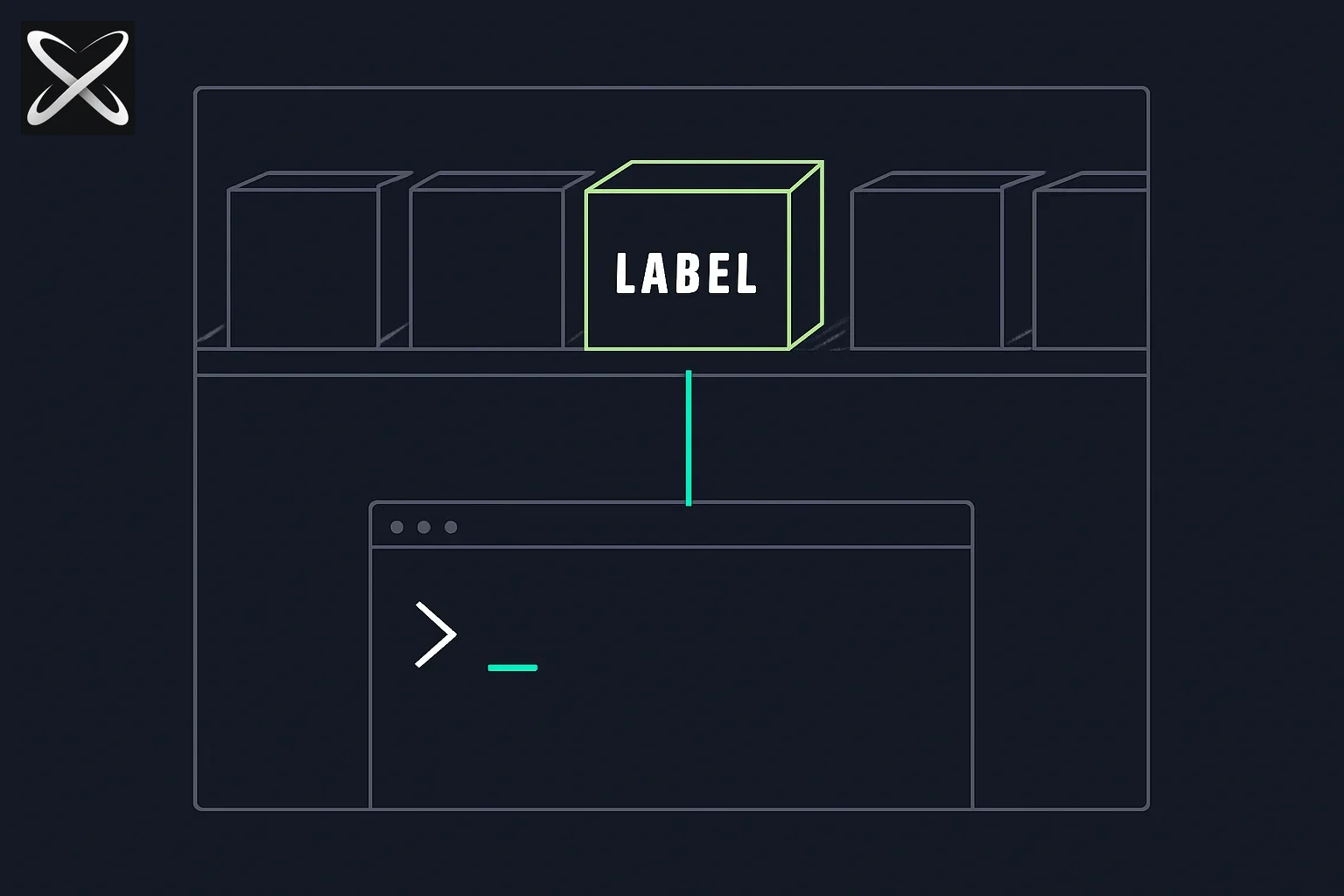
Claude Code does not arrive with encyclopedic knowledge of your deployment pipeline, your team's testing conventions, or the exact sequence of steps your organization uses to cut a release. It arrives with general capability and waits for you to fill in the rest.
Most developers handle this with a CLAUDE.md file: project rules, architectural decisions, preferred libraries. That works well for stable, always-relevant context. But as projects grow, CLAUDE.md files get long. You end up loading Playwright testing instructions into every session, even when you are just fixing a typo in a README. Context that is always present but rarely needed is wasted tokens and wasted attention.
SKILL.md files and the skills registry model solve this. The idea is progressive disclosure: give Claude Code access to deep expertise, but only load that expertise when the agent actually needs it.
explainx.ai runs the skills registry for Claude Code and Cursor. The npx skills install command is how you get skills from that registry into your project. This guide explains how the whole system works, from the file format to writing your own to keeping a team synchronized via lockfiles.
What Claude Code Skills Actually Are
Before getting to the installation command, it helps to be precise about what a "skill" is in this context — because the word is used loosely in a lot of AI writing.
A Claude Code skill is a SKILL.md file. That is the entire artifact. It is a markdown file with a structured frontmatter block and a body that contains instructions, context, and examples. It lives in .claude/skills/ in your project directory (or globally in ~/.claude/skills/ for skills you want available across all projects).
When Claude Code starts a task, it scans the skills directory and evaluates whether any installed skills are relevant to what you have asked. If a match is found, the skill file is loaded into the context for that interaction. When the task is done, it is dropped. The next interaction starts fresh unless the agent determines again that the skill is needed.
This is meaningfully different from how CLAUDE.md works. Your CLAUDE.md is always present. It is the foundation layer — project identity, coding standards, things the agent should always know. SKILL.md files are the specialist layer — deep knowledge that only needs to show up when a particular class of task is in scope.
The practical result is that you can have fifteen skills installed in a project — code review, Terraform infrastructure, Playwright testing, Vercel deployment, database migration, API documentation — and Claude Code will only load the ones relevant to what you are currently doing. A session where you are writing a new React component does not need to carry the Terraform deployment guide.
For a deeper comparison of SKILL.md, CLAUDE.md, and MCP across the full modern agent stack, see the full stack explainer.
The explainx.ai Skills Registry
explainx.ai maintains the skills registry that the npx skills install command pulls from. The registry is a curated library of SKILL.md files covering the developer tasks that come up most often across production codebases.
The key word is curated. The registry is not a free-for-all marketplace where anyone can publish anything. Every skill that lands in the registry has been reviewed for:
- Accuracy: does the skill give Claude Code correct, current guidance?
- Structure: are the instructions specific enough for the agent to follow reliably?
- Scope: is the skill focused enough to be useful, or too broad to be actionable?
- Safety: no credentials in skill files, no instructions that could cause destructive side effects without explicit confirmation
Current categories in the registry include:
- Code review — style, bugs, performance, and security patterns
- Deploy — Vercel, Railway, Fly.io, AWS deployment workflows
- Testing — Playwright, Vitest, pytest, and test generation patterns
- Documentation — API docs, README generation, inline comment conventions
- Data analysis — SQL query review, data pipeline patterns, schema design
- Database — migration workflows, query optimization, seeding patterns
- Security — OWASP review, secrets audit, dependency scanning
- Infrastructure — Terraform, Docker, Kubernetes configuration patterns
New skills are added as the community identifies recurring tasks that benefit from packaged expertise.
Installing Skills with npx skills install
The installation interface is intentionally simple:
# Install a single skill
npx skills install code-review

# Browse what is available
npx skills list

# Install multiple skills at once
npx skills install code-review deploy-vercel write-tests

# Install to the global skills directory (available across all projects)
npx skills install code-review --global

# Check what is currently installed in this project
npx skills installed

# Remove a skill
npx skills remove code-review

# Update all installed skills to latest versions
npx skills update
When you run npx skills install code-review, the command:
- Fetches the latest version of the
code-reviewskill from the explainx.ai registry - Validates the content checksum against the registry manifest
- Writes the SKILL.md file to
.claude/skills/code-review/SKILL.md - Updates
skills.lockwith the installed version and hash
The .claude/skills/ directory structure after installing a few skills looks like this:
.claude/
  skills/
    code-review/
      SKILL.md
    deploy-vercel/
      SKILL.md
    write-tests/
      SKILL.md
  skills.lock
Claude Code discovers skills by scanning this directory at the start of each session. The agent reads the frontmatter from each SKILL.md to understand what the skill does and what kinds of tasks should trigger loading it. The actual instructions body is only pulled into the active context when the agent decides the skill is relevant.
The Anatomy of a SKILL.md File
Understanding the file format makes it easier to evaluate skills from the registry and to write your own.
A SKILL.md file has three parts: frontmatter, instructions, and examples.
Frontmatter is a YAML block at the top of the file. It provides the metadata Claude Code uses to decide whether to load the skill:
---
name: code-review
description: Perform a thorough code review covering style, correctness, performance, and security
version: 1.4.0
triggers:
  - "review this code"
  - "review my PR"
  - "check this for issues"
  - "what's wrong with this"
  - "code review"
  - "look for bugs"
scope: project
---
The triggers field is the most important part of the frontmatter. These are the phrases and intent patterns that tell Claude Code this skill is relevant. They are not exact string matches — the agent uses them as semantic cues. If your request is conceptually similar to a trigger phrase, the skill will be considered.
Instructions are the body of the file. This is what actually gets loaded into the agent's context when the skill is activated. Good instructions are step-by-step and specific, not prose descriptions of goals:
## Instructions

When performing a code review, work through these checks in order:

1. **Correctness first** — identify logic errors, off-by-one errors, null/undefined
   handling, and edge cases before commenting on anything else
2. **Security** — flag any hardcoded credentials, SQL injection risks, unsanitized
   inputs, or improper authentication checks
3. **Performance** — identify N+1 queries, missing indexes, unnecessary re-renders
   in React, and synchronous operations that should be async
4. **Style and conventions** — flag deviations from the project's established
   patterns (check CLAUDE.md for project-specific conventions)
5. **Output format** — group findings by severity: Critical / Warning / Suggestion.
   For each finding, cite the specific line and explain why it matters.
Examples help the agent calibrate when to activate the skill and what good output looks like. Include at least one example of a user request that should trigger the skill and one that should not:
## Examples

**Activate this skill when the user says:**
- "Can you review the changes I made to the auth module?"
- "I want a second opinion on this before I open the PR"
- "What issues do you see in this file?"

**Do not activate this skill when the user says:**
- "Explain how this code works" (use general explanation, not review mode)
- "Can you write tests for this?" (use the write-tests skill instead)
Writing Your Own SKILL.md
The registry covers common tasks, but your team almost certainly has workflows that are too specific to your codebase to appear there. Writing a custom skill is straightforward.
Here is an example of a custom "deploy to staging" skill for a team using Railway:
---
name: deploy-staging
description: Deploy the current branch to the team's Railway staging environment
version: 1.0.0
triggers:
  - "deploy to staging"
  - "push to staging"
  - "test this on staging"
  - "staging deploy"
scope: project
---

## Instructions

Before deploying to staging, always run through these steps in order:

1. **Check for uncommitted changes** — run `git status`. If there are uncommitted
   changes, ask the user whether to commit them or stash them first.
2. **Run the test suite** — run `npm test`. Do not proceed if tests fail unless
   the user explicitly overrides.
3. **Build the project** — run `npm run build`. Surface any TypeScript errors or
   build failures to the user before proceeding.
4. **Deploy via Railway CLI** — run `railway up --environment staging`. Watch the
   output for errors.
5. **Verify the deployment** — once Railway reports success, open the staging URL
   and confirm the health check endpoint returns 200.
6. **Report status** — tell the user the staging URL and the git SHA that was
   deployed.

## Examples

**Activate this skill when:**
- "Can you deploy this to staging so I can test it?"
- "Push this branch to staging"
- "Get this on staging for the QA team"

**Do not activate this skill when:**
- "Deploy to production" (requires the deploy-production skill and explicit confirmation)
- "How does Railway work?" (general question, no deployment needed)

## Notes

- The Railway project name is in the `railway.json` in the project root.
- Staging environment variables are managed in the Railway dashboard, not in
  this repository. Do not attempt to set env vars from this skill.
- If the Railway CLI is not installed, run `npm install -g @railway/cli` and
  prompt the user to authenticate with `railway login`.
Save that as .claude/skills/deploy-staging/SKILL.md and Claude Code will find it automatically. No configuration required beyond creating the file.
Skills for Teams: Lockfiles and Version Pinning
When you are working alone, skills in .claude/skills/ are fine to leave loosely managed. When you are on a team, you want every developer and every CI environment running the same skill versions.
That is what skills.lock is for.
Every time you run npx skills install, the command writes to skills.lock:
{
  "version": 1,
  "skills": {
    "code-review": {
      "version": "1.4.0",
      "hash": "sha256:a3f1b2c9d4e7...",
      "installedAt": "2026-06-28T09:15:00Z",
      "source": "registry:explainx.ai"
    },
    "deploy-vercel": {
      "version": "2.1.1",
      "hash": "sha256:b7e3c5d8f2a1...",
      "installedAt": "2026-06-28T09:15:00Z",
      "source": "registry:explainx.ai"
    },
    "write-tests": {
      "version": "1.2.3",
      "hash": "sha256:c9d4e7a3f1b2...",
      "installedAt": "2026-06-28T09:15:00Z",
      "source": "registry:explainx.ai"
    }
  }
}
Commit this file to your repository. When a team member clones the repo and runs npx skills install (with no arguments), the command reads skills.lock and installs exactly those versions. The hash verification ensures the file content matches what the team agreed on, even if the registry has published a newer version since.
A few important conventions for team use:
Do not put secrets in SKILL.md files. A skill file that says "authenticate with API key ABC123" is a credential leak waiting to happen. Skills should describe workflows. Credentials belong in environment variables.
Custom team skills belong in version control. Your .claude/skills/ directory for locally-written skills should be committed to the repository. These are part of your project's configuration, the same as your .eslintrc or tsconfig.json.
Registry skills belong in skills.lock only. The SKILL.md files downloaded from the registry do not need to be committed — only the lockfile. Team members (and CI) reproduce the installation from the lockfile.
The 10 Most-Used Skills in the Registry
These are the skills developers reach for most often across Claude Code and Cursor installations:
- code-review — Structured review workflow covering correctness, security, performance, and style
- write-tests — Test generation for Vitest, Jest, pytest, and Playwright, including edge cases
- deploy-vercel — Vercel deployment workflow with environment check, build verification, and rollback steps
- api-docs — OpenAPI/REST documentation generation from code
- db-migration — Safe database migration patterns with rollback procedures
- security-audit — OWASP Top 10 review, secrets scanning, dependency audit
- refactor — Systematic refactoring workflow with incremental steps and test coverage checks
- typescript-strict — TypeScript strict mode migration and type safety patterns
- pr-description — Pull request description generation with context, changes, and test plan
- data-analysis — SQL query review, schema design review, and data pipeline patterns
Each of these maps to a recurring class of task where having a structured, opinionated workflow — one that Claude Code follows consistently — produces better results than asking the agent to improvise each time.
Worth adding if you make diagrams: Diagram Design — a free, MIT-licensed skill that generates 27 editorial diagram types (architecture, flowcharts, sequence diagrams, org charts, and more) as self-contained HTML/SVG, matched to your site's actual colors and fonts. Install it the same way as any Claude Code plugin: /plugin marketplace add cathrynlavery/diagram-design then /plugin install diagram-design@diagram-design. See explainx.ai's full write-up for what it does and where its limits are.
On another platform? The SKILL.md format here is the same standard ChatGPT uses — see How to Use Skills in ChatGPT for the equivalent walkthrough over there, including how a skill built for one can move to the other.
Skills vs MCP vs CLAUDE.md: A Quick Comparison
These three tools serve different purposes and are meant to be used together, not instead of each other.
| CLAUDE.md | SKILL.md | MCP | |
|---|---|---|---|
| When loaded | Every session | On demand, when relevant | When explicitly called |
| What it contains | Project rules, always-on context | Task-specific expertise | External tool integrations |
| Scope | Project identity | Specific workflows | External systems and data |
| Best for | Coding standards, architecture decisions | Repeatable task workflows | APIs, databases, file systems |
| Performance impact | Always in context | Only when needed | Per-tool-call overhead |
The practical architecture for most production projects is: CLAUDE.md for what the project is and how it should be built, SKILL.md files for the recurring task types that benefit from packaged expertise, and MCP for when the agent needs to reach outside the repository to pull data or trigger external actions.
Where the Skills Ecosystem Is Heading in 2026
A few directions that are already in progress:
Skill composition. The ability for one skill to declare that it builds on or requires another. A "deploy-with-tests" skill could compose the "write-tests" and "deploy-vercel" skills rather than duplicating their content.
Agent-detected skill recommendations. Claude Code identifying that a project is missing a skill that would be useful and suggesting the relevant npx skills install command. This is already partially in place — the registry has a suggestion API that the CLI can query based on your project's package.json and directory structure.
Private registries. Enterprise teams hosting their own skills registry with the same CLI interface, so internal skills follow the same installation and lockfile workflow as public registry skills. This removes the friction of managing custom skills manually while keeping proprietary workflows out of the public registry.
Skill analytics. Aggregate, anonymized data on which skills are activated most often, which trigger phrases cause the most activations, and which skills correlate with higher task success rates. This feeds back into improving skill quality in the registry.
Build Your Production Skill Library in September
Understanding how skills work is one thing. Building a complete library for your team — covering code review, deployment, testing, and the custom workflows specific to your stack — is a different challenge. It takes time to write skills that are scoped correctly, trigger reliably, and give Claude Code instructions specific enough to be useful.
The AI Skills workshop on September 12-13 at explainx.ai covers exactly this. Two live sessions, two hours each. You will leave with a working skill library for your project, a skills.lock file for team consistency, and the patterns for writing new skills as your workflows evolve.
The same dates also run AI Skills & MCP, which extends the skills curriculum with MCP integration — for teams that need Claude Code to reach into external systems, not just work within the repository.
If you are using Claude Code seriously in production, this is the practical, hands-on path from knowing how skills work to having them deployed and maintained.
Getting Started Right Now
If you want to start before September, the path is straightforward:
# See what is available in the registry
npx skills list

# Install your first skill
npx skills install code-review

# Install a bundle for a typical web project
npx skills install code-review write-tests deploy-vercel api-docs

# Check what you have installed
npx skills installed
After that, open a Claude Code session in your project and try asking it to review a file, write tests for a function, or deploy to your staging environment. You will see the relevant skill load into the context automatically.
The skills registry is maintained by the team at explainx.ai. New skills are added on a rolling basis as the community identifies tasks that benefit from packaged expertise. If there is a skill you need that is not there, the contribution path is documented in the registry — or bring it to the AI Skills workshop and build it live.
Update — September 5, 2026: The pattern of a curated marketplace for pre-built agent configurations isn't unique to Claude Code — see SpaceXAI's Grok Bot Marketplace, 69 agents and beta-exit claims checked for how xAI's community-template storefront and Anthropic's own enterprise-vendor Claude Marketplace compare to the registry model here.
Claude Code is a capable agent. The skills registry is what makes it an expert in your specific workflows. The difference matters.
Have questions about the registry or the npx skills install command? The explainx.ai team is in the community Discord and at every live workshop session.