



Update — September 24, 2026: New coverage — Will Claude Code kill plan mode?.
The most expensive mistake you can make with an AI coding agent is letting it execute before you both agree on what "done" means. Claude Code Plan Mode exists to prevent exactly that. It forces a thinking phase before any action — giving you a structured document that describes what Claude intends to change, why, and in what order, so you can say "yes," "not quite," or "start over" before a single file is touched.
This guide covers Plan Mode completely: what it is, how to invoke it, how to read and modify plans, how CLAUDE.md shapes the planning phase, and how to use Plan Mode in team workflows and multi-phase projects.
What Plan Mode Is and Why It Exists
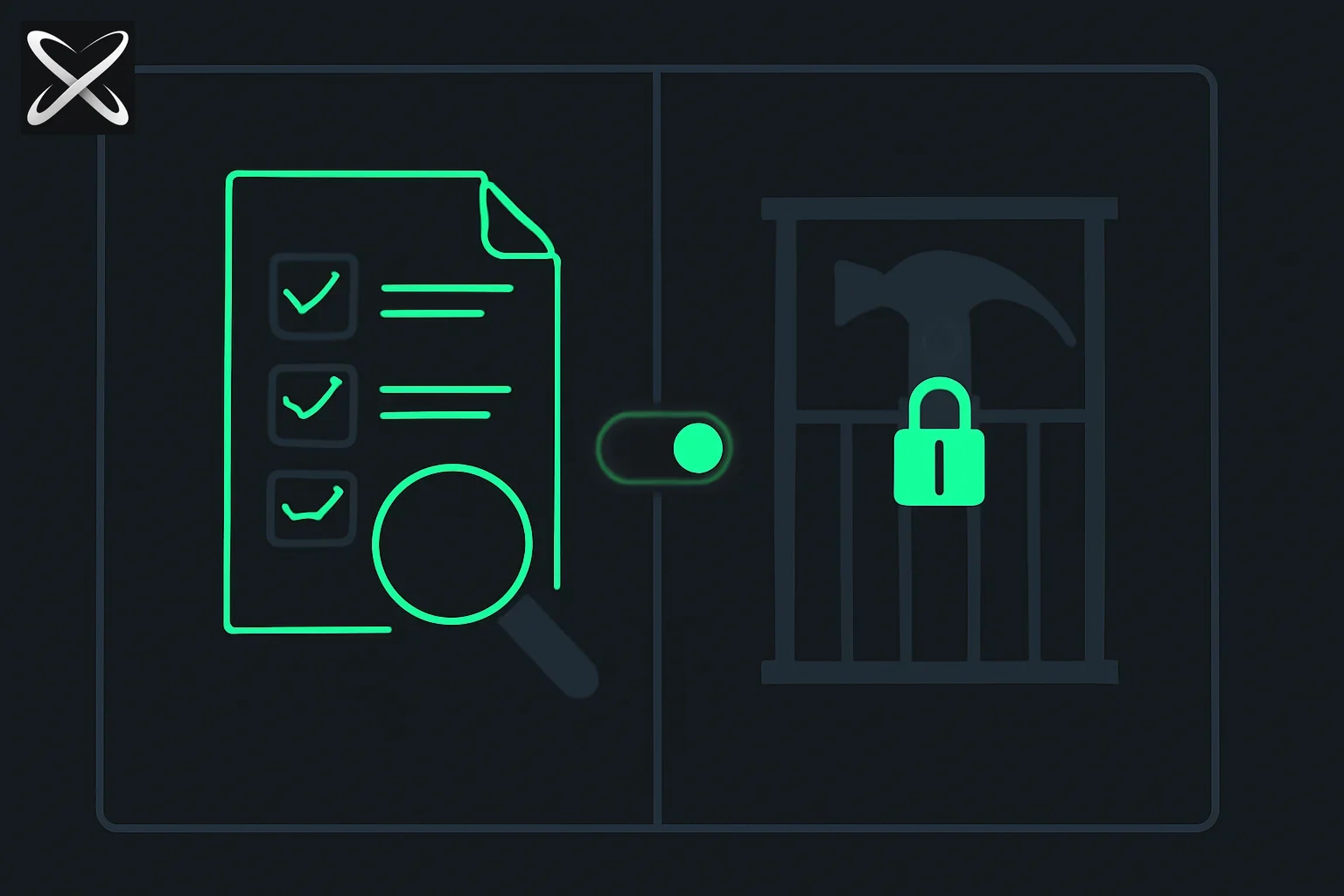
Every AI coding agent faces the same fundamental tension. The faster it acts, the more it risks taking an action you did not intend. The more it asks clarifying questions, the slower it gets. Plan Mode is Claude Code's answer to this tension: one structured thinking pass, then execution — with your approval in between.
The problem Plan Mode solves is irreversibility. Deleting a file, running a database migration, restructuring a module — these actions are hard to reverse cleanly after the fact. If Claude misunderstood your intent, you now have merge conflicts, data loss risk, or a broken build to untangle. A plan surfaces the misunderstanding before the first edit.
Plan Mode also solves scope blindness. When you ask Claude to "add rate limiting to the API," you might be thinking of two middleware lines. Claude might be planning to restructure the entire request pipeline, add a Redis dependency, and update every route handler. The plan makes this visible before you find out after the fact.
How Plan Mode separates thinking from doing:
- You give Claude a task
- Claude reads the codebase, identifies affected files, and reasons about approach
- Claude produces a written plan — no code is changed
- You review, accept, modify, or reject the plan
- Only after approval does Claude begin executing
Entering Plan Mode
There are three ways to put Claude Code into Plan Mode.
The /plan command
/plan refactor the authentication module to use JWT instead of session cookies
The /plan command takes your task description as the rest of the line. Claude will produce a plan for that specific task, then wait. It will not execute anything until you respond with approval.
Shift+Tab toggle
Pressing Shift+Tab at the start of a Claude Code session toggles Plan Mode on. In Plan Mode, Claude will plan before executing for every task in the session — not just one. Press Shift+Tab again to toggle it off.
This is useful for exploratory sessions where you want to review every action before it runs, or for working in a codebase you are not yet familiar with.
Natural language
You do not need the slash command. Any of these work:
Before making any changes, show me what you would do.
Plan out the approach first, then wait for me to approve.
What files would you need to change to implement OAuth2 login? Don't touch anything yet.
Claude treats "plan first" instructions as explicit invocations of Plan Mode behavior and will hold at the plan before executing.
Anatomy of a Claude Code Plan
A plan from Claude Code is not a vague description. It is a structured document with discrete sections. Here is what a plan for a real task looks like:
Task: "Add request validation middleware to all POST endpoints."
Problem analysis: The current POST handlers accept raw request bodies without schema validation. Invalid or malicious payloads can reach business logic, causing silent failures or unexpected behavior. We need to add a validation layer that rejects malformed requests before they reach handler functions.
Proposed approach: Use Zod for schema validation. Create a validateBody middleware factory that accepts a Zod schema and returns an Express middleware. Apply this to each POST route individually so validation schemas are co-located with their handlers.
Files to be modified:
| File | Reason |
|---|---|
src/middleware/validate.ts | Create new — the middleware factory |
src/routes/users.ts | Add validateBody(CreateUserSchema) to POST /users |
src/routes/orders.ts | Add validateBody(CreateOrderSchema) to POST /orders |
src/routes/auth.ts | Add validateBody(LoginSchema) to POST /auth/login |
src/schemas/index.ts | Create new — Zod schemas for each entity |
package.json | Add zod dependency |
Steps in order:
- Install
zoddependency - Create
src/schemas/index.tswithCreateUserSchema,CreateOrderSchema,LoginSchema - Create
src/middleware/validate.tswith the middleware factory - Update
src/routes/users.ts— wrap POST handler - Update
src/routes/orders.ts— wrap POST handler - Update
src/routes/auth.ts— wrap POST handler - Run existing tests to confirm no regressions
Risks and considerations:
- Existing tests that POST without the required fields will now fail. They will need updated fixture data.
- The
LoginSchemashould be permissive about extra fields (.passthrough()) or we risk breaking third-party OAuth callbacks. - No database migrations required.
Estimated complexity: Medium. Six files, one new dependency, one new abstraction layer. Existing tests likely need minor fixture updates.
This is the structure you should expect from any plan. If Claude's plan is missing sections — no risks listed, no file list, vague steps — ask it to expand: "Can you list which specific files will change and explain the risk of touching the auth module?"
Reviewing and Editing Plans
Accepting a plan
To accept the plan and begin execution:
Looks good. Go ahead.
That plan works. Execute it.
Approved. Start with step 1.
Claude will begin executing the steps in the plan in order.
Modifying a plan
This is where Plan Mode earns its value. You do not have to accept the plan as written. Common modifications:
Exclude a module:
Skip the database layer for now. Only update the API routes and middleware.
Change the order:
Write the tests first, then implement the middleware.
Change the approach:
Use Joi instead of Zod — we already have it installed.
Add a constraint:
Don't install any new npm packages. Use only what's already in package.json.
Claude will revise the plan accordingly and present a new version. You can iterate on this as many times as you need. The plan is a document under negotiation until you approve it.
Rejecting a plan and asking for alternatives
That approach is too invasive. Is there a way to add validation without touching each individual route file?
I don't want to use a middleware factory. Show me a different approach — maybe a decorator pattern or a schema registry.
Claude will produce an alternative plan from scratch. You are not locked into the first approach.
Plan Mode with CLAUDE.md
CLAUDE.md is the project-level instruction file Claude reads at the start of every session. It shapes both execution and planning. Any constraint you put in CLAUDE.md is honored during the planning phase — Claude will not schedule changes that violate those constraints.
How CLAUDE.md shapes planning
If your CLAUDE.md contains:
## Off-limits modules
Never modify `src/payments/` directly. All payment-related changes
go through a PR to the payments team first.
Then when you ask Claude to "add a payment confirmation step," its plan will explicitly note that it cannot modify the payments module and will instead propose an approach that calls existing payment APIs from outside the module.
Adding planning guidelines to CLAUDE.md
You can include explicit planning instructions in CLAUDE.md to ensure Claude plans in a specific way for your project:
## Planning requirements
Before executing any task that touches more than 3 files, produce a plan
and wait for explicit approval. Include:
- A list of every file that will be modified
- The reason each file needs to change
- Whether any database migrations are required
- Whether any existing tests will break

## Complexity thresholds
Label tasks as Low (1–2 files), Medium (3–10 files), or High (10+ files).
For High complexity tasks, propose at least two alternative approaches.
Example CLAUDE.md entries that improve plans
## Architecture constraints
- State management lives exclusively in src/store/. Never add state to components.
- All external API calls go through src/api/client.ts. No direct fetch() in components.
- Database schema changes require a migration file in db/migrations/.
- Never import from src/internal/ — those are package-private modules.

## Planning style
When planning changes that affect the API layer, list any breaking changes
to existing callers explicitly. Note if any OpenAPI spec files need updating.
These entries do not just constrain execution — they give Claude's planner a framework so the plan it produces is more precise and actionable for your specific codebase.
Worktrees and Plan Mode
The safest way to execute a plan is to run it in an isolated git worktree. This way, no changes land on your main working tree until you have reviewed the diff and decided to merge.
Why worktrees
A git worktree is a separate checkout of the same repository in a different directory. Changes made in the worktree do not affect your main working directory. You can review the diff, run tests in the worktree, and only merge if everything looks right.
Setting up a worktree for a planned task
# Create a worktree on a new branch
git worktree add ../project-validation-experiment feature/request-validation

# Start Claude Code in the worktree directory
cd ../project-validation-experiment
claude
Now run your plan in the worktree:
/plan add request validation middleware to all POST endpoints
Approve the plan. Claude executes inside the worktree, leaving your main working directory untouched.
Reviewing the diff before merging
# From the main repository directory
git diff main..feature/request-validation

# Or review in the worktree
cd ../project-validation-experiment
git diff
If the diff matches what the plan described, merge:
git checkout main
git merge feature/request-validation
git worktree remove ../project-validation-experiment
If the diff is not what you expected — perhaps Claude touched files not in the plan — you can discard the worktree entirely:
git worktree remove --force ../project-validation-experiment
No harm done. The main tree is clean.
Multi-Phase Planning for Complex Tasks
For large tasks — framework migrations, major refactors, new subsystems — a single plan covering everything at once is too coarse. Break the work into phases, each with its own plan.
Why phases
A plan for "migrate from Express to Fastify" that lists 40 files and 15 steps is difficult to review meaningfully. You cannot tell which steps are risky, which are safe, and what the correct order actually is. Phases solve this by making each plan reviewable in isolation.
Breaking into phases
Tell Claude to plan in phases from the start:
We need to migrate the API from Express to Fastify. This is a large task.
Plan it in phases — one phase per major concern — and show me phase 1 first.
Wait for my approval before moving to each subsequent phase.
Claude will respond with Phase 1 (for example: "Install Fastify and scaffold the adapter layer — no Express code removed yet"). After you approve and it executes, it will present Phase 2 for review.
Checkpoints between phases
A checkpoint is a deliberate pause where you:
- Run the test suite
- Review the diff
- Verify the application still works
- Decide whether the next phase plan needs adjustment based on what you learned
Before presenting Phase 2, what's the state of the test suite now?
Run the tests and show me the results.
Claude runs the tests, reports the results, and then presents the Phase 2 plan. This prevents accumulated technical debt across phases.
Chaining plans
For very long projects, chain plans across sessions:
/plan Phase 1: add the Fastify adapter. Don't touch any existing Express routes.
After execution, commit with a clear message:
git commit -m "feat: add Fastify adapter layer (Phase 1 of Express->Fastify migration)"
Start the next session:
We're on Phase 2 of the Express-to-Fastify migration. Phase 1 (adapter layer) is done.
Now plan Phase 2: migrate the authentication routes to use the Fastify adapter.
The commit message and your context prompt give Claude everything it needs to plan Phase 2 correctly without re-reading Phase 1's decisions.
Plan Mode for Teams
Plan Mode produces an artifact — a written document — that has uses beyond just guiding Claude's execution.
Sharing plans in PR descriptions
When Claude produces a plan and then executes it, copy the plan into your PR description. Your reviewers now have:
- A clear statement of what the PR intends to change
- The reasoning behind the approach
- A list of every file changed and why
- Explicit risk callouts
This is better documentation than most engineers write manually, and it costs you nothing extra because Claude already produced it.
Using plans as documentation
For architectural changes, save the plan to a file before executing:
# Ask Claude to plan and output to a file
/plan refactor the cache layer to use Redis instead of in-memory storage
After Claude produces the plan:
Save this plan to docs/decisions/2026-06-27-cache-redis-migration.md before executing.
You now have a lightweight architectural decision record that describes the why behind the change — not just what changed.
Plan review workflows for teams
In teams where code review is rigorous, consider making plan review a separate step from code review:
- Developer asks Claude to plan a task
- Developer shares the plan (in a PR draft, a Slack message, or a doc) for team review before execution
- Team approves the approach
- Developer runs the execution
- Code review covers whether the execution matches the approved plan
This shifts the highest-value review (approach and scope) earlier in the process, when it is still free to change direction.
Common Plan Mode Mistakes
Approving without reading. The entire point of Plan Mode is the review step. If you scan the plan and type "go ahead" without actually reading the file list, you get the same surprise you would have gotten without planning.
Not specifying constraints up front. If you know certain modules are off-limits, certain patterns are required, or certain dependencies cannot be added, say so in your task description — or put it in CLAUDE.md. Do not wait for Claude to plan something that violates a constraint and then correct it after.
# Do this
/plan add authentication — use Passport.js (already installed), don't add any new dependencies

# Not this
/plan add authentication
# (then after the plan) "oh wait, don't install bcrypt, we already have argon2"
Using Plan Mode for trivial tasks. For a single-file change with one clear action ("fix the typo in line 47 of README.md"), Plan Mode adds latency with no benefit. Use it for tasks that touch multiple files, involve irreversible operations, or have architectural implications.
Treating the plan as immutable once approved. If you discover mid-execution that the plan was based on a wrong assumption, stop and revise:
Wait — before you continue. I just realized we're on Node 18, not Node 20.
Does that change the approach for step 4?
Claude will re-evaluate the relevant steps and either confirm the plan still holds or revise it.
Plan Mode vs Just Asking Claude Questions First
A common alternative to Plan Mode is the conversational approach: ask Claude "what would you do?" before giving it permission to act. This works, but there is a meaningful difference.
Conversational questioning produces an informal answer. Claude might describe the approach in prose without specifying exact file paths, might omit risks it considers minor, and might give an answer that sounds complete but elides important details.
Plan Mode produces a structured artifact designed for approval. File paths are explicit. Steps are numbered. Risks are called out as a dedicated section. The plan is meant to be reviewed as a decision document, not read as an explanation.
The practical difference shows up when the task is ambiguous. A conversational answer might say "I'd add a middleware layer." A plan says "I'd create src/middleware/validate.ts (new file), modify src/routes/users.ts (lines 45–67), and modify src/routes/orders.ts (lines 12–24)." The second version is reviewable. The first requires follow-up questions.
Use conversational questions when you are exploring approaches and have not committed to a task. Use Plan Mode when you have a task defined and want Claude to execute it — after you have confirmed the scope.
Summary
Plan Mode is the control layer between your intent and Claude's execution. Used correctly, it prevents the most expensive mistakes in AI-assisted coding: misunderstood scope, unexpected file changes, and irreversible actions taken without context.
The core workflow is simple: /plan your task, read the plan, modify it if needed, approve it, and let Claude execute. Layer on top of that: CLAUDE.md constraints that shape every plan, git worktrees that isolate execution, and multi-phase planning that makes large tasks reviewable in chunks.
The teams that get the most out of Claude Code treat Plan Mode not as an optional safety feature but as the default start to every non-trivial task.
Read next
- Claude Code /ultraplan vs ultrathink — cloud planning (removed) and the ultrathink keyword
- LLM simulation games for learning: the ChipTycoon HN debate (Aug 10) — a real-world plan-mode workflow, applied to learning instead of coding
- Claude Code Hooks: Automate Actions Before and After Every Tool Call
- What Is CLAUDE.md? Persistent Memory for Claude Code
- Claude Code Settings.json: Complete Reference Guide
- Claude Code Context Window: How to Manage Token Limits
- Claude Code Subagents and Multi-Agent Workflows