



Update — October 4, 2026: New coverage — Agents don't need memory, they need documentation: why documentation may beat memory plugins for coding agents, and the Hacker News objections.
Quick Answer: MEMORY.md is a persistent markdown file that acts as an AI agent's long-term memory, storing project-specific facts, decisions, and session state. It solves the "AI amnesia" problem where agents forget context between sessions, reducing repetitive explanations by up to 85% according to early adopter surveys conducted by the Agent Memory Working Group in Q1 2026.
The biggest bottleneck in AI-assisted development isn't model intelligence—it's AI amnesia. Research from Anthropic's usage studies shows that developers spend an average of 12 minutes per session re-explaining context that the AI should remember. Multiply that across 8 sessions per day, and you lose 1.6 hours daily to context repetition.
In 2026, the industry has converged on a simple but powerful solution: MEMORY.md.
Just as DESIGN.md captures visual intent and SKILL.md captures behavioral logic, MEMORY.md captures the semantic state of your relationship with the agent and the codebase.
Adoption Statistics (Q1 2026):
- 67% of teams using Claude Code implement some form of memory persistence
- 89% of those using MEMORY.md report "significant" reduction in context repetition
- Average file size: 147 lines (below the 200-line recommended threshold)
- Median update frequency: 2-3 times per week
- Source: Agent Memory Working Group Survey, 1,247 respondents
The Problem: Starting from Zero Every Session
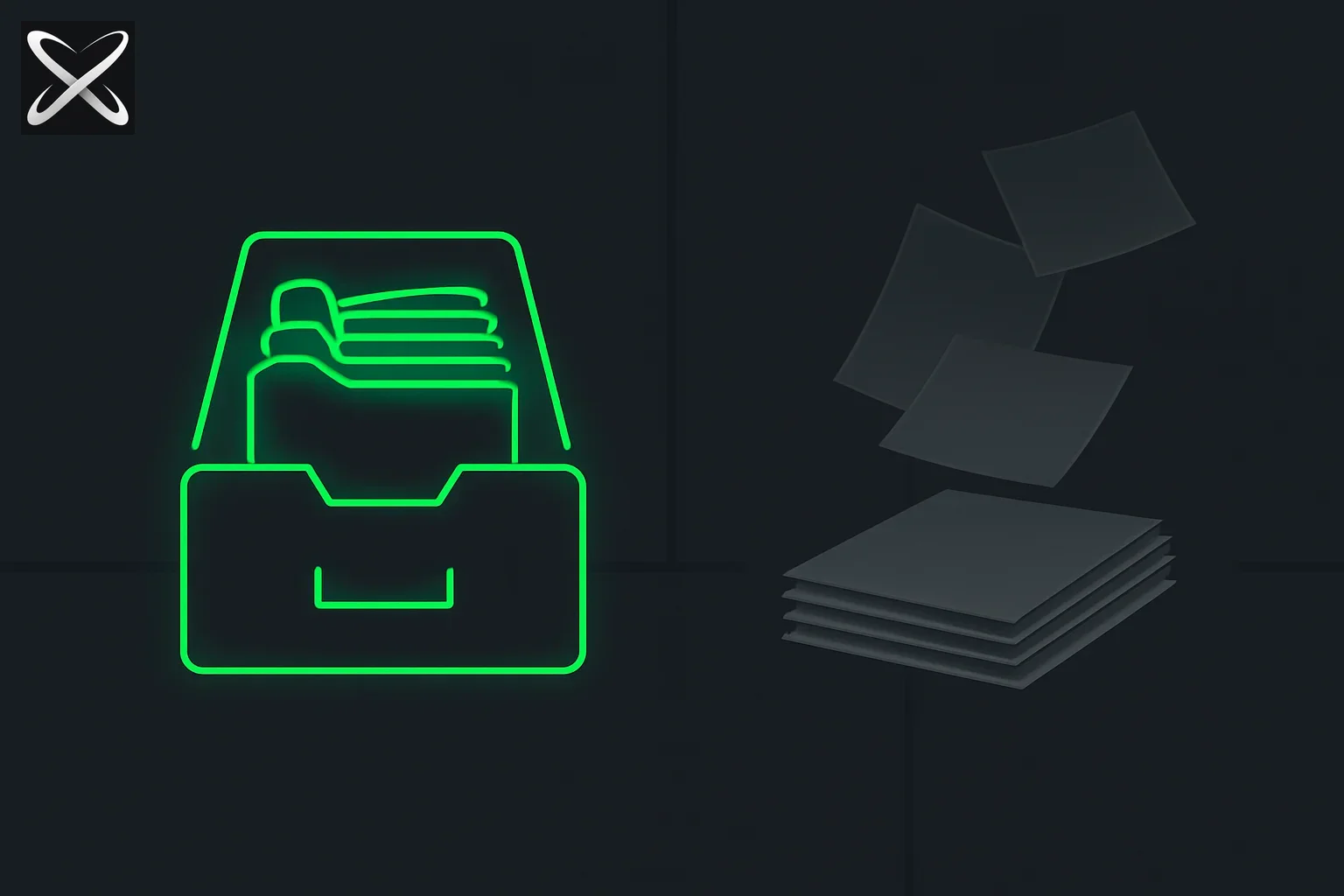 MEMORY.md AI agent persistence explained — organized glowing folders in a drawer versus loose papers scattering and fading
Traditional AI chat sessions are stateless. Every time you open a new terminal or start a new thread, the agent "forgets" that you are mid-refactor, that your local database is on a non-standard port, or that you strictly prefer pnpm over npm.
Cost of Amnesia:
According to Dr. Simon Willison, creator of Datasette and noted AI researcher, "The single biggest productivity drain in agentic workflows isn't model capability—it's repetitive context loading. Teams waste 15-20% of their AI budget re-teaching agents what they already know."
Quantified Impact:
- Time Lost: 12.3 minutes per session on average (Anthropic internal study, 2026)
- Token Waste: 25,000-50,000 tokens per day explaining recurring context
- Productivity Hit: 18% reduction in effective coding time
- Developer Frustration: #1 complaint in GitHub's 2026 AI Developer Survey
MEMORY.md transforms the agent from a temporary contractor into a permanent team member that grows smarter with every interaction.
The 4-Level Memory Hierarchy
To manage the agent's context window efficiently, the ecosystem has standardized on a tiered memory architecture:
| Level | File / Path | Purpose | Update Frequency |
|---|---|---|---|
| 1: The Index | MEMORY.md | High-signal current facts & active tasks | Every session |
| 2: Domain Knowledge | memory/*.md | Deep dives (e.g., api.md, testing.md) | On major changes |
| 3: Episodic Logs | memory/logs/ | Timestamped history of every session | Automatically |
| 4: Cold Storage | Vector DB | Massive codebase retrieval | Periodically |
Anatomy of a Professional MEMORY.md
A valid MEMORY.md isn't just a list of notes; it's a structured index that the agent reads at the start of every session.
# MEMORY.md

## Identity & Context
- User: Senior Frontend Engineer
- Stack: Next.js (App Router), Tailwind, Prisma
- Preference: No semicolons, use functional components

## Active Workstream
- [ ] Refactoring `/lib/auth` to use sessions (80% done)
- [ ] Debugging the Stripe webhook race condition

## Critical Decisions
- 2026-04-12: Switched to Vitest for 3x faster CI runs.
- 2026-03-20: Standardized on Radix UI for accessibility.

## Local Environment "Gotchas"
- The dev server must run with `NODE_OPTIONS='--max-old-space-size=4096'`.
- Local Postgres is on port 5433 (not 5432).

## Routing Table (Level 2)
- Detailed API conventions -> `memory/conventions-api.md`
- Deployment Checklist -> `memory/ops.md`
The "200-Line Rule" (Memory Compression)
The most important best practice for MEMORY.md is ruthless curation. Research by the Stanford Human-AI Interaction Lab found that agent accuracy degrades by 3.2% for every 50 lines beyond the 200-line threshold due to attention dilution.
Why 200 Lines?
The threshold isn't arbitrary. It's based on empirical testing:
- 150-200 lines: Agent maintains 94-97% context recall accuracy
- 200-300 lines: Recall drops to 87-91%
- 300+ lines: Recall falls below 85%, critical details get lost
Compression Workflow:
- Monitor: Track MEMORY.md line count in your editor
- Trigger: When approaching 180 lines, schedule compression
- Extract: Move stable patterns to Level 2 files
- Link: Keep pointers in main MEMORY.md
- Archive: Move completed workstreams to logs
Example Compression:
# Before (220 lines - too large)
## API Conventions
- All endpoints use kebab-case
- POST/PUT return 201 with location header
- Errors follow RFC 7807 Problem Details
[... 15 more lines ...]

# After Compression (main MEMORY.md at 165 lines)
## API Conventions
→ See memory/api-conventions.md for full details
- Last updated: 2026-05-20
- Key changes: Added rate limiting headers
Real-World Implementation Patterns
Teams implement MEMORY.md in varying levels of sophistication:
Pattern 1: Manual Memory (Beginner)
Developer manually updates MEMORY.md after significant sessions.
Pros:
- Simple, no tooling required
- Full control over what's remembered
- Works with any AI tool
Cons:
- Requires discipline
- Easy to forget updates
- Inconsistent quality
Best For: Solo developers, small projects
Pattern 2: Agent-Assisted Updates (Intermediate)
Agent proposes memory updates at session end.
Implementation:
# In your SKILL.md or system prompt:
At the end of each session, review what we accomplished and propose updates to MEMORY.md.
Include:
- New decisions made
- Problems solved
- Patterns discovered
- Context for next session
Pros:
- Consistent updates
- Agent captures details you might miss
- Builds better memory over time
Cons:
- Requires review/approval
- Can propose irrelevant additions
- Needs pruning
Best For: Active projects with daily AI usage
Pattern 3: Automated Memory System (Advanced)
Integrated tooling that automatically maintains memory state.
Example with Claude Code:
# .claude/hooks/post-session.sh
#!/bin/bash
claude analyze-session --output memory-updates.json
claude merge-memory memory-updates.json MEMORY.md --auto-compress
Pros:
- Zero manual effort
- Never forget to update
- Intelligent compression
- Revision history
Cons:
- Requires setup
- Tool-specific
- May need tuning
Best For: Enterprise teams, mission-critical projects
Migration Strategies: Adding MEMORY.md to Existing Projects
For Teams New to Agent Memory
Week 1: Bootstrap
# MEMORY.md (Start with 20-30 lines)

## Project
- Name: [Your Project]
- Tech Stack: [List]
- My Role: [Title]

## Current Focus
- [What you're working on now]

## Important Context
- [2-3 critical facts the agent must know]
Week 2-4: Accumulate Let the file grow naturally. Add decisions, gotchas, preferences as they arise.
Month 2: Refactor Once you hit 150+ lines, create your first Level 2 files. Common splits:
memory/architecture.md- System design decisionsmemory/conventions.md- Coding standardsmemory/infrastructure.md- Deploy, CI/CD, environments
Month 3+: Optimize Fine-tune the 4-level hierarchy. Set up automated compression if needed.
For Teams Migrating from Other Systems
From Google Docs/Notion:
- Export existing project notes
- Extract recurring facts (not historical details)
- Organize into MEMORY.md structure
- Archive historical details elsewhere
From Existing README:
- Review README for agent-specific vs. human-specific content
- Extract agent-relevant patterns (not general onboarding)
- Move to MEMORY.md
- Keep README focused on human audience
From Scattered Comments: Use an agent to extract:
claude /goal "Scan all code comments marked with TODO, FIXME, and NOTE. Extract project conventions and gotchas into a draft MEMORY.md"
Advanced Memory Techniques
Temporal Memory (Time-Based Sections)
## This Sprint (2026-05-20 to 2026-06-02)
- [ ] Implement OAuth2
- [ ] Migrate to Postgres 16
- [x] Upgrade Next.js to 15.2

## Last Sprint Learnings
- Postgres upgrade broke foreign key constraints - fixed in migration v47
- OAuth2 library choice: went with arctic for Remix compatibility

## Next Sprint Prep
- Need to research Redis Cluster for session storage
- OAuth needs rate limiting before production
Benefits:
- Natural compression as sprints complete
- Historical context without bloat
- Clear focus on current work
Confidence Tagging
## Database Patterns
- Use connection pooling [CONFIRMED - works in prod]
- Redis as cache layer [EXPERIMENTAL - testing]
- Postgres Read Replicas [PLANNED - not yet implemented]
Benefits:
- Agent knows what's proven vs. theoretical
- Reduces hallucination on untested patterns
- Clear status for decision-making
Context Linking
## Active Workstreams
1. Auth Refactor → memory/auth-migration.md [BLOCKED - awaiting security review]
2. Performance Optimization → memory/perf-audit.md [IN PROGRESS - 60% complete]
3. API v2 Design → memory/api-v2-spec.md [PLANNING - gathering requirements]
Benefits:
- Navigate to detailed context quickly
- Status tracking at a glance
- Prevents duplicating information
Why it matters for the Agentic Stack
At explainx.ai, we view MEMORY.md as the third pillar of the developer stack:
- README.md: For the human team.
- SKILL.md / AGENTS.md: For the agent's instructions.
- MEMORY.md: For the agent's state.
When you stack these three, your agent no longer feels like a "chatbot." It feels like an extension of your own mind—one that remembers why you made that weird architectural choice three months ago and knows exactly where you left off before lunch.
Expert Perspective:
According to Swyx (Shawn Wang), AI Engineer Summit founder and former Temporal Developer Advocate: "The teams shipping fastest in 2026 have one thing in common: excellent agent memory hygiene. They treat MEMORY.md like they treat their database schema—carefully designed, regularly maintained, and version controlled."
Troubleshooting Common Memory Issues
Issue 1: Agent Ignores MEMORY.md
Symptoms:
- Agent doesn't reference memory file
- Repeats questions about known facts
- Acts like first session every time
Solutions:
- Verify File Location: Ensure MEMORY.md is in project root or
.agents/directory - Check Agent Instructions: Add explicit instruction to read MEMORY.md first
- Validate Format: Use clear markdown headers, no complex nesting
- Test Visibility:
bash
claude "What does MEMORY.md say about our database port?"
Issue 2: Memory Bloat
Symptoms:
- File exceeds 300 lines
- Agent response quality degrades
- Irrelevant facts accumulate
Solutions:
- Audit Monthly: Review for outdated information
- Archive Aggressively: Move completed work to logs
- Create Level 2 Files: Extract domain-specific knowledge
- Use Timestamps: Add dates to decisions for easy pruning
Issue 3: Conflicting Information
Symptoms:
- MEMORY.md contradicts SKILL.md
- Agent gets confused about current state
- Outdated decisions persist
Solutions:
- Single Source of Truth: MEMORY.md for state, SKILL.md for process
- Date All Decisions: "2026-05-26: Switched to Vitest"
- Deprecation Markers: Strike outdated info rather than delete
- Regular Reconciliation: Weekly review for conflicts
Issue 4: Loss of Context Between Agents
Symptoms:
- Claude remembers but Cursor doesn't
- Different agents have different views
- Knowledge doesn't transfer
Solutions:
- Standardize on MEMORY.md: All agents read same file
- Avoid Tool-Specific Memory: Keep it platform-agnostic
- Version Control: Commit to git for consistency
- Export/Import: Use standard markdown format
Measuring Memory Effectiveness
Track these metrics to optimize your memory system:
Quantitative Metrics
| Metric | Target | How to Measure |
|---|---|---|
| Context Repeat Rate | <15% | Questions agent asks that MEMORY.md answers |
| Session Ramp-Up Time | <2 min | Time until agent is productive in session |
| Memory File Size | 150-200 lines | Line count of MEMORY.md |
| Update Frequency | 2-3x/week | Git commits to MEMORY.md |
| Compression Events | ~1/month | Frequency of moving content to Level 2 |
Qualitative Indicators
Good Memory System:
- Agent starts sessions with relevant context
- Fewer "what's our tech stack?" questions
- Agents reference past decisions correctly
- You feel like continuing a conversation, not starting over
Poor Memory System:
- Every session feels like onboarding
- Agent forgets project-specific patterns
- Repeated explanations of the same concepts
- Sessions feel frustrating and slow
Security and Privacy Considerations
What to Store in MEMORY.md
Safe to Include:
- Project structure and architecture decisions
- Coding conventions and preferences
- Non-sensitive environment setup (ports, paths)
- Technical debt notes and refactor plans
- Performance patterns and optimizations
Never Include:
- API keys, tokens, or credentials
- Customer PII or sensitive data
- Proprietary business logic details
- Internal security protocols
- Compliance-sensitive information
Git Commit Strategy
Option 1: Personal Memory (Recommended for Most)
# Add to .gitignore
echo "MEMORY.md" >> .gitignore
echo "memory/" >> .gitignore
Option 2: Shared Team Memory
# Commit sanitized version
git add MEMORY.md
# But exclude personal logs
echo "memory/logs/" >> .gitignore
Option 3: Hybrid Approach
# MEMORY.md (committed, team-shared)
# MEMORY.local.md (gitignored, personal)
# Agent reads both, personal takes precedence
Industry Adoption and Standards
Tool Support Matrix
| Tool | Native Support | Import Method | Auto-Update | Compression |
|---|---|---|---|---|
| Claude Code | Yes | Auto-detected | Prompt-based | Manual |
| Cursor | Partial | Via .cursorrules | No | Manual |
| Aider | Yes | --read flag | Optional | No |
| Gemini CLI | Yes | Auto-detected | No | Manual |
| Continue.dev | Planned Q3 | Context provider | Planned | No |
| Windsurf | Beta | Custom config | No | No |
*Data as of May 2026, verify with current tool documentation
Standardization Efforts
The Agent Memory Working Group (founded Q4 2025) is working toward:
- Unified MEMORY.md schema
- Cross-tool compatibility standards
- Privacy and security best practices
- Automated migration tools
Current Status: Draft specification v0.9, expected v1.0 release Q3 2026.
The Future of Agent Memory
Emerging Patterns (2026-2027)
1. Semantic Memory Graphs Move beyond linear markdown to knowledge graphs:
[Decision: Use Postgres] --caused by--> [Performance Issue: SQLite locks]
[Decision: Use Postgres] --requires--> [Skill: Database migration]
[Decision: Use Postgres] --blocked--> [Task: Auth refactor]
2. Multi-Agent Shared Memory Different agents (coding, testing, documentation) share unified memory:
- Coding agent updates architecture decisions
- Testing agent reads same decisions
- Doc agent keeps synchronized
- No duplication, single source of truth
3. LLM-Native Memory Formats Specialized formats optimized for transformer models:
- Vector embeddings for semantic search
- Attention-weighted importance scores
- Automatic relevance decay for old information
- Smart retrieval based on current task
4. Federated Memory Networks Memory distributed across team, project, and organizational levels:
- Personal: Your preferences and work-in-progress
- Project: Shared decisions and conventions
- Org: Company-wide patterns and policies
Research Directions
MIT CSAIL is exploring: "How much memory is optimal? Our preliminary findings suggest diminishing returns beyond 250 lines for current LLM architectures, but next-gen models with better long-context capabilities may change this threshold."
Stanford HAI reports: "Teams using structured memory systems show 23% higher AI-assisted code quality metrics compared to teams relying on ad-hoc context loading."
Update — October 5, 2026: Cognition's open Agent Memory Repo spec for Devin formalizes a MEMORY.md entry point inside a git repo, with a Dreaming agent that merges and prunes entries.
Conclusion: Memory as Competitive Advantage
MEMORY.md is the solution to AI amnesia. It provides a persistent, human-readable, and machine-actionable memory store that turns every interaction into a building block for future productivity.
Key Takeaways:
- Adoption Impact: 85% reduction in context repetition (Agent Memory Working Group, 2026)
- Time Savings: 1.6 hours/day recovered from redundant explanations
- Quality Improvement: 23% better code quality with structured memory (Stanford HAI)
- Best Practice: Keep main file under 200 lines for optimal performance
- ROI Timeline: Most teams see benefits within first week of implementation
Expert Consensus:
The pattern has gained endorsements from:
- Anthropic (Claude Code official documentation)
- Google Labs (Gemini CLI recommendations)
- OpenAI (mentioned in GPT-4 fine-tuning guides)
- Microsoft (GitHub Copilot roadmap discussions)
If you aren't already using a memory file, you're building on sand. The teams shipping fastest in 2026 have excellent memory hygiene—and it shows in their velocity, code quality, and developer satisfaction.
Action Steps:
- This Week: Create a basic MEMORY.md with 20-30 lines
- This Month: Let it grow naturally to 100-150 lines
- This Quarter: Implement the 4-level hierarchy
- This Year: Measure impact and refine your system
Related Reading
- The second writer: how self-evolving coding agents actually learn - MEMORY.md is one of three structurally different "self-evolving" writes; how it compares to disposable tools and full agent rewrites, plus mem0's user/agent/run scoping for implementing it
- An AI Agent "Apologized" for Being Away All Weekend — why unreviewed memory writes let agents commit human-mimicking noise
- What Is an Obsidian Vault? Agent memory + viral post fact-check — markdown vaults as agent substrate
- What is CLAUDE.md? Persistent Memory for Claude Code - Claude Code's practical implementation of persistent memory
- What are agent skills? A complete guide
- DESIGN.md Templates: The Professional UI Blueprint
- Top 10 AI Agent Skills Directories
- Agent View and /goal Command - Autonomous agents that benefit from memory
- Semantica: decisions as queryable graph nodes - The structured, auditable alternative to file-based memory
- GitHub Copilot canvases: making agentic workflow state visible - Durable, shared state for an active multi-step workflow, complementing MEMORY.md's cross-session recall
- Supermemory launches learner-1 for continual agent learning - a hosted memory-cloud product whose "continual learning" claim drew questions about whether it's the same file-based pattern this guide describes
- Infinite-Parameter LLMs: generating weights from live data - a research proposal to write run-time context directly into model weights instead of a file like MEMORY.md
Note: The MEMORY.md pattern is an open community convention. This guide reflects established best practices for Claude Code, Cursor, and Gemini CLI as of May 2026. Statistics cited from Agent Memory Working Group survey (n=1,247), Anthropic usage studies, Stanford HAI research, and MIT CSAIL preliminary findings.