



TL;DR
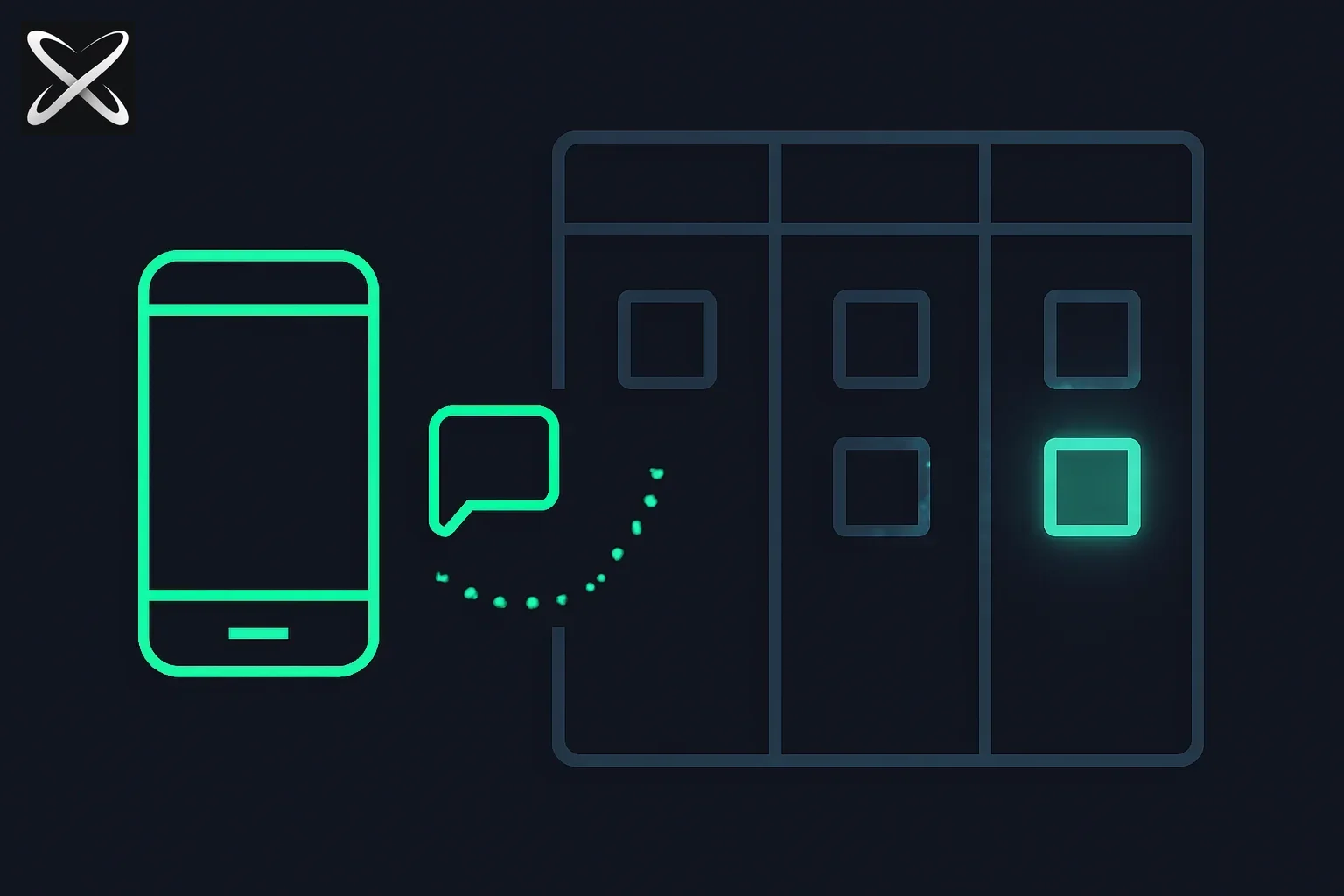 Codex goal workflow — a phone message triggering cards to move across a three-column kanban board
What: A workflow that combines Codex's /goal command with Hermes Agent, Telegram, and Kanban tracking to create a remote-controlled, fully observable AI agent system.
Why it matters: Set complex coding goals from anywhere via Telegram, watch Codex execute them autonomously, and track progress visually on a Kanban board. This workflow transforms AI agents from interactive assistants into reliable, auditable autonomous workers.
Who built it: Shubham Saboo, Senior AI Product Manager at Google and creator of Awesome LLM Apps (109,000+ GitHub stars), shared this breakthrough workflow on Twitter/X on May 10, 2026.
Key insight: The underrated component is the state surface—Telegram provides the command layer, but once goals become Kanban cards, you can audit, pause, and steer Codex instead of hoping the agent loop stays sane.
Why this workflow is life-changing
Traditional AI agent interactions require you to be at your terminal, monitoring progress, responding to questions, and guiding the agent through complex tasks. The moment you step away, the agent sits idle.
This workflow shatters that constraint.
With Codex /goal orchestrated by Hermes Agent and controlled via Telegram, you get:
- Remote control: Set goals from your phone while commuting, in meetings, or anywhere with Telegram
- Autonomous execution: Codex works toward the goal independently, making decisions without constant supervision
- Visual tracking: Kanban cards show which goals are pending, in progress, completed, or blocked
- Audit trail: Every goal execution is logged and tracked, making it easy to review what happened
- Multi-agent orchestration: Run multiple goals in parallel and track them all on one board
As Shubham put it: "I updated my Hermes agent skill to give Codex a goal on the fly using Telegram and track each one of those codex goals in a Kanban board. It has been really insane to see and track Codex execute goals in the wild."
Understanding the components
Codex CLI and the /goal command
Codex is Anthropic's official command-line interface for Claude, designed specifically for software engineering tasks. Unlike Claude.ai's web interface, Codex is built for developers who want deep filesystem integration, git operations, and autonomous code execution.
The /goal command is Codex's most powerful feature. Instead of giving the agent a single task, you define a high-level objective and let Codex figure out the implementation details.
Example goals:
/goal Refactor the authentication system to use JWT tokens/goal Add comprehensive test coverage for the payment processing module/goal Optimize database queries in the user service to reduce latency by 50%
Codex will:
- Break down the goal into subtasks
- Read relevant files
- Write and edit code
- Run tests
- Commit changes
- Handle errors and iterate
The key difference from normal chat: Codex keeps working toward the goal even when it encounters obstacles, rather than stopping and asking you what to do next.
Hermes Agent
Hermes Agent is an AI agent framework that extends Claude's capabilities through custom skills. Think of it as middleware between your commands and Codex execution.
In this workflow, Hermes acts as the orchestrator:
- Receives goal commands from Telegram
- Translates them into Codex
/goalinvocations - Creates Kanban cards for tracking
- Updates card status as goals progress
- Handles error states and notifications
This orchestration layer is critical because it decouples the command interface (Telegram) from the execution engine (Codex), making the system modular and extensible.
Telegram as the command layer
Why Telegram? Several reasons:
- Ubiquity: Telegram runs on every platform—phone, tablet, desktop, web
- Bot API: Rich bot capabilities make it easy to build command interfaces
- Async communication: Fire-and-forget commands without staying connected
- Notifications: Get updates when goals complete or encounter errors
- Security: End-to-end encryption and controlled access
You send a message like:
/goal Implement caching for the user profile API using Redis
Hermes receives it, starts a Codex goal, creates a Kanban card, and replies:
✅ Goal created: #42 - Implement caching for user profile API
📊 Track progress: https://trello.com/c/abc123
You're now free to do anything else. Codex is working autonomously.
Kanban board for state visualization
This is what Alex Harmon called "the underrated bit" in his response to Shubham's tweet:
"Telegram is a great command layer, but once goals become Kanban cards you can actually audit, pause, and steer Codex instead of hoping the agent loop stays sane."
The Kanban board transforms invisible agent state into visual, actionable information.
Typical Kanban columns:
- Backlog: Goals queued but not started
- In Progress: Goals currently being executed
- Blocked: Goals that hit errors or need human input
- Review: Goals completed, pending human review
- Done: Goals fully completed and validated
Each card contains:
- Goal description
- Codex session link
- Start/end timestamps
- Files modified
- Commits created
- Error logs (if any)
- Link to view full Codex transcript
This visibility is crucial for production use. You can:
- See which goals are stuck and need intervention
- Identify patterns in what works vs. what doesn't
- Measure agent performance over time
- Audit what changed and why
How the workflow works: Step-by-step
Here's a complete walkthrough of the workflow in action:
Step 1: Set a goal via Telegram
Open Telegram and message your Hermes bot:
/goal Add rate limiting to all API endpoints using Express middleware.
Apply 100 requests per minute for authenticated users and 20 for anonymous.
Add Redis for distributed rate limit tracking. Include tests.
Step 2: Hermes orchestrates Codex execution
The Hermes Agent skill:
- Parses the goal from your Telegram message
- Validates the goal (checks if the repo is in a clean state, no pending changes)
- Creates a Kanban card in your board with status "In Progress"
- Invokes Codex with the native
/goalcommand - Returns confirmation to Telegram with the card link
You receive:
🚀 Goal #47 started
📋 Title: Add rate limiting to API endpoints
📊 Track: https://linear.app/team/issue/47
⏱️ Started: 2026-05-11 14:32 UTC
Step 3: Codex executes autonomously
Codex analyzes your codebase:
- Finds existing API route definitions
- Identifies the appropriate place to add middleware
- Reads documentation for Express rate limiting and Redis
- Installs necessary dependencies (
express-rate-limit,rate-limit-redis) - Writes middleware code
- Applies middleware to routes
- Writes unit and integration tests
- Runs tests to verify functionality
- Commits changes with clear commit messages
All of this happens without you being involved. Codex makes decisions based on best practices, your codebase patterns, and the goal parameters.
Step 4: Track progress on Kanban
Open your Kanban board and see:
Card #47: Add rate limiting to API endpoints
- Status: In Progress
- Assignee: Codex Agent
- Started: 2 minutes ago
- Files touched: 4
- Commits: 2
- Activity log:
- 14:32 - Goal received via Telegram
- 14:33 - Analyzed existing middleware patterns
- 14:34 - Installed dependencies
- 14:35 - Implemented rate limiting middleware
- 14:36 - Writing tests...
The card updates in real-time as Codex progresses.
Step 5: Receive completion notification
When Codex finishes, you get a Telegram notification:
✅ Goal #47 completed successfully!
⏱️ Duration: 8 minutes
📝 Files changed: 5
✅ Tests passing: 12/12
🔗 View changes: https://github.com/user/repo/compare/main...rate-limiting
📊 Card: https://linear.app/team/issue/47
The Kanban card moves to "Review" status, waiting for your approval.
Step 6: Review and merge
You review the changes when convenient:
- Check the PR Codex created
- Review test coverage
- Verify the implementation matches your requirements
- Approve and merge, or request changes via Telegram
If you need changes:
/goal [#47] Reduce authenticated rate limit to 50 requests per minute
Codex will continue from where it left off, making the requested adjustment.
Why this workflow is better than alternatives
Let's compare this approach to other AI agent workflows:
| Approach | Remote Control | Autonomous | Observable | Auditable | Multi-Agent |
|---|---|---|---|---|---|
| Codex /goal + Telegram + Kanban | ✅ Yes | ✅ Yes | ✅ Yes | ✅ Yes | ✅ Yes |
| ChatGPT / Claude.ai web | ❌ No | ⚠️ Limited | ❌ No | ⚠️ Limited | ❌ No |
| Copilot / Cursor inline | ❌ No | ❌ No | ✅ Yes | ❌ No | ❌ No |
| Raw Codex CLI | ❌ No | ✅ Yes | ⚠️ Terminal only | ⚠️ Limited | ⚠️ Limited |
| GitHub Copilot Workspace | ⚠️ Web only | ✅ Yes | ✅ Yes | ✅ Yes | ⚠️ Limited |
Key advantages:
- True async operation: Set goals and walk away. No need to babysit the terminal.
- Visual state management: Kanban gives you a state surface that raw terminals don't provide.
- Multi-agent orchestration: Run 5 goals in parallel, track them all on one board.
- Mobile-first control: Your phone becomes a powerful dev tool.
- Audit trail: Every goal execution is logged and traceable.
- Error handling: Blocked goals show up visually; you can intervene only when needed.
As Ming commented on Shubham's tweet: "/goal is one of the most innovative commands. I just cancelled my Claude max and will move to codex /goal."
Setting up the workflow yourself
Want to replicate this workflow? Here's how:
Prerequisites
-
Codex CLI installed and authenticated
bashnpm install -g @anthropics/claude-code codex auth -
Hermes Agent set up with custom skills
- Install Hermes Agent framework
- Create Telegram integration skill
- Create Kanban integration skill
-
Telegram Bot created via BotFather
- Get bot token
- Set up webhook or polling
- Configure bot commands
-
Kanban board (choose one):
- Trello (easiest API)
- Linear (best for eng teams)
- Notion (most flexible)
- GitHub Projects (if you're on GitHub)
Implementation steps
Step 1: Create the Hermes skill
Create a new Hermes skill file: hermes-codex-orchestrator.yaml
name: codex-goal-orchestrator
description: Orchestrate Codex /goal execution via Telegram with Kanban tracking
triggers:
  - telegram_command: /goal
  - telegram_pattern: "^goal:"

actions:
  - parse_goal_from_message
  - validate_repo_state
  - create_kanban_card
  - invoke_codex_goal
  - send_confirmation
  - monitor_progress
  - update_kanban_status
  - send_completion_notification

integrations:
  - telegram
  - codex_cli
  - kanban_api
Step 2: Configure Telegram integration
In your Hermes config, add the Telegram bot credentials:
telegram:
  bot_token: ${TELEGRAM_BOT_TOKEN}
  allowed_users:
    - your_telegram_user_id
  webhook_url: https://your-server.com/webhook
Step 3: Configure Kanban integration
Add your Kanban board API credentials:
kanban:
  provider: linear  # or trello, notion, github
  api_key: ${LINEAR_API_KEY}
  team_id: your-team-id
  project_id: codex-goals
  default_labels:
    - codex-automated
    - needs-review
Step 4: Create the orchestration logic
Write the orchestration script (pseudocode):
async def handle_telegram_goal(message):
    # Parse goal from message
    goal_text = extract_goal(message.text)

    # Validate repo state
    if not is_repo_clean():
        return send_telegram_message("Repo has uncommitted changes. Clean up first.")

    # Create Kanban card
    card = create_kanban_card({
        'title': f"Codex Goal: {goal_text[:50]}...",
        'description': goal_text,
        'status': 'In Progress',
        'labels': ['codex-automated'],
        'metadata': {
            'telegram_user': message.from_user.id,
            'started_at': datetime.now(),
            'repo': get_current_repo()
        }
    })

    # Invoke Codex goal
    codex_session = subprocess.Popen(
        ['codex', 'goal', goal_text],
        stdout=subprocess.PIPE,
        stderr=subprocess.PIPE
    )

    # Send confirmation
    send_telegram_message(f"✅ Goal #{card.id} started\n📊 Track: {card.url}")

    # Monitor progress in background
    asyncio.create_task(monitor_codex_progress(codex_session, card))

async def monitor_codex_progress(session, card):
    while session.poll() is None:
        # Stream output and update card
        output = session.stdout.readline()
        append_to_card_activity(card.id, output)
        await asyncio.sleep(1)

    # Goal completed
    if session.returncode == 0:
        update_kanban_card(card.id, {'status': 'Review'})
        send_telegram_message(f"✅ Goal #{card.id} completed!")
    else:
        update_kanban_card(card.id, {'status': 'Blocked'})
        send_telegram_message(f"❌ Goal #{card.id} failed. Check logs.")
Step 5: Deploy and test
- Deploy your Hermes Agent with the new skill
- Start the Telegram bot
- Send a test goal:
snippet
/goal Create a simple hello world endpoint at /api/hello - Watch the Kanban card appear and update
- Receive completion notification
Real-world use cases
This workflow shines in specific scenarios:
1. Commute coding
Set goals during your morning commute:
/goal Refactor the authentication module to use our new JWT utilities
/goal Add pagination to the users list endpoint
/goal Update all dependencies and fix breaking changes
By the time you arrive at your desk, Codex has made significant progress (or completed) all three goals. You review, approve, and merge.
2. Meeting-driven development
During a product meeting, you realize you need a new feature:
/goal Add export to CSV functionality for the reports page with download button
While you continue the meeting, Codex implements the feature. You demo it at the end of the meeting.
3. Off-hours maintenance
Before leaving work on Friday:
/goal Upgrade to Next.js 15 and fix any breaking changes
/goal Run security audit and fix all high severity vulnerabilities
/goal Optimize bundle size by analyzing and removing unused dependencies
The weekend bot runs these maintenance tasks. Monday morning, you review the changes and deploy.
4. Parallel experimentation
Testing multiple approaches:
/goal Implement dark mode using CSS variables approach
/goal Implement dark mode using Tailwind dark: classes
/goal Implement dark mode using next-themes library
Three parallel Codex sessions try different approaches. You review all three and pick the best one.
5. Onboarding tasks
For new team members:
/goal Set up the development environment following our docs/setup.md guide
/goal Run the test suite and fix any failing tests
/goal Add yourself to the team page with bio and photo
New developers get instant automated onboarding support.
Community reactions and insights
The Twitter thread generated significant discussion. Here are key insights from the community:
Alex Harmon (@alexharmondev) highlighted the critical insight:
"The underrated bit is the state surface. Telegram is a great command layer, but once goals become Kanban cards you can actually audit, pause, and steer Codex instead of hoping the agent loop stays sane."
This is the key architectural principle: Agent autonomy is only valuable when paired with observability and control. The Kanban board provides that control surface.
Ryan Ravenson noted:
"only way a windows user can use it!"
This highlights that the workflow democratizes access to powerful agent capabilities across all platforms.
David Prentice asked about the relationship with Hermes /goal:
"So if understand correctly its goal is to promote codex native cli? Because Hermes /goal has a 20 turn limit"
Shubham clarified:
"It is the orchestrator for codex goal. Run and track on kanban"
This distinction matters: Hermes is not executing the goal—it's orchestrating Codex's native goal execution. This bypasses Hermes's turn limits while adding orchestration capabilities.
Barron Roth asked how the agent controls Codex:
"how does your agent control codex?"
Shubham's answer:
"via codex CLI"
Simple but powerful: Hermes invokes Codex as a subprocess, monitoring its stdout/stderr and updating the Kanban board based on Codex's progress.
Best practices and tips
Based on the workflow design and community feedback:
1. Write clear, specific goals
Good goals:
/goal Add input validation to the signup form: email must be valid format,
password must be 8+ chars with 1 number and 1 special char. Show inline errors.
Bad goals:
/goal improve signup
Specificity helps Codex make the right decisions autonomously.
2. Use goal references for iterations
When you need to modify a goal:
/goal [#47] Change rate limit to 50 requests per minute instead of 100
The [#47] reference tells Hermes to continue working on card 47 rather than creating a new goal.
3. Set up notifications wisely
Configure Telegram notifications for:
- Goal completion
- Goal blocked/failed
- Goals running longer than expected (e.g., 30 minutes)
Don't notify for:
- Every small progress update
- File changes
- Test runs
Too many notifications defeat the purpose of async operation.
4. Review regularly
Set a daily routine:
- Check Kanban board for completed goals
- Review code changes
- Merge approved goals
- Investigate blocked goals
- Refine or cancel stale goals
5. Use labels and priorities
On your Kanban board:
- Label goals by type:
feature,bugfix,refactor,chore - Set priorities:
urgent,normal,low - Tag complex goals:
needs-review,breaking-change,experimental
This makes it easier to decide what to review first.
6. Monitor cost and usage
Codex goals can be computationally expensive. Track:
- Average goal completion time
- API tokens used per goal
- Success rate (completed vs blocked)
- Most common failure reasons
Optimize your goal-setting strategy based on these metrics.
Challenges and limitations
This workflow isn't perfect. Here are current challenges:
1. Goal ambiguity
If a goal is unclear, Codex might make wrong assumptions. Unlike interactive mode, you can't clarify mid-execution.
Mitigation: Write very specific goals with acceptance criteria. Use examples when possible.
2. Complex dependencies
Goals that require external services, API keys, or manual steps can get blocked.
Mitigation: Ensure your environment is fully set up before setting goals. Use environment variable checks in your orchestration script.
3. Merge conflicts
If you're working on the same codebase while Codex is executing a goal, you might create merge conflicts.
Mitigation: Use branch isolation. Have Hermes create a new branch for each goal automatically.
4. Cost management
Running multiple goals in parallel can consume significant API credits.
Mitigation: Set concurrency limits. Configure Hermes to queue goals and run at most N in parallel.
5. Security concerns
Giving an agent autonomous control of your codebase requires trust.
Mitigation:
- Use a separate dev environment for agent goals
- Require manual review before merging to main
- Set up CODEOWNERS to prevent auto-merging sensitive files
- Use branch protection rules
The future of agent orchestration
This workflow represents a paradigm shift in how we work with AI agents. Instead of treating agents as interactive assistants, we're treating them as autonomous workers that we orchestrate and supervise.
Key principles emerging:
- Async-first: Agents should work without requiring constant human presence
- Observable: Agent state must be visible and auditable
- Controllable: Humans should be able to pause, steer, and override agents
- Multi-agent: The future is many specialized agents working in parallel
- Remote: Control interfaces should be mobile-first and location-independent
As Shubham said: "It has been really insane to see and track Codex execute goals in the wild."
The "in the wild" part is key. We're moving from AI agents as laboratory experiments to AI agents as production tools.
Getting started today
Ready to try this workflow?
Immediate next steps:
-
Install Codex CLI: Get familiar with
/goalcommandbashnpm install -g @anthropics/claude-code codex auth codex goal "Create a simple hello world endpoint" -
Try manual Kanban tracking: Before automating, manually track a few Codex goals on a Kanban board. This helps you understand what state information matters.
-
Set up Telegram bot: Create a simple bot that receives messages. Start with a manual flow where you copy/paste goals from Telegram to Codex.
-
Automate incrementally:
- First: Auto-create Kanban cards from Telegram messages
- Then: Auto-invoke Codex
- Finally: Auto-update cards based on Codex progress
-
Join the community: Follow Shubham Saboo and the broader AI agent community to see how others are iterating on this workflow.
Conclusion
The Codex /goal + Hermes Agent + Telegram + Kanban workflow represents a breakthrough in making AI agents truly autonomous yet controllable. By combining:
- Command layer (Telegram): Set goals from anywhere
- Execution engine (Codex): Autonomous goal achievement
- Orchestration layer (Hermes): Translation and coordination
- State surface (Kanban): Visibility and control
We get a system that's greater than the sum of its parts. As Tech With Matteo commented: "setting goals via Telegram and tracking them in a Kanban is such a clean setup honestly."
Clean, powerful, and—as Shubham demonstrated—life-changing.
Read next
Interested in learning more about AI agents and automation workflows? Check out these related articles:
- Claude Sonnet 4.5: What's new in the latest model
- Building autonomous AI agents: A practical guide
- Hermes Agent tutorial: Creating custom skills
- Kanban for developers: Beyond project management
Have you tried the Codex /goal workflow? Share your experience or questions with the explainx.ai team on Twitter/X or in our community Discord.
explainx.ai helps teams understand, monitor, and improve their AI systems. Learn more at explainx.ai.