



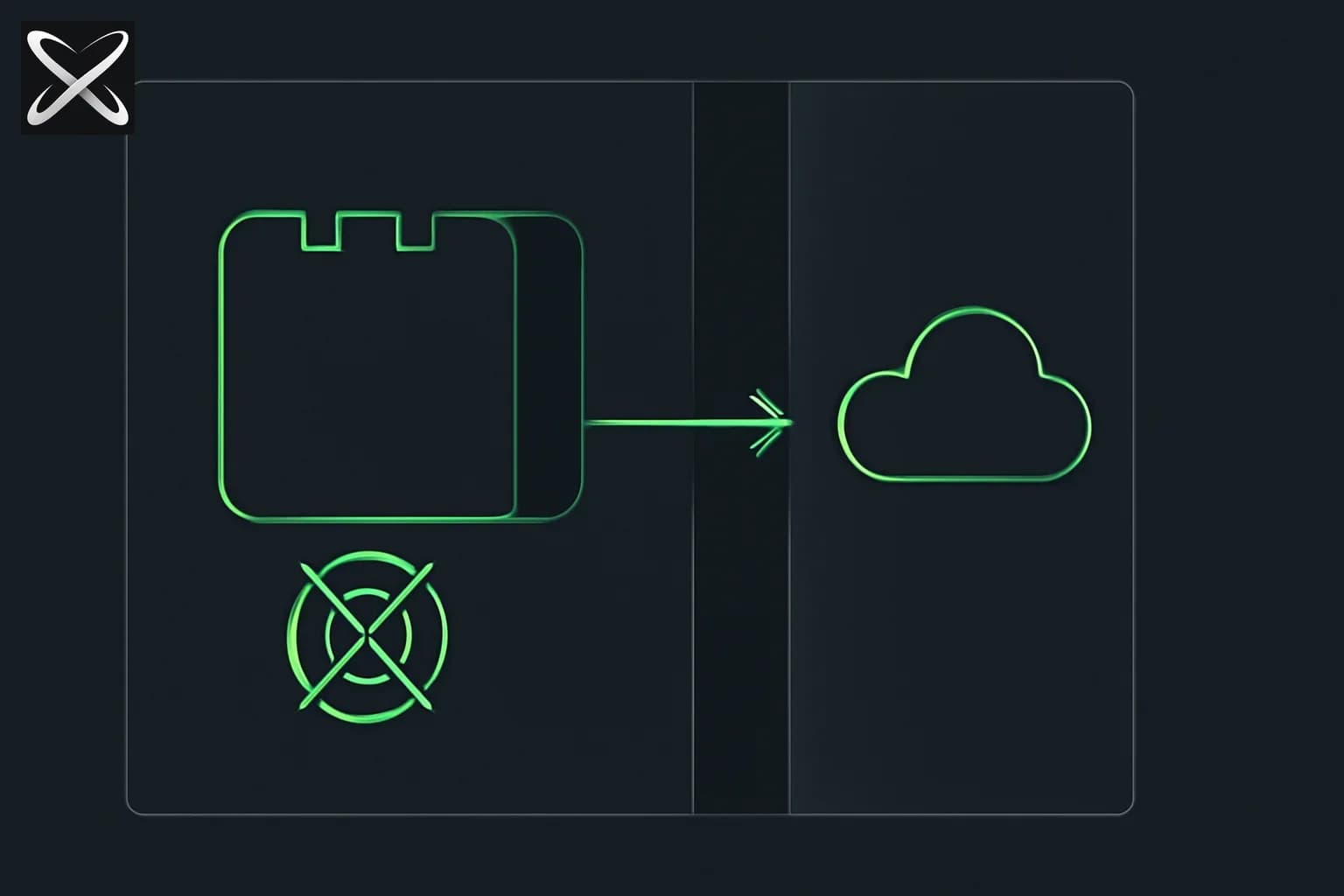
TL;DR: OpenAI's Secure MCP Tunnel enables enterprises to safely connect private MCP servers to ChatGPT, Codex, and the Responses API without exposing internal systems to the internet. Using outbound-only connections through tunnel-client, organizations maintain complete network security while giving AI agents access to internal tools, databases, and APIs—no VPN or public endpoints required.
What's changed since we first published
Updated October 17, 2026, against OpenAI's tunnel-client README and the official guide:
- Docs moved. The guide now lives at
developers.openai.com/api/docs/guides/secure-mcp-tunnels(note the plural); the oldplatform.openai.comURL redirects and the singular path no longer resolves. - More supported products. The README lists ChatGPT, Codex, the Responses API, and AgentKit as targets.
- macOS install. Homebrew is now the supported path (
brew install openai/tools/tunnel-client). Directly downloaded release ZIPs are not notarized and may be blocked by Gatekeeper, and the README says not to bypass the check withxattrorspctl. - Stdio limit. When you launch the MCP server with
--mcp.command(stdio), run only one active tunnel-client per tunnel ID, including during restarts. The multi-replica setups below apply to HTTP MCP servers. - Environment variables. The README uses
CONTROL_PLANE_API_KEYfor the runtime key andCONTROL_PLANE_TUNNEL_IDfor the tunnel ID. Admin commands (tunnel-client admin tunnels ...) use a separateOPENAI_ADMIN_KEY, which should not be used for the long-running daemon. - Wire protocol. Applications call the OpenAI-hosted
/v1/mcp/{tunnel_id}endpoint. The poll and respond endpoints shown in this guide are the runtime's queue protocol, documented in the repo'sdocs/protocol.md. Treat the request-flow snippets as illustrative.
The roadmap and "community requests" sections below reflect May 2026 and were not re-verified.
What is OpenAI Secure MCP Tunnel?
 OpenAI Secure MCP Tunnel — private network sending one outbound-only line through a tunnel to the cloud, no open door
Secure MCP Tunnel is OpenAI's enterprise-grade solution for connecting private MCP (Model Context Protocol) servers to ChatGPT, Codex, and other OpenAI products without exposing those servers to the public internet.
Traditional integration approaches require either:
- Public endpoints - Exposing internal APIs to the internet (major security risk)
- VPN tunnels - Complex networking that requires infrastructure changes
- Proxy servers - Additional maintenance burden and potential single points of failure
Secure MCP Tunnel eliminates these trade-offs through a simple architecture:
- tunnel-client runs inside your private network
- Opens outbound-only HTTPS connections to OpenAI
- Long-polls for MCP requests from ChatGPT/Codex
- Forwards requests to your private MCP server
- Returns responses through the same secure tunnel
No inbound ports. No public exposure. No VPN complexity.
The Enterprise MCP Challenge
What is MCP?
The Model Context Protocol (MCP) is a standardized way for AI agents (like ChatGPT) to discover and invoke tools, access data sources, and interact with external systems. Think of it as an API that AI models can understand and use autonomously.
Example MCP capabilities:
- Query your company's database
- Search internal documentation
- Create tickets in your issue tracker
- Retrieve customer data from CRM
- Execute code in your development environment
The Security Problem
Most enterprise tools and data sources are (rightfully) private:
- Behind corporate firewalls
- On private networks or VPCs
- On-premises in data centers
- Protected by strict access controls
Making these systems available to cloud-based AI like ChatGPT traditionally meant:
Option 1: Expose to Internet ❌
[ChatGPT] → [Public IP] → [Your Firewall] → [Private MCP Server]
         ⚠️ Attack surface expanded
         ⚠️ Requires inbound firewall rules
         ⚠️ Direct internet exposure
Option 2: Complex VPN ❌
[ChatGPT] → [OpenAI VPN Gateway] → [Your VPN] → [Private Network]
         ⚠️ Infrastructure complexity
         ⚠️ Ongoing VPN management
         ⚠️ Network routing challenges
Secure MCP Tunnel: The Solution ✅
[ChatGPT] → [OpenAI Tunnel Endpoint] ← [tunnel-client] ← [Private MCP Server]
                                        (outbound only)
         ✓ No inbound ports
         ✓ No public exposure
         ✓ Minimal infrastructure changes
How Secure MCP Tunnel Works
Architecture Overview
┌─────────────────────────────────────────────────────────────┐
│                    OpenAI Cloud                             │
│                                                             │
│  ┌──────────┐         ┌─────────────────────┐             │
│  │ ChatGPT  │────────>│  Tunnel Endpoint    │             │
│  │  Codex   │         │  (Managed by OpenAI)│             │
│  └──────────┘         └─────────────────────┘             │
│                                ▲                            │
└────────────────────────────────┼────────────────────────────┘
                                 │ HTTPS (outbound only)
                                 │
┌────────────────────────────────┼────────────────────────────┐
│                 Your Private Network                        │
│                                │                            │
│                    ┌───────────┴──────────┐                │
│                    │   tunnel-client      │                │
│                    │  (Long-polls for     │                │
│                    │   MCP requests)      │                │
│                    └───────────┬──────────┘                │
│                                │                            │
│                                ▼                            │
│                    ┌───────────────────────┐               │
│                    │  Private MCP Server   │               │
│                    │  (stdio or HTTP)      │               │
│                    └───────────────────────┘               │
│                                │                            │
│                                ▼                            │
│        ┌─────────────────────────────────────┐             │
│        │  Internal Resources:                │             │
│        │  • Databases                        │             │
│        │  • APIs                             │             │
│        │  • File systems                     │             │
│        │  • Development tools                │             │
│        └─────────────────────────────────────┘             │
└─────────────────────────────────────────────────────────────┘
Request Flow Step-by-Step
1. User Interaction
User: "ChatGPT, query our customer database for accounts created this month"
2. ChatGPT Routes to Tunnel ChatGPT recognizes this requires a private MCP tool and sends the request to the OpenAI-hosted tunnel endpoint associated with your organization.
3. Tunnel Queues Request The OpenAI tunnel service queues the MCP JSON-RPC request for delivery.
4. tunnel-client Long-Polls Your tunnel-client (running inside your network) is continuously long-polling:
GET https://api.openai.com/v1/tunnel/{tunnel_id}/poll
Authorization: Bearer sk-...
When a request arrives, the long-poll immediately returns with the MCP request payload.
5. Local Forwarding tunnel-client forwards the JSON-RPC request to your private MCP server:
{
  "jsonrpc": "2.0",
  "method": "tools/call",
  "params": {
    "name": "query_database",
    "arguments": {
      "query": "SELECT * FROM customers WHERE created_at >= '2026-05-01'"
    }
  },
  "id": 1
}
6. MCP Server Executes Your private MCP server executes the tool call against your internal database.
7. Response Through Tunnel tunnel-client posts the response back to OpenAI:
POST https://api.openai.com/v1/tunnel/{tunnel_id}/respond
Authorization: Bearer sk-...

{
  "jsonrpc": "2.0",
  "result": {
    "customers": [...]
  },
  "id": 1
}
8. ChatGPT Receives Result ChatGPT receives the data and formulates a natural language response to the user.
Total latency: Typically 500ms-2s depending on your MCP server's processing time.
Key Features and Benefits
Security-First Design
| Feature | Benefit |
|---|---|
| Outbound-only connections | No inbound firewall ports, eliminating a major attack vector |
| Zero public exposure | MCP server address never leaves your network |
| API key authentication | tunnel-client authenticates to OpenAI using runtime API keys |
| Optional mTLS | Control-plane mutual TLS for enhanced security |
| Private MCP server addresses | Server URLs/commands only used inside your network |
| Workspace scoping | Tunnel access follows OpenAI organization/workspace context |
Enterprise Networking Support
- Outbound HTTPS proxies: Configure tunnel-client to respect corporate proxy settings
- Custom CA bundles: Support for internal certificate authorities
- Control-plane client certificates: mTLS for tunnel control-plane communication
- MCP-side mTLS: Authenticate tunnel-client to your private MCP server
- Network segmentation: tunnel-client can run in DMZ or trusted network zones
Deployment Flexibility
Run tunnel-client wherever it makes sense for your architecture:
Kubernetes Sidecar
apiVersion: v1
kind: Pod
metadata:
  name: mcp-server-with-tunnel
spec:
  containers:
  - name: mcp-server
    image: your-org/mcp-server:latest
    ports:
    - containerPort: 8080
  - name: tunnel-client
    image: openai/tunnel-client:latest
    env:
    - name: CONTROL_PLANE_API_KEY
      valueFrom:
        secretKeyRef:
          name: openai-tunnel-secret
          key: api-key
    command:
    - tunnel-client
    - run
    - --profile
    - k8s-sidecar
    - --mcp-server-url
    - http://localhost:8080/mcp
Dedicated Kubernetes Deployment
apiVersion: apps/v1
kind: Deployment
metadata:
  name: tunnel-client
spec:
  replicas: 2  # High availability
  template:
    spec:
      containers:
      - name: tunnel-client
        image: openai/tunnel-client:latest
        command:
        - tunnel-client
        - run
        - --mcp-server-url
        - http://mcp-server.internal.svc.cluster.local/mcp
VM or systemd Service
# /etc/systemd/system/openai-tunnel-client.service
[Unit]
Description=OpenAI MCP Tunnel Client
After=network-online.target

[Service]
Type=simple
User=tunnel-client
Environment="CONTROL_PLANE_API_KEY=sk-..."
ExecStart=/usr/local/bin/tunnel-client run --profile production
Restart=always
RestartSec=10

[Install]
WantedBy=multi-user.target
Setup Guide: Step-by-Step
Prerequisites
Before starting, ensure you have:
- OpenAI Organization Access: Enterprise or Team plan with MCP Tunnel enabled
- Permissions:
Tunnels Read + Manageto create/edit tunnel metadataTunnels Read + Usefor runtime API keys
- Network Requirements:
- Outbound HTTPS to
api.openai.com:443(ormtls.api.openai.com:443for mTLS) - Local reachability to your private MCP server
- Outbound HTTPS to
- MCP Server: Running and accessible via stdio or HTTP
Step 1: Create Tunnel Endpoint
Navigate to Platform tunnel settings in your OpenAI organization dashboard.
- Click Create Tunnel
- Name your tunnel (e.g.,
production-mcp-tunnel) - Select workspace scope (which teams/projects can access this tunnel)
- Note the generated
tunnel_id(format:tunnel_0123456789abcdef...)
Step 2: Generate Runtime API Key
Create a dedicated API key for tunnel-client:
- Go to API Keys in OpenAI dashboard
- Click Create new secret key
- Set permissions:
Tunnels Read + Usefor the target tunnel - Copy the key (starts with
sk-...) - you won't see it again - Store securely (e.g., AWS Secrets Manager, HashiCorp Vault, Kubernetes Secrets)
Step 3: Install tunnel-client
Download tunnel-client from Platform tunnel settings or the latest release.
macOS (Homebrew, supported path)
brew install openai/tools/tunnel-client
Linux (amd64)
curl -L -o tunnel-client \
  https://github.com/openai/tunnel-client/releases/latest/download/tunnel-client-linux-amd64

chmod +x tunnel-client
sudo mv tunnel-client /usr/local/bin/
Linux (arm64)
curl -L -o tunnel-client \
  https://github.com/openai/tunnel-client/releases/latest/download/tunnel-client-linux-arm64

chmod +x tunnel-client
sudo mv tunnel-client /usr/local/bin/
Windows
Invoke-WebRequest -Uri "https://github.com/openai/tunnel-client/releases/latest/download/tunnel-client-windows-amd64.exe" -OutFile "tunnel-client.exe"
Verify installation
tunnel-client --version
tunnel-client help quickstart
Step 4: Initialize Configuration
tunnel-client supports profiles for managing multiple tunnel configurations.
For stdio MCP server (runs as local process)
export CONTROL_PLANE_API_KEY="sk-..."

tunnel-client init \
  --sample sample_mcp_stdio_local \
  --profile production-stdio \
  --tunnel-id tunnel_0123456789abcdef0123456789abcdef \
  --mcp-command "python /opt/mcp-server/server.py"
For HTTP MCP server (already running)
export CONTROL_PLANE_API_KEY="sk-..."

tunnel-client init \
  --sample sample_mcp_http \
  --profile production-http \
  --tunnel-id tunnel_0123456789abcdef0123456789abcdef \
  --mcp-server-url https://mcp.internal.example.com/mcp
For Kubernetes-hosted MCP server
export CONTROL_PLANE_API_KEY="sk-..."

tunnel-client init \
  --sample sample_mcp_http \
  --profile k8s-internal \
  --tunnel-id tunnel_0123456789abcdef0123456789abcdef \
  --mcp-server-url http://mcp-service.mcp-namespace.svc.cluster.local:8080/mcp
This creates a configuration file at ~/.tunnel-client/profiles/<profile-name>.json:
{
  "tunnel_id": "tunnel_0123456789abcdef0123456789abcdef",
  "mcp_server_url": "https://mcp.internal.example.com/mcp",
  "control_plane_url": "https://api.openai.com",
  "poll_interval_ms": 1000,
  "admin_ui_enabled": true,
  "admin_ui_address": "127.0.0.1:8090"
}
Step 5: Validate Configuration
Run the diagnostic tool before starting the tunnel:
tunnel-client doctor --profile production-http --explain
Expected output:
✓ Configuration file found
✓ Tunnel ID format valid
✓ API key environment variable set
✓ Control plane reachable (api.openai.com:443)
✓ MCP server reachable (https://mcp.internal.example.com/mcp)
✓ MCP server responds to discovery request
✓ All checks passed

Your tunnel is ready to run.
If any checks fail, doctor --explain provides detailed troubleshooting guidance.
Step 6: Run tunnel-client
Start the tunnel in foreground mode for initial testing:
tunnel-client run --profile production-http
Expected output:
2026-05-28T10:30:15Z [INFO] tunnel-client v1.2.3 starting
2026-05-28T10:30:15Z [INFO] Profile: production-http
2026-05-28T10:30:15Z [INFO] Tunnel ID: tunnel_0123456789abcdef0123456789abcdef
2026-05-28T10:30:15Z [INFO] MCP server: https://mcp.internal.example.com/mcp
2026-05-28T10:30:16Z [INFO] Connected to control plane
2026-05-28T10:30:16Z [INFO] Long-polling for requests...
2026-05-28T10:30:16Z [INFO] Admin UI available at http://127.0.0.1:8090/ui
2026-05-28T10:30:16Z [INFO] Health endpoint: http://127.0.0.1:8090/healthz
Check health status:
curl http://localhost:8090/healthz
# {"status": "healthy", "tunnel_id": "tunnel_...", "connected": true}

curl http://localhost:8090/readyz
# {"status": "ready", "polling": true, "mcp_server_reachable": true}
Access admin UI:
Open http://localhost:8090/ui in a browser to see:
- Connection status (connected/disconnected)
- Active polling channels
- Request/response metrics
- Recent activity logs
- Tunnel metadata
Step 7: Connect from ChatGPT
Now that tunnel-client is running, connect ChatGPT to your private MCP server:
- Open ChatGPT (Enterprise/Team workspace)
- Go to Settings → Connectors
- Click Create custom connector
- Select Tunnel under Connection type
- Choose your tunnel from the dropdown (or paste
tunnel_id) - Configure connector settings:
- Name:
Internal Company Tools - Description:
Access to private databases, APIs, and documentation
- Name:
- Click Save
ChatGPT will immediately query your MCP server through the tunnel for available tools.
Test the connection:
User: "What tools do you have access to through the Internal Company Tools connector?"

ChatGPT: "I can access the following tools:
- query_database: Query the company PostgreSQL database
- search_docs: Search internal documentation
- create_ticket: Create tickets in Jira
- get_customer_info: Retrieve customer data from Salesforce CRM
..."
Step 8: Production Deployment
For production environments, run tunnel-client as a background service.
Linux systemd
sudo systemctl enable openai-tunnel-client
sudo systemctl start openai-tunnel-client
sudo systemctl status openai-tunnel-client
Kubernetes
kubectl apply -f tunnel-client-deployment.yaml
kubectl get pods -l app=tunnel-client
kubectl logs -f deployment/tunnel-client
Docker
docker run -d \
  --name tunnel-client \
  --restart always \
  -e CONTROL_PLANE_API_KEY="sk-..." \
  -v /opt/tunnel-client/config:/root/.tunnel-client \
  openai/tunnel-client:latest \
  run --profile production-http
Advanced Configuration
Outbound Proxy Support
If your network requires all outbound HTTPS through a corporate proxy:
export HTTPS_PROXY="http://proxy.corp.example.com:8080"
export NO_PROXY="localhost,127.0.0.1,.internal.example.com"

tunnel-client run --profile production-http
Or configure in the profile:
{
  "tunnel_id": "tunnel_...",
  "mcp_server_url": "https://mcp.internal.example.com/mcp",
  "proxy": {
    "https_proxy": "http://proxy.corp.example.com:8080",
    "no_proxy": ["localhost", ".internal.example.com"]
  }
}
Custom CA Certificates
For internal certificate authorities:
tunnel-client run \
  --profile production-http \
  --ca-bundle /etc/ssl/certs/company-ca-bundle.pem
Or in profile:
{
  "ca_bundle_path": "/etc/ssl/certs/company-ca-bundle.pem"
}
Control-Plane mTLS
For mutual TLS authentication to OpenAI's tunnel control plane:
tunnel-client run \
  --profile production-http \
  --control-plane-url https://mtls.api.openai.com \
  --control-plane-cert /etc/tunnel-client/client-cert.pem \
  --control-plane-key /etc/tunnel-client/client-key.pem
Profile configuration:
{
  "control_plane_url": "https://mtls.api.openai.com",
  "control_plane_mtls": {
    "cert_path": "/etc/tunnel-client/client-cert.pem",
    "key_path": "/etc/tunnel-client/client-key.pem"
  }
}
MCP-Side mTLS
Authenticate tunnel-client to your private MCP server using client certificates:
{
  "mcp_server_url": "https://mcp.internal.example.com/mcp",
  "mcp_client_mtls": {
    "cert_path": "/etc/tunnel-client/mcp-client-cert.pem",
    "key_path": "/etc/tunnel-client/mcp-client-key.pem",
    "ca_bundle_path": "/etc/ssl/certs/mcp-ca.pem"
  }
}
High Availability
Run multiple tunnel-client instances for redundancy. This applies to HTTP MCP servers; with a stdio server (--mcp.command), OpenAI's README says to run only one instance per tunnel ID.
Kubernetes Deployment
apiVersion: apps/v1
kind: Deployment
metadata:
  name: tunnel-client
spec:
  replicas: 3  # Multiple instances
  selector:
    matchLabels:
      app: tunnel-client
  template:
    metadata:
      labels:
        app: tunnel-client
    spec:
      containers:
      - name: tunnel-client
        image: openai/tunnel-client:latest
        env:
        - name: CONTROL_PLANE_API_KEY
          valueFrom:
            secretKeyRef:
              name: openai-tunnel-secret
              key: api-key
        resources:
          requests:
            memory: "128Mi"
            cpu: "100m"
          limits:
            memory: "256Mi"
            cpu: "500m"
        livenessProbe:
          httpGet:
            path: /healthz
            port: 8090
          initialDelaySeconds: 10
          periodSeconds: 30
        readinessProbe:
          httpGet:
            path: /readyz
            port: 8090
          initialDelaySeconds: 5
          periodSeconds: 10
OpenAI's tunnel service automatically distributes requests across connected instances.
Harpoon: Allowlisted HTTP Callouts
For narrowly scoped HTTP callouts from ChatGPT into your network without a full MCP server:
Configure allowed targets:
{
  "tunnel_id": "tunnel_...",
  "harpoon": {
    "enabled": true,
    "targets": [
      {
        "label": "customer_api",
        "base_url": "https://api.internal.example.com",
        "allowed_methods": ["GET", "POST"],
        "max_request_size_bytes": 1048576,
        "max_response_size_bytes": 10485760,
        "timeout_seconds": 30
      },
      {
        "label": "metrics_api",
        "base_url": "https://metrics.internal.example.com",
        "allowed_methods": ["GET"],
        "timeout_seconds": 10
      }
    ]
  }
}
Use from ChatGPT:
User: "Fetch customer metrics from our internal API"

ChatGPT calls harpoon.http_callout:
{
  "target": "customer_api",
  "path": "/v1/customers/metrics",
  "method": "GET"
}
Harpoon enforces:
- Only configured targets accessible (callers can't choose arbitrary hosts)
- Method restrictions (e.g., read-only endpoints only allow GET)
- Request/response size limits
- Timeout enforcement
Not a general-purpose proxy: Harpoon is designed for specific, bounded API access patterns.
Security Best Practices
1. Least-Privilege API Keys
Create dedicated API keys for tunnel-client with minimal permissions:
✓ Permissions: Tunnels Read + Use (for specific tunnel ID)
✗ Avoid: Organization admin or broad API access
Rotate keys regularly (quarterly or on personnel changes).
2. Network Segmentation
Run tunnel-client in a controlled network zone:
┌─────────────────────────────────────────────────┐
│                 Public Internet                 │
└───────────────────┬─────────────────────────────┘
                    │ Outbound HTTPS only
                    ▼
┌─────────────────────────────────────────────────┐
│              DMZ / Tunnel Zone                  │
│                                                 │
│  ┌─────────────────────────────┐               │
│  │      tunnel-client          │               │
│  │  • Outbound to OpenAI only  │               │
│  │  • No inbound from internet │               │
│  └─────────────┬───────────────┘               │
└────────────────┼─────────────────────────────────┘
                 │ Internal network only
                 ▼
┌─────────────────────────────────────────────────┐
│          Internal/Private Network               │
│                                                 │
│  ┌─────────────────────────────┐               │
│  │      Private MCP Server     │               │
│  │  • No internet exposure     │               │
│  │  • Firewall from DMZ        │               │
│  └─────────────────────────────┘               │
└─────────────────────────────────────────────────┘
3. MCP Server Hardening
Implement defense-in-depth:
- Authentication: Require mTLS or API keys from tunnel-client
- Authorization: Implement role-based access control in MCP tools
- Input validation: Sanitize all parameters from ChatGPT before executing
- Rate limiting: Prevent abuse from malicious or misbehaving prompts
- Audit logging: Log all tool invocations for security monitoring
Example MCP server with authorization:
from mcp.server import MCPServer
import logging

app = MCPServer()

# Audit logger
audit_log = logging.getLogger('mcp.audit')

@app.tool("query_database")
async def query_database(query: str, requester: str):
    # Log the request
    audit_log.info(f"User {requester} querying: {query}")

    # Authorization check
    if not is_authorized(requester, "database:read"):
        raise PermissionError("Unauthorized")

    # Input validation
    if any(dangerous in query.upper() for dangerous in ["DROP", "DELETE", "TRUNCATE"]):
        raise ValueError("Dangerous SQL keywords not allowed")

    # Execute with read-only user
    result = execute_readonly_query(query)

    audit_log.info(f"Query returned {len(result)} rows")
    return result
4. Secrets Management
Never hardcode API keys. Use enterprise secrets management:
AWS Secrets Manager
export CONTROL_PLANE_API_KEY=$(aws secretsmanager get-secret-value \
  --secret-id openai-tunnel-api-key \
  --query SecretString \
  --output text)

tunnel-client run --profile production-http
HashiCorp Vault
export CONTROL_PLANE_API_KEY=$(vault kv get \
  -field=api_key \
  secret/openai/tunnel-client)

tunnel-client run --profile production-http
Kubernetes Secrets
apiVersion: v1
kind: Secret
metadata:
  name: openai-tunnel-secret
type: Opaque
stringData:
  api-key: sk-...
---
apiVersion: v1
kind: Pod
metadata:
  name: tunnel-client
spec:
  containers:
  - name: tunnel-client
    env:
    - name: CONTROL_PLANE_API_KEY
      valueFrom:
        secretKeyRef:
          name: openai-tunnel-secret
          key: api-key
5. Monitoring and Alerting
Monitor tunnel-client health:
Prometheus metrics (exposed at /metrics):
# HELP tunnel_client_connected Tunnel connection status (1=connected, 0=disconnected)
# TYPE tunnel_client_connected gauge
tunnel_client_connected 1

# HELP tunnel_client_requests_total Total MCP requests processed
# TYPE tunnel_client_requests_total counter
tunnel_client_requests_total{status="success"} 1523
tunnel_client_requests_total{status="error"} 7

# HELP tunnel_client_request_duration_seconds MCP request processing duration
# TYPE tunnel_client_request_duration_seconds histogram
tunnel_client_request_duration_seconds_bucket{le="0.1"} 892
tunnel_client_request_duration_seconds_bucket{le="0.5"} 1456
tunnel_client_request_duration_seconds_bucket{le="1.0"} 1502
...
Alert on disconnection:
groups:
- name: tunnel_client
  rules:
  - alert: TunnelClientDisconnected
    expr: tunnel_client_connected == 0
    for: 2m
    annotations:
      summary: "Tunnel client disconnected for 2+ minutes"
      description: "ChatGPT cannot reach private MCP server"
Real-World Use Cases
1. Enterprise Knowledge Base Integration
Scenario: Enable ChatGPT to search private Confluence, Notion, or SharePoint.
Architecture:
[ChatGPT] → [Tunnel] → [MCP Server] → [Confluence API]
                                     → [Notion API]
                                     → [SharePoint Graph API]
MCP Server Implementation:
@app.tool("search_knowledge_base")
async def search_knowledge_base(query: str, sources: list[str] = None):
    results = []

    if not sources or "confluence" in sources:
        confluence_results = confluence_client.search(query)
        results.extend(confluence_results)

    if not sources or "notion" in sources:
        notion_results = notion_client.search(query)
        results.extend(notion_results)

    return {
        "total": len(results),
        "results": results[:10]  # Top 10 results
    }
ChatGPT Usage:
User: "Find our onboarding documentation for new engineers"

ChatGPT uses search_knowledge_base tool:
{
  "query": "engineer onboarding",
  "sources": ["confluence", "notion"]
}

ChatGPT: "I found 8 relevant documents:
1. Engineering Onboarding Checklist (Confluence)
2. Development Environment Setup (Notion)
3. Team Structure and Contacts (Confluence)
..."
2. Database Query Interface
Scenario: Allow product managers to query production databases through natural language.
Architecture:
[ChatGPT] → [Tunnel] → [MCP Server] → [PostgreSQL (read replica)]
                                     → [Snowflake (analytics)]
                                     → [Redis (cache metrics)]
MCP Server with Safety Rails:
@app.tool("query_analytics_db")
async def query_analytics_db(natural_language_query: str):
    # Convert natural language to SQL using an LLM
    sql_query = nl_to_sql(natural_language_query)

    # Safety checks
    if not is_readonly_query(sql_query):
        raise ValueError("Only SELECT queries allowed")

    if estimated_cost(sql_query) > MAX_QUERY_COST:
        raise ValueError("Query too expensive, please refine")

    # Execute with timeout and row limit
    result = await execute_query(
        sql_query,
        timeout=30,
        max_rows=1000
    )

    return {
        "query": sql_query,
        "rows": result.rows,
        "execution_time_ms": result.duration
    }
ChatGPT Usage:
PM: "How many active users did we have last week?"

ChatGPT: "Last week (May 20-26, 2026) you had 47,523 active users.
This represents a 12% increase compared to the previous week (42,431 users)."
3. Development Environment Access
Scenario: ChatGPT as a coding assistant with access to private GitHub repos and CI/CD.
Architecture:
[ChatGPT/Codex] → [Tunnel] → [MCP Server] → [GitHub Enterprise]
                                           → [Jenkins/CircleCI]
                                           → [Docker Registry]
                                           → [Kubernetes Cluster]
MCP Tools:
@app.tool("search_codebase")
async def search_codebase(query: str, repo: str = "main"):
    return github_enterprise.search_code(query, repo)

@app.tool("get_file_content")
async def get_file_content(repo: str, path: str, ref: str = "main"):
    return github_enterprise.get_file(repo, path, ref)

@app.tool("trigger_build")
async def trigger_build(repo: str, branch: str):
    # Require approval for production
    if branch == "main":
        return {"status": "pending_approval", "build_id": None}

    build = jenkins.trigger_build(repo, branch)
    return {"status": "triggered", "build_id": build.id}

@app.tool("check_pod_status")
async def check_pod_status(namespace: str, pod_name: str = None):
    return k8s_client.get_pods(namespace, pod_name)
Codex Usage:
Developer: "Find where we handle user authentication in the API server"

Codex uses search_codebase:
{
  "query": "user authentication middleware",
  "repo": "api-server"
}

Codex: "User authentication is handled in src/middleware/auth.ts:
[shows code snippet]

The middleware checks JWT tokens and validates them against..."
4. Customer Support Integration
Scenario: Support agents using ChatGPT to access CRM, ticketing, and customer data.
Architecture:
[ChatGPT] → [Tunnel] → [MCP Server] → [Salesforce]
                                     → [Zendesk]
                                     → [Stripe]
                                     → [Customer Database]
Compliance-Aware MCP Server:
@app.tool("get_customer_info")
async def get_customer_info(customer_id: str, requester_email: str):
    # Check GDPR/privacy compliance
    if not can_access_pii(requester_email):
        raise PermissionError("Insufficient permissions for PII access")

    # Audit log
    audit_log.info(f"{requester_email} accessed customer {customer_id}")

    customer = crm.get_customer(customer_id)

    # Redact sensitive fields for certain roles
    if is_tier1_support(requester_email):
        customer = redact_fields(customer, ["ssn", "payment_method_details"])

    return customer

@app.tool("search_tickets")
async def search_tickets(query: str, status: str = "open"):
    return zendesk.search_tickets(query, status)
ChatGPT Usage:
Support Agent: "Find all open tickets for customer cust_abc123 related to billing"

ChatGPT uses get_customer_info + search_tickets:
{
  "customer_id": "cust_abc123",
  "requester_email": "agent@company.com"
}

ChatGPT: "Customer John Doe (cust_abc123) has 3 open billing-related tickets:
1. Ticket #45231: Charge dispute ($49.99) - opened 2 days ago
2. Ticket #45198: Incorrect invoice amount - opened 5 days ago
3. Ticket #44876: Payment method update needed - opened 1 week ago

Would you like details on any specific ticket?"
Troubleshooting Guide
Tunnel Not Visible in ChatGPT
Symptom: Tunnel doesn't appear in ChatGPT connector dropdown.
Checklist:
- ✓ Tunnel created in Platform tunnel settings
- ✓ Tunnel assigned to correct workspace/organization
- ✓ Your ChatGPT user has
Tunnels Read + Usepermission - ✓ You're in the correct organization/workspace context
Resolution:
# Verify tunnel exists
curl https://api.openai.com/v1/tunnels \
  -H "Authorization: Bearer $OPENAI_API_KEY"

# Check workspace assignments
# (via Platform tunnel settings UI)
Connection Failures
Symptom: tunnel-client shows "Failed to connect to control plane".
Checklist:
- ✓ API key is valid and not expired
- ✓ Outbound HTTPS to
api.openai.com:443is allowed - ✓ Corporate proxy configured (if required)
- ✓ No SSL interception breaking the connection
Test connectivity:
# Test basic reachability
curl -v https://api.openai.com/v1/tunnels \
  -H "Authorization: Bearer $CONTROL_PLANE_API_KEY"

# Test through proxy
curl -v -x http://proxy.corp.example.com:8080 \
  https://api.openai.com/v1/tunnels \
  -H "Authorization: Bearer $CONTROL_PLANE_API_KEY"

# Run diagnostics
tunnel-client doctor --profile production-http --explain
MCP Server Unreachable
Symptom: tunnel-client shows "Failed to reach MCP server".
Checklist:
- ✓ MCP server is running
- ✓ tunnel-client can reach MCP server URL/command
- ✓ Network routes are correct
- ✓ Firewall rules allow tunnel-client → MCP server
Test MCP server:
# For HTTP MCP server
curl -X POST https://mcp.internal.example.com/mcp \
  -H "Content-Type: application/json" \
  -d '{"jsonrpc":"2.0","method":"tools/list","id":1}'

# For stdio MCP server
python /opt/mcp-server/server.py <<EOF
{"jsonrpc":"2.0","method":"tools/list","id":1}
EOF

# Check from tunnel-client host
tunnel-client doctor --profile production-http --explain
Tool Calls Failing
Symptom: ChatGPT says "Failed to execute tool" or "Tool unavailable".
Root causes:
- MCP server error: Check MCP server logs
- Timeout: Tool execution exceeds timeout (default 30s)
- Invalid parameters: ChatGPT passed unexpected arguments
- Authorization failure: MCP server rejected the request
Debug:
# Check tunnel-client logs
journalctl -u openai-tunnel-client -f

# Check MCP server logs
kubectl logs -f deployment/mcp-server

# Monitor requests in admin UI
open http://localhost:8090/ui
Enable verbose logging:
tunnel-client run --profile production-http --log-level debug
Performance Issues
Symptom: Slow response times (>5s for simple queries).
Performance checklist:
- Network latency: tunnel-client → MCP server
- MCP server processing: Tool execution time
- Database/API latency: Backend systems
- Bandwidth constraints: Large responses
Profile performance:
# Check tunnel-client metrics
curl http://localhost:8090/metrics | grep duration

# Enable request timing in logs
tunnel-client run --profile production-http \
  --log-level debug \
  --enable-request-timing
Optimize:
- Cache frequent queries in MCP server
- Use connection pooling for database queries
- Paginate large result sets
- Compress large responses
High Availability Issues
Symptom: Intermittent failures or "Tunnel unavailable" errors.
Resolution: Run multiple tunnel-client instances (see High Availability section).
Monitor instance health:
# Kubernetes
kubectl get pods -l app=tunnel-client
kubectl describe pod tunnel-client-abc123

# Check load distribution
curl http://localhost:8090/metrics | grep tunnel_client_requests_total
Comparison with Alternatives
Secure MCP Tunnel vs. Public MCP Server
| Aspect | Secure MCP Tunnel | Public MCP Server |
|---|---|---|
| Security | MCP server stays private | Must expose MCP server to internet |
| Firewall changes | None (outbound-only) | Inbound ports required |
| Attack surface | Minimal (authenticated outbound) | Public endpoint vulnerable to attacks |
| Setup complexity | Medium (tunnel-client deployment) | Low (just deploy MCP server) |
| Compliance | Meets most enterprise security requirements | May violate security policies |
| Cost | tunnel-client infrastructure | Public load balancer + DDoS protection |
Verdict: Use Secure MCP Tunnel for any production deployment with security requirements.
Secure MCP Tunnel vs. VPN
| Aspect | Secure MCP Tunnel | VPN-based Integration |
|---|---|---|
| Infrastructure | Just tunnel-client | Full VPN gateway + routing |
| Networking changes | None | VPN configuration, routing tables |
| Operational complexity | Low | High (VPN maintenance) |
| Performance | Direct HTTPS (low overhead) | VPN encryption overhead |
| Scope | MCP-specific, least-privilege | Broad network access |
| Cost | Minimal | VPN infrastructure + management |
Verdict: Secure MCP Tunnel is simpler, more performant, and follows least-privilege principles.
Secure MCP Tunnel vs. OAuth Public Server
| Aspect | Secure MCP Tunnel | OAuth-Protected Public MCP |
|---|---|---|
| Zero-trust | Yes (server never public) | Relies on OAuth implementation |
| Complexity | Medium | High (OAuth server + MCP server) |
| Credential management | API key only | OAuth client credentials + refresh tokens |
| Firewall requirements | None | Inbound HTTPS required |
| Audit trail | tunnel-client + MCP server logs | OAuth server + MCP server logs |
Verdict: Secure MCP Tunnel provides better defense-in-depth by never exposing the MCP server.
Production Checklist
Before deploying Secure MCP Tunnel to production:
Security
- API keys stored in secrets manager (not hardcoded)
- API keys follow least-privilege (Tunnels Read + Use only)
- API keys rotated quarterly
- tunnel-client runs in controlled network zone (DMZ or private subnet)
- MCP server implements authentication/authorization
- MCP server has input validation on all tool parameters
- Audit logging enabled for all tool invocations
- mTLS configured (both control-plane and MCP-side) if required by policy
Reliability
- Multiple tunnel-client instances (HA configuration)
- Health checks configured (
/healthz,/readyz) - Liveness/readiness probes set in Kubernetes
- Automatic restart on failure (systemd or Kubernetes)
- Resource limits set (CPU/memory)
- Retry logic in MCP server for transient failures
Monitoring
- Prometheus metrics exported and scraped
- Alerts configured for disconnection
- Alerts configured for high error rates
- Dashboard created for tunnel health
- Log aggregation configured (e.g., ELK, Splunk, Datadog)
- Audit log monitoring and retention policy
Performance
- Baseline performance measured (p50, p95, p99 latency)
- Load testing completed
- Database connection pooling enabled in MCP server
- Caching strategy for frequently accessed data
- Request/response size limits configured
- Timeout values tuned for workload
Operations
- Runbook created for common issues
- On-call team trained on troubleshooting
- Backup tunnel-client configuration stored securely
- Disaster recovery plan documented
- Update/patching schedule defined
- Rollback plan for failed deployments
Compliance
- Data residency requirements met
- Privacy impact assessment completed (if accessing PII)
- Security review approved
- Compliance team sign-off (SOC2, HIPAA, etc.)
- Terms of service reviewed for your use case
Future Roadmap and OpenAI Integrations
Current Integrations
As of May 2026, Secure MCP Tunnel supports:
- ChatGPT (Enterprise and Team plans)
- Codex (code generation with private context)
- Responses API (programmatic workflows)
- AgentKit (added per the October 2026 tunnel-client README)
Coming Soon
OpenAI's roadmap includes:
- GPT-5.5 native MCP integration: Enhanced reasoning over private tools
- Voice agents with MCP: Audio-based interactions triggering private tool calls
- Batch API support: Process large volumes of requests through tunneled MCP servers
- Fine-tuning with private context: Train custom models with access to private MCP tools during inference
Community Requests
Most requested features:
- Tunnel analytics dashboard: Built-in usage analytics and performance monitoring
- Multi-tunnel load balancing: Distribute requests across multiple MCP servers
- Request inspection and replay: Debugging tools for failed MCP requests
- Terraform provider: Infrastructure-as-code for tunnel provisioning
- GraphQL support: Native GraphQL server proxying through Harpoon
Conclusion
OpenAI's Secure MCP Tunnel solves one of the most challenging problems in enterprise AI adoption: connecting cloud-based AI models to private, on-premises data and systems without compromising security.
By requiring only outbound HTTPS connections and keeping MCP servers completely private, organizations can:
✅ Maintain zero-trust security posture - No inbound firewall ports or public exposure ✅ Meet compliance requirements - Data and tools stay within organizational boundaries ✅ Simplify infrastructure - No VPN, reverse proxies, or complex networking ✅ Enable powerful AI workflows - ChatGPT, Codex, and APIs access internal tools seamlessly ✅ Scale confidently - High availability, monitoring, and enterprise networking support built-in
Whether you're enabling ChatGPT to query your data warehouse, giving Codex access to private repositories, or building custom AI workflows with the Responses API, Secure MCP Tunnel provides a production-ready, security-first integration path.
Ready to get started? Head to Platform tunnel settings in your OpenAI dashboard, create your first tunnel, and download tunnel-client to begin connecting your private MCP servers.
Related Articles
- OpenAI Private Safety Processing: Does It End Zero Data Retention?
- Model Context Protocol (MCP): Complete Developer Guide
- Building Production MCP Servers: Best Practices
- ChatGPT Enterprise: Complete Integration Guide
- OpenAI API Security: Enterprise Deployment Patterns
Additional Resources
- Official Documentation: OpenAI Platform MCP Tunnel Docs
- tunnel-client GitHub: github.com/openai/tunnel-client
- MCP Specification: modelcontextprotocol.io
- Community Forum: community.openai.com/c/mcp
- Security Whitepaper: OpenAI Secure MCP Tunnel Architecture
Accuracy Note: This guide reflects OpenAI Secure MCP Tunnel capabilities as of May 2026. For latest updates, supported products, and detailed specifications, refer to official OpenAI Platform documentation.