



Melo, explainx.ai's AI learning copilot, already teaches with a library of eight pre-built interactive visual types — agent loops, RAG pipelines, token context, and more — each one a hand-tested React component the model fills in with topic-specific content. That approach is fast and reliable, but it only covers what's already been built.
/interact removes that ceiling. Type /interact followed by any topic, and Melo writes and runs a bespoke, live simulation for it on the spot — no pre-built component required.
What it looks like
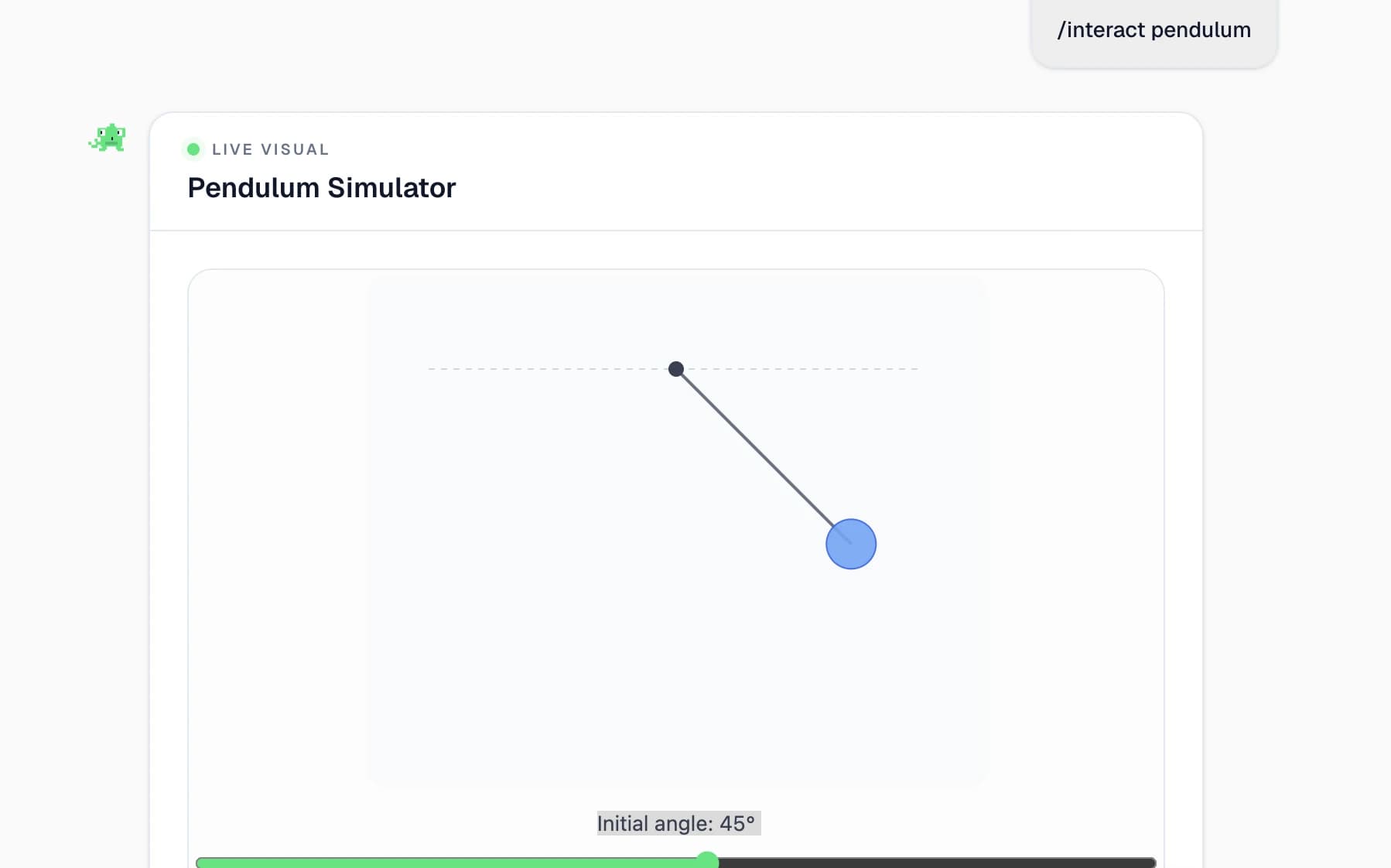
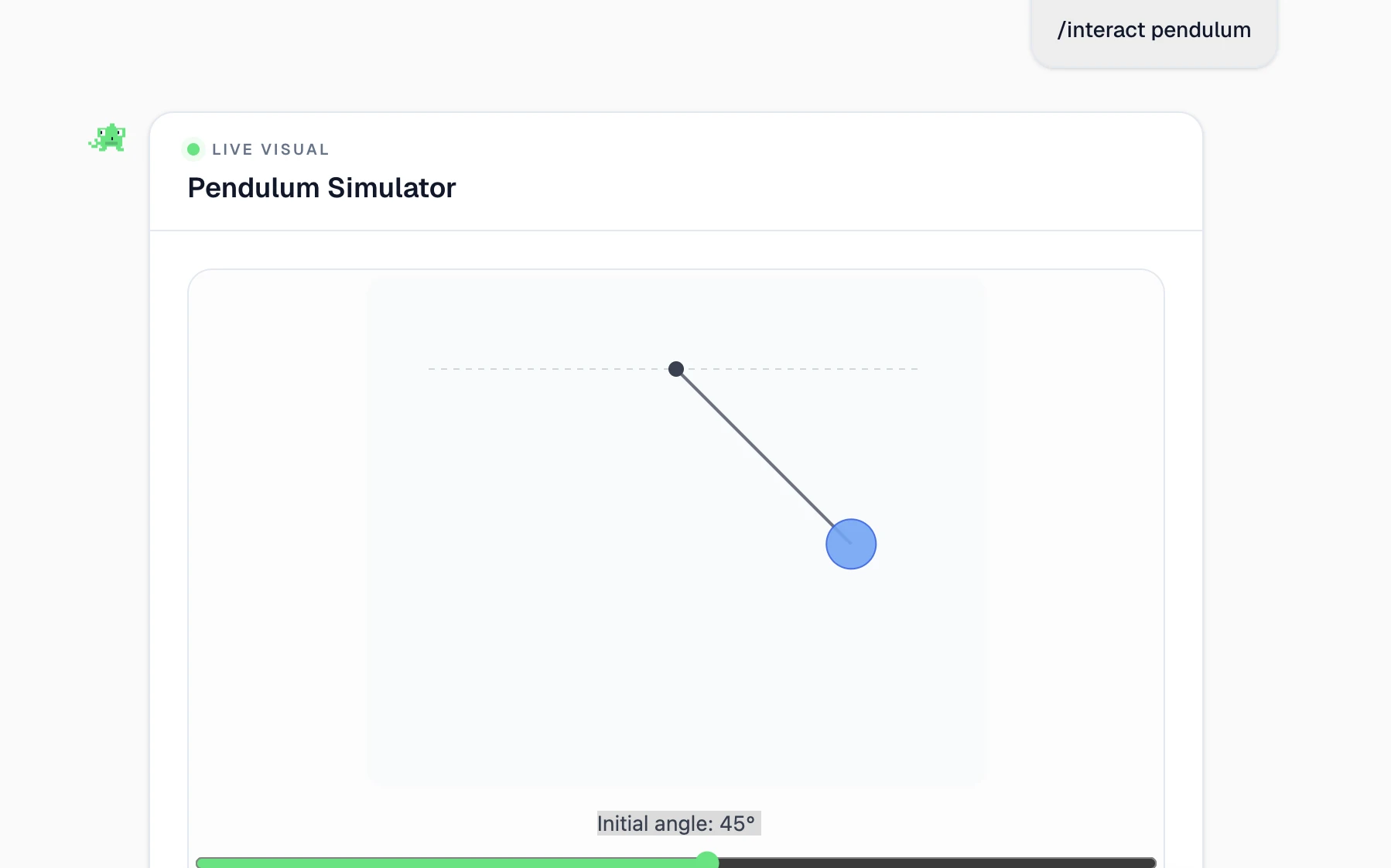
Type /interact pendulum, and Melo builds a live, draggable pendulum simulator — a bob on a string, a slider controlling the initial release angle, and an animation that plays out the actual physics: gravitational potential energy converting to kinetic energy and back as it swings, with the period depending on string length rather than the bob's mass. It's not a canned demo; it's generated for that specific request.
The same command works for anything, not just AI/ML topics or physics. Melo also surfaces /interact as a one-click suggestion — "Create interactive explanation" — right after it answers a question, so you don't need to remember the exact slash-command syntax to get one.
The ninth visual type: "live"
Melo's existing library works by having the model fill in a strict, typed JSON spec — which of the eight components to use, the mode (watch, explore, or recall), difficulty, and the topic-specific content that component needs. A validator checks the spec against the component's actual shape before anything renders, so a malformed spec degrades to a plain-text explanation instead of a broken widget.
/interact adds a ninth type to that same spec system: live. Instead of filling in a schema, the model writes the actual rendering code itself — a function Visual(props) returning JSX — for topics with no matching pre-built shape. That's a deliberate trade: the fixed eight types are guaranteed-safe because the component is hand-tested code the model can't touch, while live gives up some of that guarantee in exchange for being able to illustrate genuinely anything.
How model-authored code gets to run safely
Running code an AI model wrote, live, in a learning product used by real accounts, is the part that has to be engineered carefully rather than trusted. explainx.ai's approach is two layers, and only one of them is the actual security boundary.
Layer 1: a static guard (cheap, not the real defense)
Before generated code ever reaches a sandbox, it's scanned against a banned-pattern list: import statements, require(), fetch(), XMLHttpRequest, window.parent or window.top access, document.cookie, localStorage, sessionStorage, raw <script> tags, eval(), new Function(), and dangerouslySetInnerHTML. Code that trips any of those never renders — the learner gets a clear fallback message instead of a silently broken widget. This is a fast first filter that catches obviously non-compliant code early, but it's explicitly not what makes the system safe on its own — a regex-based pattern list can always be evaded by output the model didn't intend maliciously but that still happens to slip through.
Layer 2: an opaque-origin iframe (the real defense)
The actual security boundary is how the code executes. Generated code is Babel-transformed in the browser and rendered inside an iframe set to sandbox="allow-scripts" — deliberately without allow-same-origin. That single omission is what matters: it forces the iframe's origin to be opaque and null, which means even a full script-execution compromise inside that sandbox cannot read explainx.ai's cookies or localStorage, call its APIs, or reach window.parent directly.
The only channel out of the sandbox at all is postMessage, and the parent page interprets messages from it narrowly — as ready, resize, error, or evidence events only, never as arbitrary commands. So even in the worst case — a generated visual that's fully compromised or simply buggy — the blast radius is contained to "this one widget renders wrong or reports an error," not "this widget can act on the learner's account."
What the model actually gets to work with
The generated code isn't dropped into a bare browser environment. A small set of ambient helpers is passed in specifically so the model doesn't have to reinvent common interaction patterns (or badly reinvent anatomy):
| Helper | What it's for |
|---|---|
Slider, Button, Toggle, Select, NumberInput | Pre-styled UI primitives matching the rest of the product |
DragPoint | Lets a learner grab and move a point directly inside an SVG — a ball, a molecule, a handle — reported in the diagram's own coordinate space |
Vec | Polar-to-cartesian conversion, angle math, clamping, and arrow-drawing helpers — the kind of math a pendulum, orbit, or force diagram needs |
| Curated Lucide icons | Correctly-drawn base shapes (an eye, a DNA strand, a flask, a heart) for anatomy/biology/chemistry topics the model tends to draw badly from scratch — animate on top of these instead of hand-drawing the structure |
That last one is a small but telling design choice: rather than trusting a language model to freehand an anatomically correct eye in SVG, the system gives it a correct base illustration and lets it focus on what it's actually good at — annotating, animating, and connecting that shape to the concept being taught.
Related on explainx.ai
- OpenAI Cuts GPT-5.6 Sol API Pricing Over 20% for 3 Months — a pricing promo lowers the cost of building interactive AI yourself;
/interactships that as a product default instead - How Melo Teaches With Generative UI — the fixed eight-component library this expands on
- Introducing Melo: The AI Learning Copilot Built Into explainx.ai
- Introducing Interactive AI Learning Pathways
- Google's Generative UI: Gemini 3 Explained
- Try it: explainx.ai/dashboard/melo — ask Melo a question, then type
/interactand a topic
Describes Melo's /interact live-visual system as of August 21, 2026. This is explainx.ai's own production feature and may continue to evolve.