



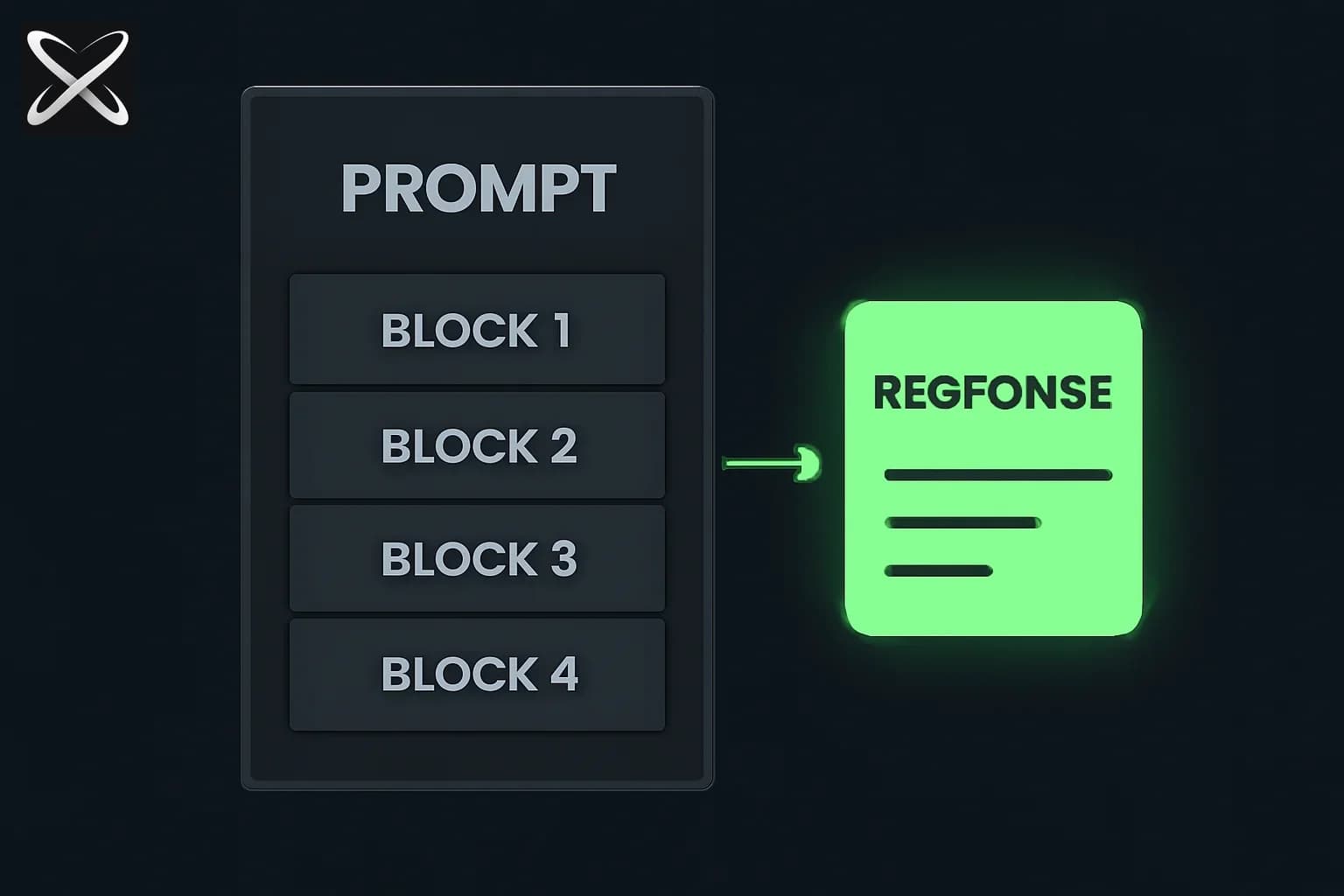
Master Prompt Engineering with Claude: Complete Guide 2026
In 2026, prompt engineering for Claude isn't about being clever—it's about being clear. While other models reward creative phrasing, Claude rewards structure over style. This comprehensive guide teaches you the proven patterns, techniques, and strategies that professional teams use to get exceptional results from Claude.
Whether you're building AI agents, automating workflows, or integrating Claude into production systems, this guide covers everything you need to master Claude prompting: from basic principles to advanced context engineering.
TL;DR: The Claude Prompting Essentials
| Topic | Key Takeaway |
|---|---|
| Core Principle | Structure beats length. Clear contracts beat clever phrasing. |
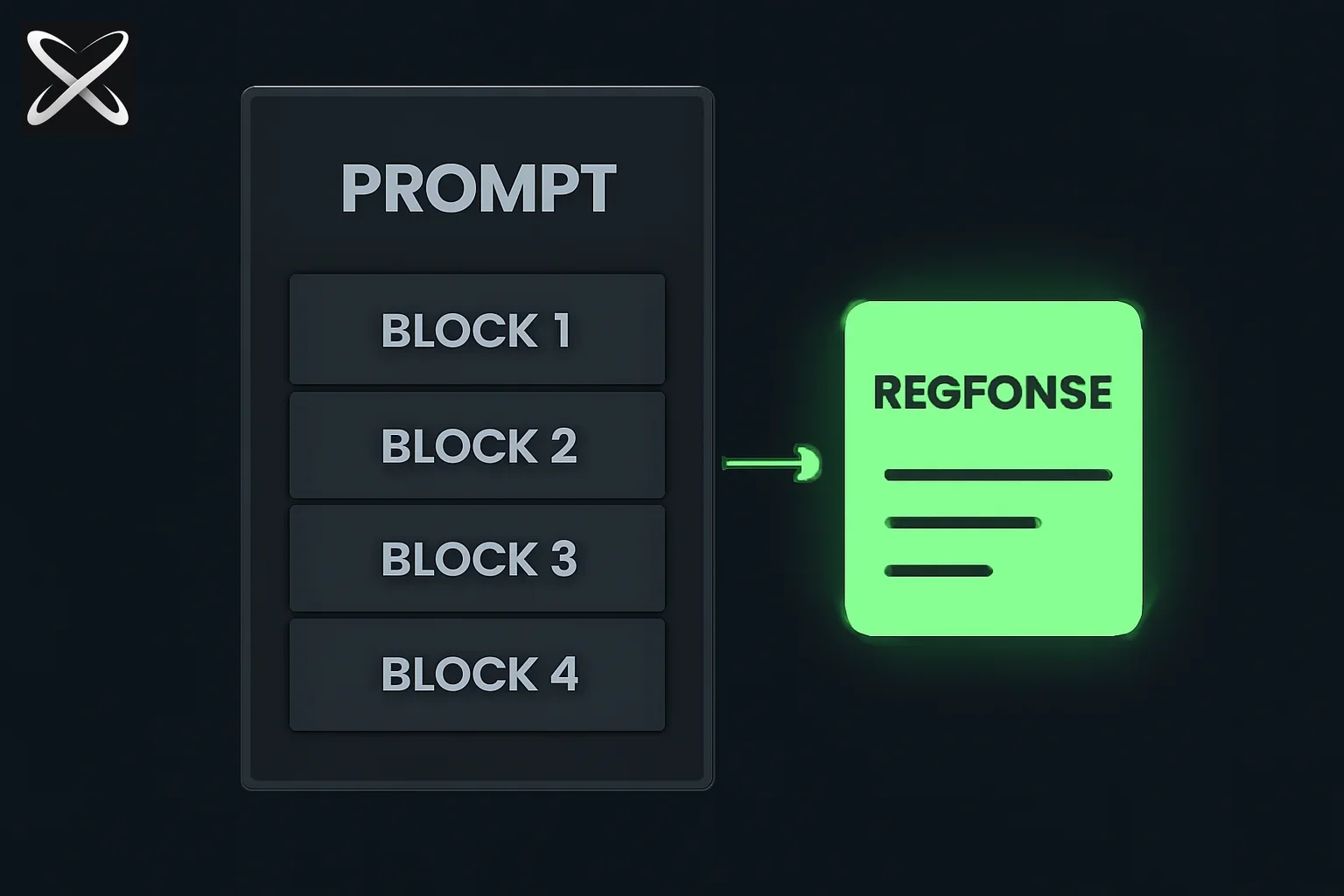
| 4-Block Pattern | Use INSTRUCTIONS → CONTEXT → TASK → OUTPUT FORMAT for every complex prompt. |
| XML Tags | Claude's native structure. Use <instructions>, <context>, <example>, <output> liberally. |
| Few-Shot | 1-2 examples > 10 vague ones. Match your exact use case. |
| Context Engineering | What Claude receives matters more than how you phrase it. |
| Common Mistake | Asking for too much at once. Break tasks into sequential steps. |
Why Claude Prompting is Different
Before diving into techniques, understand what makes Claude unique:
Claude's Design Philosophy
1. Literal instruction following: If you don't ask for it, you won't get it. Claude doesn't guess your intent—it follows your prompt as written.
2. XML-native architecture: Claude was specifically trained to parse and respond to XML tags. This isn't a hack; it's a first-class feature.
3. Structure-first processing: Claude parses structured prompts (with clear sections) more reliably than narrative prompts (long paragraphs).
4. Predictable behavior: Once you understand Claude's patterns, it becomes remarkably consistent and controllable.
What This Means for You
- Stop writing essays: Long conversational prompts confuse Claude.
- Start writing contracts: Short, explicit sections that Claude can parse.
- Embrace structure: Segmentation, tags, and formatting aren't optional polish—they're core technique.
The 4-Block Pattern: Claude's Gold Standard
The 4-block pattern is the most reliable way to structure Claude prompts. It segments your prompt into four clear sections:
[INSTRUCTIONS] - What to do and how to do it
[CONTEXT] - Background information and constraints
[TASK] - Specific objective for this interaction
[OUTPUT FORMAT] - Desired structure of the response
Why It Works
Claude's architecture parses distinct sections more effectively than mixed information. When instructions, context, and task requirements blend together, Claude has to infer boundaries—and inference introduces inconsistency.
Basic 4-Block Example
Before (vague prompt):
Write a blog post about our new product feature. Make it engaging
and professional. Include benefits and use cases. Target B2B SaaS
companies with 50-500 employees. Keep it around 800 words.
After (4-block structure):
<instructions>
Write a B2B marketing blog post that:
- Follows our brand voice (professional but approachable)
- Emphasizes business outcomes over features
- Includes a clear CTA at the end
</instructions>

<context>
Product: SSO integration for our platform
Target audience: B2B SaaS companies (50-500 employees)
Key benefit: Reduces IT support tickets by 40%
Competitor context: Most alternatives require custom development
</context>

<task>
Create an 800-word blog post announcing our new SSO integration feature.
Focus on time savings and security improvements.
</task>

<output_format>
- Title (H1)
- Introduction paragraph
- 3 benefit sections with real-world examples
- Use case examples (2-3 bullet points each)
- Conclusion with CTA
- Suggested meta description
</output_format>
Result: The 4-block version produces consistent, on-brand content that hits all requirements. The first version produces generic content that misses key points.
Advanced 4-Block Pattern
For complex tasks, add sub-structure within each block:
<instructions>
  <primary_objective>
  Analyze customer support ticket data and identify trends.
  </primary_objective>

  <approach>
  1. Categorize tickets by issue type
  2. Calculate resolution time metrics
  3. Identify patterns in high-priority tickets
  </approach>

  <constraints>
  - Do not include customer names or PII
  - Focus on data from the last 90 days only
  - Flag any data quality issues you notice
  </constraints>
</instructions>

<context>
  <business_context>
  We're a B2B SaaS company with 500 enterprise customers.
  Support team size: 12 agents across 3 time zones.
  Current SLA: 4-hour response time, 24-hour resolution.
  </business_context>

  <data_source>
  Ticket data will be provided in JSON format with fields:
  ticket_id, created_at, resolved_at, priority, category, description
  </data_source>
</context>

<task>
Analyze the attached ticket data and produce a comprehensive report
that helps us understand where to invest in support improvements.
</task>

<output_format>
  <structure>
  1. Executive Summary (3-4 bullet points)
  2. Ticket Volume Analysis (table format)
  3. Resolution Time Trends (include percentiles)
  4. Top Issues by Category (ranked list)
  5. Recommendations (3-5 actionable items)
  </structure>

  <style>
  - Use markdown formatting
  - Include data tables where appropriate
  - Bold key metrics
  - Keep executive summary under 100 words
  </style>
</output_format>
XML Structure: Claude's Native Language
XML tags are Claude's native structuring method. They work better than Markdown headings, numbered lists, or plain text separation.
Why XML Works for Claude
- Training data: Claude was trained on substantial XML-formatted content
- Clear boundaries: XML opening/closing tags create unambiguous sections
- Nesting support: Hierarchical information structures naturally
- Reference capability: You can reference tagged content later in the prompt
Essential XML Tags for Claude
Core structural tags:
<instructions>Your directions</instructions>
<context>Background information</context>
<task>Specific objective</task>
<output_format>Desired structure</output_format>
<constraints>What NOT to do</constraints>
Content tags:
<example>
  <input>Sample input</input>
  <output>Expected output</output>
</example>

<document>
Long-form content or data
</document>

<query>User's question or request</query>
Reasoning tags:
<thinking>
Show your reasoning process here
</thinking>

<answer>
Final answer after reasoning
</answer>
XML Best Practices
1. Consistency: Use the same tag names throughout your prompts
<!-- Good: Consistent naming -->
<context>Background info</context>
... later in prompt ...
<instructions>
Reference the information provided in <context>.
</instructions>

<!-- Bad: Inconsistent naming -->
<background>Info</background>
... later ...
<instructions>
Reference the context provided above.
</instructions>
2. Meaningful names: Choose tags that describe content purpose
<!-- Good: Descriptive tags -->
<customer_data>...</customer_data>
<competitive_analysis>...</competitive_analysis>

<!-- Bad: Generic tags -->
<section1>...</section1>
<info>...</info>
3. Appropriate nesting: Use hierarchy for related information
<examples>
  <example_1>
    <input>User query here</input>
    <output>Expected response</output>
  </example_1>

  <example_2>
    <input>Another query</input>
    <output>Another response</output>
  </example_2>
</examples>
4. Reference tags in instructions: Tell Claude to use tagged content
<document>
[Long product documentation here]
</document>

<instructions>
Answer user questions based ONLY on information in <document>.
If the answer isn't in <document>, respond with "Not found in documentation."
</instructions>
Real-World XML Example: Code Review Agent
<instructions>
Review the provided code for:
1. Security vulnerabilities (OWASP Top 10)
2. Performance issues
3. Code style violations (refer to <style_guide>)
4. Missing error handling

Provide specific line numbers and explanations for each issue.
</instructions>

<style_guide>
- Use TypeScript strict mode
- Prefer async/await over promises
- Maximum function length: 50 lines
- Use descriptive variable names (no single letters except loop counters)
</style_guide>

<code_to_review>
```typescript
async function processUser(id: string) {
  const user = await db.query(`SELECT * FROM users WHERE id = ${id}`);
  return user[0];
}
```
</code_to_review>

<output_format>
For each issue found:
- **Severity**: Critical/High/Medium/Low
- **Line**: Line number
- **Issue**: Brief description
- **Explanation**: Why this is a problem
- **Fix**: Recommended solution with code example
</output_format>
Claude's response (example):
**Issue 1**
- **Severity**: Critical
- **Line**: 2
- **Issue**: SQL Injection vulnerability
- **Explanation**: String interpolation in SQL queries allows attackers to inject malicious SQL
- **Fix**: Use parameterized queries:
```typescript
const user = await db.query('SELECT * FROM users WHERE id = $1', [id]);
Issue 2
- Severity: Medium
- Line: 2
- Issue: Missing error handling ...
<BootcampAd />

---

## Few-Shot Prompting: Teaching by Example

Few-shot prompting means providing 1-5 input-output examples that demonstrate the pattern you want Claude to follow. This is **one of the most effective techniques** for improving Claude's output quality.

### When to Use Few-Shot Examples

✅ **Use few-shot when**:
- Output format is complex or non-standard
- Tone and style matter significantly
- You need specific naming conventions
- The task has subtle requirements hard to explain

❌ **Skip few-shot when**:
- Task is straightforward (simple Q&A, translation)
- Output format is standard (markdown blog post, JSON)
- You're still iterating on what you want (add examples after first draft)

### Few-Shot Best Practices

**1. Start small**: Begin with 1-2 examples (one-shot or two-shot)

**2. Match your use case exactly**: Examples should mirror real inputs/outputs

**3. Include edge cases**: Show how to handle unusual inputs

**4. Use XML to structure examples**:
```xml
<examples>
  <example>
    <input>Customer says: "This is broken!"</input>
    <output>
    I understand you're experiencing an issue. To help resolve this quickly:
    1. Could you describe what's not working?
    2. When did this start happening?
    3. Have you tried [common fix]?

    I'm here to help get this resolved right away.
    </output>
  </example>

  <example>
    <input>Customer says: "How do I export data?"</input>
    <output>
    To export your data:
    1. Navigate to Settings > Data Export
    2. Select your date range
    3. Choose format (CSV or JSON)
    4. Click "Export" - you'll receive an email when ready

    The export typically completes within 5 minutes. Let me know if you need help!
    </output>
  </example>
</examples>

<instructions>
Respond to customer inquiries following the tone and structure shown in <examples>.
Always be helpful, specific, and proactive.
</instructions>

<query>
Customer says: "I can't find my invoice"
</query>
Advanced Few-Shot: Including Reasoning
For complex tasks, include <thinking> tags in your examples to show Claude the reasoning process:
<example>
  <input>
  Product: SaaS analytics platform
  Audience: Marketing managers
  Goal: Increase trial signups
  </input>

  <thinking>
  - Marketing managers care about ROI and ease of use
  - They likely evaluate multiple tools simultaneously
  - Pain point: Proving marketing effectiveness to executives
  - Angle: Show how analytics make them look good to leadership
  </thinking>

  <output>
  Subject: Finally prove your marketing ROI to the C-suite

  Every marketing manager knows the drill: "Show me the numbers."

  [Analytics Platform] gives you executive-ready reports in 60 seconds...
  </output>
</example>
When you include reasoning in examples, Claude learns to think through similar problems the same way—even when you don't explicitly ask for it.
Common Few-Shot Mistakes
Mistake 1: Too many examples
<!-- Bad: 10 examples for a simple task -->
<examples>
  <example_1>...</example_1>
  <example_2>...</example_2>
  ... 8 more examples ...
</examples>
Fix: Start with 2-3. Add more only if quality doesn't improve.
Mistake 2: Inconsistent examples
<!-- Bad: Examples don't follow the same pattern -->
<example_1>
  Short casual response
</example_1>
<example_2>
  Very long formal detailed response with multiple sections
</example_2>
Fix: Examples should be consistent in tone, length, and structure.
Mistake 3: Examples that don't match the real use case
<!-- Bad: Examples use simple inputs, real queries are complex -->
<example>
  <input>Hi</input>
  <output>Hello!</output>
</example>

<!-- Real query -->
<input>I need to analyze Q4 sales data broken down by region...</input>
Fix: Examples must mirror real-world complexity.
Context Engineering vs Prompt Engineering
In 2026, the conversation has shifted from prompt engineering (how you phrase things) to context engineering (what Claude receives).
The Key Difference
Prompt Engineering (2023-2024 focus):
- Clever phrasing techniques
- "Jailbreaks" and tricks
- Asking Claude to "think step by step"
- Finding magic words that improve output
Context Engineering (2026 focus):
- Structuring everything Claude receives
- What documents to retrieve (RAG)
- Which tools are available (MCP)
- How conversation history is maintained
- Token budget management
- Safety and policy boundaries
Why Context Engineering Matters More Now
Model capability plateau: Claude Opus 4.5 and GPT-5.5 are so good that phrasing matters less—a clear, plain-English instruction works excellently if context is right.
Longer agent loops: AI agents run multi-step workflows. Bad context compounds across steps.
Cost and latency: Inefficient context burns tokens and dollars. Tight context means faster, cheaper responses.
Rate limits and quotas: Providers enforce throughput caps. Clean context reduces retries and refusals.
Context Engineering Principles
1. Minimal surface area: Only include what Claude needs for this specific task
<!-- Bad: Kitchen sink approach -->
<context>
[Entire company wiki - 50,000 tokens]
[All past conversations - 30,000 tokens]
[Full database schema - 10,000 tokens]
</context>

<!-- Good: Targeted context -->
<context>
Relevant documentation excerpt (500 tokens):
[Only the 3 relevant articles]

Recent conversation context (200 tokens):
[Last 3 turns that matter for this query]

Database schema (100 tokens):
[Only the 2 tables needed for this query]
</context>
2. Explicit constraints: Tell Claude what NOT to do
<constraints>
- Do not call external APIs without explicit user permission
- Do not invent information not present in <context>
- Do not include customer names or PII in outputs
- If blocked by a safety policy, return "BLOCKED" with reason
- Maximum response length: 500 words
</constraints>
3. Clear success criteria: Define "done" upfront
<success_criteria>
Output is successful if:
1. All required fields are present in JSON response
2. Response time under 2 seconds
3. No PII included in logs
4. Follows the exact schema in <output_format>
</success_criteria>
4. Retrieval strategy: Decide what to fetch and when
<retrieval_strategy>
1. First check if query can be answered from conversation history
2. If not, retrieve relevant docs from vector DB (max 3 chunks)
3. If docs insufficient, call get_live_data MCP tool
4. If all else fails, acknowledge limitation explicitly
</retrieval_strategy>
Context Engineering in Practice
Example: Customer Support Agent
Poor context setup:
// Dumps everything into context
const context = `
${entire_knowledge_base}  // 100,000 tokens
${all_customer_data}      // 50,000 tokens
${full_conversation}      // 20,000 tokens
`;

const response = await claude.messages.create({
  messages: [{ role: "user", content: context + query }]
});
Good context engineering:
// Fetch only relevant context
const relevantArticles = await vectorDB.search(query, { limit: 3 });
const customerHistory = await db.query(
  'SELECT * FROM tickets WHERE customer_id = ? ORDER BY created_at DESC LIMIT 5',
  [customerId]
);
const recentContext = conversation.slice(-3); // Last 3 turns only

const context = `
<customer_context>
Customer tier: ${customer.tier}
Previous issues: ${customerHistory.map(t => t.category).join(', ')}
</customer_context>

<relevant_documentation>
${relevantArticles.map(a => `<article>${a.content}</article>`).join('\n')}
</relevant_documentation>

<conversation_history>
${recentContext.map(turn => `<turn>${turn}</turn>`).join('\n')}
</conversation_history>

<constraints>
- Only reference information in <relevant_documentation>
- Personalize based on customer tier
- If issue relates to past tickets, acknowledge it
- Keep response under 200 words
</constraints>
`;
Common Mistakes and How to Fix Them
Based on testing with thousands of prompts, here are the most common Claude prompting mistakes—and their fixes.
Mistake 1: Vague or Unclear Prompts
Problem: Claude doesn't know what you actually want.
Bad example:
Write something about our product that would be good for marketing.
Why it fails: No specifics on format, audience, tone, length, or purpose.
Fixed version:
<task>
Create a 280-character Twitter post announcing our new feature launch
</task>

<context>
Feature: AI-powered analytics dashboard
Target audience: B2B SaaS founders and growth teams
Key benefit: See all metrics in one place, no SQL required
</context>

<tone>
Excited but professional. Emphasize the "no SQL" benefit.
</tone>

<output_format>
Single tweet (max 280 chars including spaces)
Include 2-3 relevant hashtags
</output_format>
Mistake 2: Asking for Too Much at Once
Problem: Trying to do everything in one prompt produces unfocused output.
Bad example:
Analyze our sales data, create a report, identify trends, make recommendations,
draft an email to the team about the findings, and create a presentation deck.
Why it fails: Claude spreads attention across too many tasks, each gets shallow treatment.
Fixed approach (break into sequential prompts):
Prompt 1:
<task>Analyze Q1 sales data and identify top 3 trends</task>
<output_format>
For each trend:
- Description (1-2 sentences)
- Supporting data (specific numbers)
- Business impact assessment
</output_format>
Prompt 2 (using results from Prompt 1):
<task>Create an executive summary report based on the analysis</task>
<analysis_results>
[Paste Claude's analysis from Prompt 1]
</analysis_results>
<output_format>
- Executive summary (3-4 bullet points)
- Key metrics table
- Recommendations (3-5 action items with owners and timelines)
</output_format>
Prompt 3:
<task>Draft a team email announcing these findings</task>
<report>
[Paste report from Prompt 2]
</report>
<output_format>
Email with:
- Subject line
- Brief context (2-3 sentences)
- Link to full report
- Call to action for team meeting
Tone: Professional but conversational
</output_format>
Mistake 3: Missing Context
Problem: Claude has to guess instead of knowing.
Bad example:
Is this a good price?
Why it fails: No context about product, market, customer, or comparison points.
Fixed version:
<context>
Product: B2B SaaS analytics platform
Our current pricing: $99/month for Pro tier (10 users, unlimited data)
Competitor A: $149/month (5 users, 100GB data limit)
Competitor B: $79/month (unlimited users, 50GB data limit)
Our target customer: Series A startups (10-50 employees)
Our cost to serve: ~$30/month per customer
</context>

<task>
Analyze whether our $99/month Pro tier pricing is competitive and sustainable
</task>

<output_format>
- Competitive positioning analysis
- Unit economics assessment
- Recommendation (increase/decrease/maintain)
- Suggested pricing changes (if any) with rationale
</output_format>
Mistake 4: No Output Format Specification
Problem: Claude invents a structure that doesn't match your needs.
Bad example:
Tell me about our Q4 performance
Why it fails: You get a narrative paragraph when you needed a structured dashboard.
Fixed version:
<task>
Summarize Q4 2025 company performance
</task>

<output_format>
Use this exact structure:

## Q4 2025 Performance Summary

**Revenue**
- Total: $X.XM
- Growth: XX% QoQ
- ARR: $X.XM

**Customer Metrics**
- New customers: XXX
- Churn rate: X.X%
- Net retention: XXX%

**Product**
- New features shipped: XX
- User engagement: +/-XX%

**Key Wins**
- [Bullet point]
- [Bullet point]
- [Bullet point]

**Challenges**
- [Bullet point]
- [Bullet point]
</output_format>
Mistake 5: Ignoring Negative Constraints
Problem: Not telling Claude what to avoid.
Bad example:
Generate SQL queries to answer user questions about our database
Why it fails: Claude might generate destructive queries (DELETE, DROP) or access unauthorized tables.
Fixed version:
<instructions>
Generate SQL queries to answer user questions about the database
</instructions>

<constraints>
NEVER generate queries that:
- Modify data (INSERT, UPDATE, DELETE, DROP, ALTER, TRUNCATE)
- Access tables: users_private, financial_records, api_keys
- Return more than 1000 rows
- Use SELECT * (always specify columns)
- Include passwords, tokens, or PII fields

If a query violates constraints, respond: "Cannot generate query: [reason]"
</constraints>

<allowed_tables>
- products (id, name, price, category, created_at)
- orders (id, product_id, quantity, order_date, customer_id)
- customers_public (id, company_name, industry, signup_date)
</allowed_tables>
Mistake 6: Weak System Prompts
Problem: Generic system prompts don't provide useful context.
Bad example:
System: You are a helpful AI assistant.
Why it fails: Too generic. Doesn't specify expertise, constraints, or behavior.
Fixed version:
<system>
You are an expert customer support agent for Acme Analytics, a B2B SaaS analytics platform.

Your role:
- Help customers troubleshoot issues
- Answer product questions using the knowledge base
- Escalate complex technical issues to engineering
- Maintain a professional, empathetic tone

Your knowledge boundaries:
- You have access to product documentation and common issues
- You do NOT have access to customer account details (ask user to confirm)
- You CANNOT make account changes (guide users to settings or offer to create ticket)

When responding:
1. Acknowledge the issue empathetically
2. Provide clear, step-by-step solutions
3. Offer to escalate if solution doesn't work
4. Always ask if there's anything else you can help with

If you're unsure about something, say so directly rather than guessing.
</system>
Real Examples: Before and After
Let's see complete prompt transformations using all techniques covered.
Example 1: Code Review Agent
Before (poor prompt):
Review this code and tell me if there are any problems.

[code paste]
After (professional prompt):
<instructions>
Perform a comprehensive code review focusing on:
1. Security vulnerabilities (especially OWASP Top 10)
2. Performance issues and optimization opportunities
3. Code quality and maintainability
4. Testing gaps
5. Documentation completeness

For each issue, provide:
- Severity level (Critical/High/Medium/Low)
- Location (file and line number)
- Clear explanation of the problem
- Specific fix with code example
</instructions>

<code_review_standards>
Security:
- No SQL injection, XSS, CSRF vulnerabilities
- Proper input validation and sanitization
- Secrets never hardcoded

Performance:
- No N+1 queries
- Appropriate caching
- Efficient algorithms (avoid O(n²) where possible)

Code Quality:
- Functions under 50 lines
- Descriptive naming (no single-letter variables except i, j in loops)
- Proper error handling
- TypeScript strict mode compliance
</code_review_standards>

<code_to_review>
```typescript
[code paste here]
```
</code_to_review>

<output_format>
# Code Review Summary

**Overall Assessment**: [Pass/Pass with issues/Requires changes]

## Security Issues
[List issues with format: **[Severity]** Line X: Issue description]

## Performance Issues
[Same format]

## Code Quality Issues
[Same format]

## Recommendations
1. [Priority fixes]
2. [Nice-to-have improvements]

## Estimated Fix Time
[Time estimate for addressing all issues]
</output_format>
Result: First version gets vague feedback. Second version gets actionable, structured review with specific line numbers and fixes.
Example 2: Content Generation
Before (vague prompt):
Write a blog post about AI in healthcare
After (structured prompt):
<instructions>
Write a thought leadership blog post that positions our company as an expert
in healthcare AI applications. Follow our brand voice guide in <brand_voice>.
</instructions>

<brand_voice>
- Professional but accessible (avoid jargon)
- Data-driven (cite specific studies and statistics)
- Balanced (acknowledge challenges alongside benefits)
- Action-oriented (give readers clear takeaways)
- Tone: Authoritative yet approachable
</brand_voice>

<context>
Target audience: Healthcare administrators and C-suite executives at hospitals (200+ beds)
Their pain points: Rising costs, staff shortages, patient safety concerns
Our solution: AI-powered patient monitoring and administrative automation
Key differentiator: HIPAA-compliant, integrates with existing EHR systems
</context>

<task>
Create a 1,200-word blog post titled "5 Ways AI is Solving Healthcare's Biggest Challenges in 2026"
Focus on practical applications with real-world impact.
</task>

<structure>
1. Introduction (150 words)
   - Hook: Surprising statistic about healthcare challenges
   - Thesis: AI is providing practical solutions today

2. Five main sections (200 words each):
   - Challenge [X]: [Describe the problem]
   - How AI Helps: [Specific application]
   - Real-World Impact: [Data/case study]
   - What This Means for Your Organization: [Actionable insight]

3. Conclusion (100 words)
   - Recap key points
   - Call to action: Download our healthcare AI implementation guide

4. Meta description (155 characters)
</structure>

<style_requirements>
- Use H2 for main sections, H3 for subsections
- Include 1-2 relevant statistics per section
- Write at an 8th-9th grade reading level (check with Hemingway App)
- No bullet points in main content (use them only in sidebar/callout boxes)
- Link to 2-3 authoritative sources (NIH, WHO, major medical journals)
</style_requirements>

<output_format>
Provide:
1. Complete blog post (markdown format)
2. Meta description
3. 3 suggested social media posts (LinkedIn, Twitter formats)
4. List of sources/citations used
</output_format>
Result: First version gets generic AI fluff. Second version gets targeted, on-brand content that addresses specific audience needs with actionable insights.
Example 3: Data Analysis
Before (unclear prompt):
Look at this data and tell me what you find

[data dump]
After (analytical prompt):
<instructions>
Analyze the provided e-commerce sales data to identify:
1. Revenue trends and seasonality patterns
2. Top-performing products and categories
3. Customer segments with highest lifetime value
4. Anomalies or concerning trends
5. Actionable recommendations for Q2 strategy
</instructions>

<context>
Company: Direct-to-consumer electronics retailer
Data period: Q1 2026 (Jan 1 - Mar 31)
Business goal: Optimize Q2 inventory and marketing spend
Current challenges:
- Conversion rate down 12% YoY
- Customer acquisition cost up 25%
- Some product categories underperforming
</context>

<data>
[CSV data with columns: date, product_id, category, quantity, revenue, customer_id, marketing_channel]
</data>

<analysis_requirements>
Statistical rigor:
- Calculate confidence intervals for key metrics
- Use appropriate statistical tests (mention which tests you use)
- Flag sample size issues if present

Business context:
- Compare to Q1 2025 baseline (provided in <historical_data>)
- Consider industry benchmarks (e-commerce conversion ~2-3%)
- Account for seasonality (Q1 typically 30% below Q4)

Completeness:
- Analyze at least 3 customer segments
- Examine at least 5 product categories
- Review all marketing channels
</analysis_requirements>

<historical_data>
Q1 2025 metrics:
- Revenue: $1.2M
- Orders: 3,450
- Avg order value: $348
- Conversion rate: 2.8%
- CAC: $42
</historical_data>

<output_format>
# Q1 2026 E-Commerce Analysis

## Executive Summary
[3-4 bullet points highlighting most important findings]

## Key Metrics Dashboard
| Metric | Q1 2026 | Q1 2025 | Change | Status |
|--------|---------|---------|--------|--------|
| Revenue | ... | ... | ... | 🟢/🟡/🔴 |

## Detailed Findings

### 1. Revenue Trends
[Analysis with supporting data and visualizations]

### 2. Product Performance
[Top 5 products, bottom 5 products, category breakdown]

### 3. Customer Segments
[Segment analysis with LTV calculations]

### 4. Anomalies and Concerns
[Any unusual patterns that need attention]

## Recommendations
1. **[Recommendation]** - [Rationale] - [Expected impact]
2. **[Recommendation]** - [Rationale] - [Expected impact]
3. ...

## Q2 Action Plan
Priority actions with estimated timelines and owners
</output_format>
Result: First version gets surface-level observations. Second version gets deep analytical insights with statistical rigor and actionable recommendations tied to business goals.
Advanced Techniques for Power Users
Once you've mastered the basics, these advanced techniques take your Claude prompting to the next level.
Technique 1: Chain of Thought with Verification
Ask Claude to show reasoning AND verify its own work:
<instructions>
Solve the problem using this process:
1. Break down the problem into steps
2. Solve each step
3. Verify your solution
4. Identify any concerns with your answer
</instructions>

<task>
Calculate the ROI of investing $50,000 in marketing automation software
that saves 20 hours/week of manual work.
</task>

<output_format>
<reasoning>
[Show your step-by-step thinking]
</reasoning>

<solution>
[Final answer with numbers]
</solution>

<verification>
[Check your math and logic]
</verification>

<concerns>
[List any assumptions or caveats]
</concerns>
</output_format>
Technique 2: Multi-Pass Processing
For complex tasks, instruct Claude to make multiple passes:
<instructions>
Process this document in three passes:

Pass 1: Skim for main topics and structure
Pass 2: Deep read for key arguments and evidence
Pass 3: Critical analysis and evaluation

Provide output after each pass.
</instructions>
Technique 3: Role-Based Prompting with Expertise
Assign Claude specific expertise and perspective:
<role>
You are a Senior DevOps Engineer with 10+ years of experience in:
- Kubernetes and container orchestration
- CI/CD pipeline design
- AWS infrastructure
- Security best practices
- Cost optimization

Your communication style:
- Technical but clear
- Prioritize reliability and security over speed
- Always consider cost implications
- Proactive about potential issues
</role>

<task>
Review this proposed architecture and provide feedback
</task>
Technique 4: Iterative Refinement
Build in self-improvement loops:
<instructions>
1. Draft your initial response
2. Review it against <quality_criteria>
3. Identify weaknesses
4. Revise to address weaknesses
5. Provide both versions so I can see the improvement
</instructions>

<quality_criteria>
- Clarity: Can a non-expert understand?
- Completeness: Are all aspects covered?
- Accuracy: Is information correct?
- Actionability: Can reader take next steps?
</quality_criteria>
Technique 5: Constrained Creativity
Give Claude creative freedom within clear boundaries:
<creative_task>
Generate 5 tagline options for our new product
</creative_task>

<creative_freedom>
Feel free to:
- Use metaphors and wordplay
- Try different emotional tones
- Experiment with length (short punchy vs. descriptive)
</creative_freedom>

<hard_constraints>
Must NOT:
- Mention competitors
- Use these overused words: revolutionary, innovative, game-changing
- Exceed 10 words
- Make claims we can't substantiate (fastest, best, only)
</hard_constraints>

<brand_guidelines>
- Voice: Confident but friendly
- Avoid: Corporate jargon, buzzwords
- Embrace: Clear benefits, human language
</brand_guidelines>
Optimizing for Production Use
When using Claude in production systems, additional considerations matter:
Token Efficiency
Problem: Longer prompts cost more and take longer.
Optimization strategies:
- Front-load important information: Put crucial context early
<!-- Good: Important info first -->
<instructions>Generate SQL query to find...</instructions>
<schema>[Database schema]</schema>
<examples>[Query examples]</examples>

<!-- Bad: Forces Claude to read everything first -->
<background>[Long company history]</background>
<context>[Detailed setup]</context>
... finally, actual task at the end
- Use abbreviations in tags (but keep them clear):
<!-- Acceptable -->
<instr>...</instr>
<ctx>...</ctx>
<out_fmt>...</out_fmt>

<!-- But this is clearer and worth the extra tokens -->
<instructions>...</instructions>
<context>...</context>
<output_format>...</output_format>
- Remove redundancy: Don't repeat information
<!-- Bad: Repetitive -->
<instructions>Follow the brand voice in <brand_voice></instructions>
<brand_voice>Use our brand voice which is...</brand_voice>
<reminder>Remember to use the brand voice</reminder>

<!-- Good: State once -->
<instructions>Follow <brand_voice> guidelines</instructions>
<brand_voice>...</brand_voice>
Caching Strategy
Claude supports prompt caching. Structure prompts to maximize cache hits:
<!-- Cacheable: Static content -->
<system_instructions>
[Your standard instructions that never change]
</system_instructions>

<documentation>
[Your product docs that change infrequently]
</documentation>

<!-- Non-cacheable: Dynamic content -->
<user_query>
[Unique user question]
</user_query>

<user_context>
[User-specific information]
</user_context>
Result: Static sections are cached, reducing cost by up to 90% for subsequent requests.
Error Handling
Build error handling into your prompts:
<error_handling>
If you encounter any of these situations, respond with structured error:

1. Insufficient information:
   {"error": "missing_info", "needed": ["field1", "field2"]}

2. Task outside your capabilities:
   {"error": "out_of_scope", "reason": "explanation"}

3. Ambiguous request:
   {"error": "ambiguous", "interpretations": ["option1", "option2"]}

4. Safety/policy concern:
   {"error": "policy_violation", "category": "specific_policy"}

Do NOT attempt to complete the task if these situations arise.
</error_handling>
Versioning Prompts
Treat prompts like code—version them:
<system>
Prompt version: 2.1.0
Last updated: 2026-06-09
Changes: Added constraint about PII handling
</system>
Track performance across versions to iterate systematically.
Tools and Resources
Prompt Development Tools
1. Claude Console (console.anthropic.com)
- Test prompts with different models
- Compare outputs side-by-side
- Save and version prompts
2. explainx.ai Prompt Generators (explainx.ai/generate/prompts)
- Modality-specific templates (text, image, video, audio)
- Interactive prompt builder
- Export to production format
3. PromptBuilder.cc
- Claude-specific templates and best practices
- Checklist-driven prompt construction
Learning Resources
Official Documentation:
Community Resources:
- Anthropic Cookbook - Code examples
- Claude AI Prompt Library
- Anthropic Discord - Real-time community support
Related Topics on explainx.ai
Want to go deeper? Check out these related guides:
- How to actually work with AI agents (Sep 2026) — the session-habits layer beyond single-prompt structure: feedback, corrections, and multi-turn discipline
- Does coaxing an AI agent actually work? (Sep 2026) — the research on tipping, threats, flattery, and personas — and why the 4-block pattern above outperforms all of them
- The "mannered prose" prompt (Sep 2026) — a short, viral rule that improved writing output on both Claude Fable 5.1 and GPT-5.6 Sol
- FROG in a Bowl prompting method - Format · Role · Objective · Goal + Context — the sticky checklist for lab-recommended structure
- Terence Tao's ChatGPT conversation - what expert-level prompting actually looks like in practice
- Context Engineering: Why Clean Prompts Matter - Understand the shift from prompt to context engineering
- Claude Knowledge Work Plugins Guide - Extend Claude's capabilities with role-specific plugins
- RAG vs MCP: Complete Comparison - Context augmentation strategies for production systems
- What are Agent Skills? - Package reusable prompts as durable skills
- What are LLM Tokens? - Understand token limits and optimization
- AI skills every developer needs in 2026 - Where prompting fits in the full prompting → MCP → agents → RAG roadmap
Conclusion: From Beginner to Expert
Mastering prompt engineering for Claude isn't about memorizing tricks—it's about understanding principles:
- Structure beats clever phrasing: Use the 4-block pattern and XML tags
- Clear contracts beat vague requests: Explicit instructions, constraints, and output formats
- Context engineering beats prompt engineering: What Claude receives matters more than how you phrase it
- Examples teach better than explanations: Few-shot prompting for complex tasks
- Iteration beats perfection: Start simple, refine based on results
Your action plan:
Week 1: Practice the 4-block pattern on every Claude interaction Week 2: Add XML tags to structure complex prompts Week 3: Experiment with few-shot examples for your specific use cases Week 4: Implement context engineering principles in production
By the end of the month, you'll write prompts that get exceptional results consistently—not by luck, but by design.
The future of AI isn't about talking to models like humans—it's about communicating with them like compilers: clearly, structurally, and unambiguously. Master this approach, and Claude becomes not just a helpful tool, but a powerful extension of your capabilities.
Start practicing today:
- Try explainx.ai Prompt Generator for structured templates
- Read Anthropic's Official Prompt Engineering Guide
- Join Anthropic Discord Community for real-world examples
- Explore Claude Cookbooks for code examples
Sources
This guide synthesizes best practices from official documentation and industry research:
- Claude Prompt Engineering Best Practices 2026: Checklist + Templates
- Claude API Docs: Prompting Best Practices
- Anthropic: Best Practices for Prompt Engineering
- Use XML Tags to Structure Your Prompts
- Anthropic Engineering: Effective Context Engineering for AI Agents
- Context Engineering vs Prompt Engineering
- The Most Common Claude Mistakes and How to Fix Them
- 10 Common Claude Code Mistakes
- Your Claude Prompt Isn't Working: How to Fix It
- Few-Shot Prompting: Techniques, Examples, and Best Practices
Last updated: June 9, 2026. Best practices evolve as Claude models improve—always refer to official documentation for the latest guidance.