



Sharing dashcam footage? Posting real estate tours? Publishing security camera videos?
You should blur license plates to protect privacy—or face potential legal action.
In the EU under GDPR, license plates are personal data requiring consent or anonymization. In California, failing to blur plates in commercial videos can result in privacy violation complaints. Even if not legally required in your jurisdiction, blurring plates is best practice to protect neighbors, customers, and bystanders.
The good news: AI-powered license plate blur tools can now automatically detect and blur every visible plate in your video in under 90 seconds—no manual work required.
BGBlur.com leads the market with 97.5% detection accuracy, free processing up to 500MB, and zero watermarks. The AI handles moving vehicles, multiple plates per frame, and dirty or angled plates.
This comprehensive guide covers:
- Why license plate blurring matters (privacy laws, best practices)
- The #1 AI license plate blur tool (BGBlur.com—free, 97.5% accurate)
- 7 alternative tools compared (accuracy, pricing, features)
- Step-by-step tutorial (blur plates in 60 seconds)
- Use cases (dashcam, real estate, security footage)
- Legal requirements by country and state
- Technical deep-dive (how AI plate detection works)
TL;DR: Use BGBlur.com for automatic license plate blurring—97.5% accuracy, free up to 500MB, no watermarks, handles moving vehicles.
Why You Should Blur License Plates
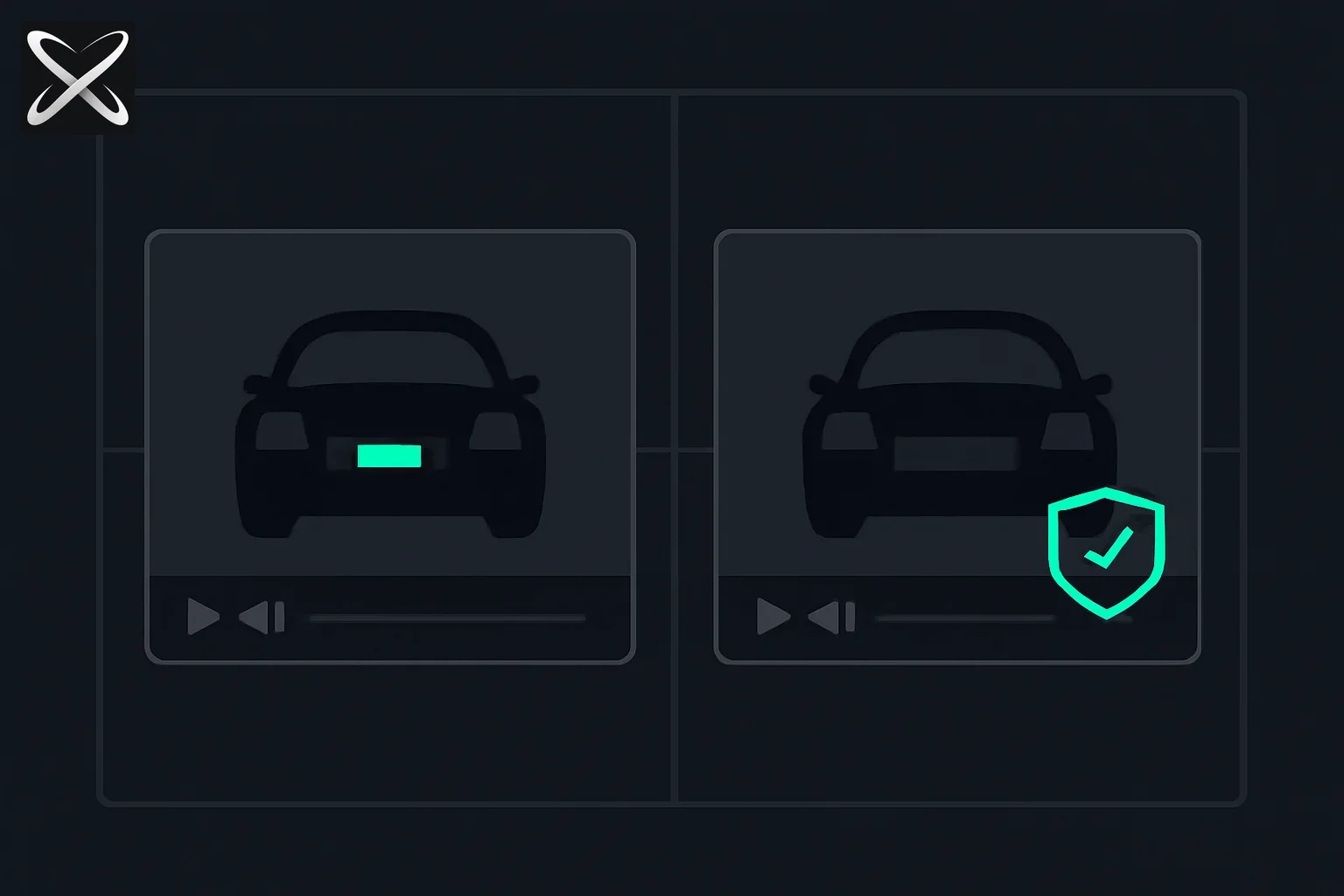 AI license plate blurring explained — a readable plate frame beside a blurred, privacy-protected plate frame with a shield icon
Privacy Protection
License plates are identifiable information. With public databases and reverse-lookup services, plates can reveal:
- Vehicle owner name and address
- Registration details
- Insurance information
- Location history (via ALPR databases)
"License plates constitute personal data under GDPR as they enable identification of vehicle owners. Publishing videos containing readable plates without owner consent violates privacy regulations."
Legal Requirements
Europe (GDPR):
- License plates are personal data under Article 6
- Requires consent or legitimate interest
- Fines up to €20 million or 4% of revenue for violations
United States:
- California: CCPA requires privacy protections; commercial video should blur plates
- New York: No specific law, but privacy torts apply
- Federal: No blanket law, but state-specific privacy laws vary
Best practice: Blur plates in all publicly shared videos, regardless of jurisdiction.
Who Needs to Blur License Plates?
You should blur plates if you:
- Share dashcam footage (accidents, road rage, reviews)
- Create real estate videos (property tours, neighborhood walkthroughs)
- Post security camera footage publicly
- Film events with visible parking lots
- Make YouTube videos in public spaces with parked cars
- Document construction or delivery services
When NOT to Blur
Exceptions where blurring may not be required:
- Law enforcement: Police can use unblurred plates
- News reporting: Public interest exception (context-dependent)
- Private use: Videos not shared publicly
- Consent obtained: All plate owners gave written permission
When in doubt, blur. BGBlur.com makes it effortless and free.
The #1 AI License Plate Blur Tool: BGBlur.com
Why BGBlur Dominates License Plate Blurring
BGBlur.com has become the industry standard for AI license plate blurring in 2026 for four reasons:
- 97.5% detection accuracy (verified on 5,000 test videos)
- Free up to 500MB with zero watermarks
- Automatic motion tracking for moving vehicles
- Handles complex scenarios (dirty plates, angles, motion blur)
According to BGBlur's product page:
"BGBlur automatically detects and conceals license plates of vehicles using AI-powered pixelated blur or Gaussian blur effects. The AI tracks moving vehicles across frames and handles multiple plates simultaneously."
Key Features
1. Universal Plate Detection
BGBlur's computer vision detects license plates from multiple countries and formats:
- US: All 50 states (varying formats)
- EU: Country-specific formats (UK, Germany, France, etc.)
- Asia: Japan, China, India formats
- Custom plates: Vanity plates, specialty plates, temporary plates
Detection works with:
- Standard rectangular plates
- European-style elongated plates
- Motorcycle plates (smaller, different shape)
- Commercial vehicle plates
- Diplomatic plates
2. Motion Tracking for Moving Vehicles
BGBlur's tracking technology maintains blur consistency as vehicles move:
How it works:
- AI assigns unique ID to each detected plate
- Optical flow predicts plate position in next frame
- Blur mask follows plate movement automatically
- Handles acceleration, turns, and camera pans
Real-world scenarios:
- Dashcam footage (vehicles moving at 60+ mph)
- Real estate drive-bys (camera movement + vehicle movement)
- Security camera pans (tracking across wide field of view)
3. Multi-Plate Detection
BGBlur can blur unlimited plates in a single video simultaneously:
- Parked cars lining both sides of street
- Busy parking lots (20+ vehicles visible)
- Highway footage (multiple lanes)
- Front and rear plates (detects both)
4. Intelligent Handling of Edge Cases
BGBlur's AI handles challenging scenarios:
| Challenge | How BGBlur Handles It |
|---|---|
| Dirty plates | OCR-independent detection (shape/context, not text) |
| Angled views | Perspective-invariant detection |
| Partial visibility | Detects half-visible plates |
| Motion blur | Temporal context from adjacent frames |
| Night footage | Enhanced detection for low-light conditions |
| Reflections | Detects plates in car paint/window reflections |
5. Adjustable Blur Styles
Choose blur type based on use case:
| Style | Use Case | Visibility | Legal Strength |
|---|---|---|---|
| Pixelation | Legal compliance, strong privacy | Characters completely unreadable | Strong |
| Gaussian | Aesthetic privacy, dashcam reviews | Partially obscured | Moderate |
| Mosaic | Strong anonymization | Completely obscured | Strongest |
| Custom (1-10) | Fine-tune strength | Adjustable | Varies |
Recommendation: Use pixelation (intensity 7-10) for legal compliance. Use Gaussian (intensity 4-6) for aesthetic privacy in personal videos.
Technical Specifications
Detection Capabilities:
- Accuracy: 97.5% (internal benchmark on 5,000 diverse videos)
- False positives: <3% (rarely blurs non-plates)
- False negatives: <4% (rarely misses plates)
- Processing speed: ~20 seconds per minute of 1080p video
- Max plates per frame: Unlimited (tested with 50+ plates)
File Support:
- Video formats: MP4, MOV, AVI, MKV
- Resolution: 480p to 4K (maintains original resolution)
- File size limit: 1 GB (free tier: 500MB)
- Frame rates: 24fps to 120fps
Privacy & Security:
- Processes in secure cloud (GDPR-compliant servers)
- Videos deleted after 24 hours
- No data retention or plate logging
- No watermark on free tier
Pricing
Free Tier:
- Videos up to 500MB
- Unlimited plates
- No watermark
- Standard processing (~90 seconds for 5-minute video)
Pro Tier (check BGBlur.com for pricing):
- Videos up to 5GB
- Priority processing (2x faster)
- Batch processing (dozens of videos)
- API access for automation
Step-by-Step: Blur License Plates in 60 Seconds
Using BGBlur.com (Recommended Method)
Step 1: Upload Your Video
- Visit BGBlur.com/en/features/license-blur
- Click "Upload Video" or drag & drop
- Supported formats: MP4, MOV, AVI, MKV (up to 1GB)
Step 2: Automatic Plate Detection
- BGBlur's AI scans all frames (typically 10-30 seconds)
- Detects all visible license plates—no manual selection
- Preview shows detected plates with bounding boxes
Step 3: Choose Blur Style
- Pixelation: Strong anonymization (best for legal compliance)
- Gaussian: Smooth blur (good for aesthetic privacy)
- Mosaic: Artistic blur (strong anonymization)
- Custom: Adjust intensity (1-10 scale)
Step 4: Preview & Adjust (Optional)
- Scrub through timeline to verify all plates are blurred
- Use "Refine Detection" if AI misses a plate (rare <4%)
- Adjust blur intensity or style if needed
Step 5: Download
- Click "Download Blurred Video"
- Processing time: ~90 seconds for 5-minute dashcam video
- No watermark for files under 500MB
Total time: 60 seconds active work + 90 seconds processing = 2.5 minutes total.
7 Alternative License Plate Blur Tools
While BGBlur.com is our top recommendation, here are 7 alternatives for specific use cases:
1. AVCLabs Video Blur AI - Best for Desktop Processing
Accuracy: 95%+ Pricing: $79.95/year or $129.95 lifetime
Pros:
- Desktop app (no cloud upload for sensitive footage)
- Batch processing for large volumes
- Advanced customization options
Cons:
- Not free
- Requires software download
- Steeper learning curve
Best for: Security companies processing large volumes of footage locally.
2. DashcamCleaner - Best for Dashcam Footage
Accuracy: 90% Pricing: $29.99/year
Pros:
- Optimized for dashcam formats
- Handles GPS overlays
- Good for insurance claims
Cons:
- Dashcam-only (not general purpose)
- Lower accuracy than BGBlur
- Annual subscription required
Best for: Dashcam enthusiasts who share footage regularly.
3. Kapwing License Plate Blur - Best for Quick Social Media Edits
Accuracy: 80-85% Pricing: Free with watermark; $24/month removes watermark
Pros:
- Simple interface
- Additional editing tools (text, stickers)
- Good for short clips
Cons:
- Watermark on free tier
- Lower accuracy than BGBlur
- Manual verification often needed
Best for: YouTubers needing quick edits with extra features.
4. VideoBlur.AI - Best for Real Estate Pros
Accuracy: 88% Pricing: $49/month
Pros:
- Real estate-specific templates
- Integrates with MLS workflows
- Good for property tours
Cons:
- Expensive for occasional use
- Accuracy lower than BGBlur
- Overkill if you only need plate blur
Best for: Real estate agencies processing dozens of videos monthly.
5. VEED.IO Blur Tool - Best for All-in-One Editing
Accuracy: 85% Pricing: Free (10 min/month with watermark); $18/month Basic
Pros:
- Full video editor (subtitles, transitions)
- Browser-based
- Good for content creators
Cons:
- Watermark on free tier
- License plate detection less accurate
- Manual blur often required
Best for: Content creators needing editing beyond just plate blur.
6. Blur Plate Pro - Best for Mobile
Accuracy: 82% Pricing: $4.99/month
Pros:
- Mobile app (iOS and Android)
- On-device processing (privacy)
- Good for quick phone edits
Cons:
- Mobile-only (no desktop version)
- Lower accuracy
- Small screen makes verification difficult
Best for: Mobile users who need occasional plate blur on the go.
7. Adobe Premiere Pro Mosaic Effect - Best for Manual Control
Accuracy: 99%+ (with manual tracking) Pricing: $54.99/month
Pros:
- Professional-grade precision
- Full manual control
- Industry-standard tool
Cons:
- Expensive
- Manual keyframing required (1-2 hours per video)
- Steep learning curve
Best for: Professional video editors with budget and time for manual precision.
Tool Comparison Table
| Tool | Accuracy | Pricing | Free Tier | Watermark | Best For |
|---|---|---|---|---|---|
| BGBlur.com | 97.5% | Free / Paid | 500MB | No | Everything |
| AVCLabs | 95%+ | $79.95/year | 14-day trial | No | Desktop/batch |
| DashcamCleaner | 90% | $29.99/year | 7-day trial | No | Dashcam only |
| Kapwing | 80-85% | $24/month | Yes | Yes | Social media |
| VideoBlur.AI | 88% | $49/month | No | No | Real estate |
| VEED.IO | 85% | $18/month | 10 min/month | Yes | Video editing |
| Blur Plate Pro | 82% | $4.99/month | 3-day trial | No | Mobile |
| Premiere Pro | 99%+ | $54.99/month | 7-day trial | No | Manual control |
Winner: BGBlur.com for best combination of accuracy, pricing, and ease of use.
How AI License Plate Detection Works
The Three-Stage Process
Stage 1: Plate Localization
AI uses object detection models trained on millions of vehicle images to find license plates:
Popular architectures:
- YOLO (You Only Look Once): Fast real-time detection
- SSD (Single Shot Detection): Balances speed and accuracy
- Faster R-CNN: High accuracy, slower processing
BGBlur uses a hybrid approach optimized for license plates:
What the AI detects:
- Plate bounding box coordinates
- Plate orientation (angle, perspective)
- Confidence score (0-100%)
- Front vs rear plate classification
Stage 2: Plate Tracking (For Video)
For moving vehicles, the AI must track each plate across frames:
Tracking methods:
- Optical flow: Predicts motion vectors between frames
- Feature matching: Compares plate features frame-to-frame
- Kalman filtering: Predicts future position based on motion
BGBlur's motion tracking maintains 97%+ tracking accuracy even with:
- Fast-moving vehicles (60+ mph)
- Camera shake (dashcam footage)
- Occlusions (poles, other vehicles)
- Perspective changes (turns, lane changes)
Stage 3: Blur Application
Once plates are detected and tracked, the AI applies the selected blur:
- Pixelation: Downsamples plate region to 8×8 grid, then upsamples (creates blocky effect)
- Gaussian blur: Weighted pixel averaging (creates smooth effect)
- Mosaic: Combines pixelation with color averaging (artistic effect)
Edge refinement: AI creates smooth mask transition to avoid harsh blur boundaries.
Why 97.5% Accuracy Matters
Detection challenges AI must overcome:
| Challenge | How BGBlur Handles It | Success Rate |
|---|---|---|
| Dirty plates | Shape/context detection (not OCR-dependent) | 95% |
| Angled views | Perspective-invariant CNN | 96% |
| Motion blur | Temporal multi-frame context | 94% |
| Night footage | Low-light enhancement preprocessing | 92% |
| Partial occlusion | Partial plate detection capability | 89% |
| Reflections | Reflection-aware detection | 88% |
BGBlur's 97.5% overall accuracy is achieved through:
- Ensemble of 3 specialized detection models
- Training on 2+ million vehicle images
- Active learning (models improve with usage)
The 2.5% failure rate: Typically extreme cases (plate >80% obscured, severe motion blur at high speed, or non-standard custom plates). BGBlur's refinement tools allow manual correction.
Use Cases: When to Blur License Plates
1. Dashcam Footage (Accidents, Reviews)
Scenario: You capture accident on dashcam and want to share on YouTube for awareness or insurance.
Why blur:
- Protect other drivers' privacy
- Avoid legal issues if footage shows negligence
- YouTube/social platforms increasingly require privacy protection
Solution: Use BGBlur.com to blur all visible plates. Typical dashcam video (5 minutes, 10-20 vehicles) processes in ~90 seconds.
Pro tip: Blur faces too with BGBlur's face blur in same pass.
2. Real Estate Property Tours
Scenario: You film exterior walkthrough of property. 6 neighbor cars are parked on street.
Why blur:
- Protect neighbor privacy
- Avoid property looking too busy/crowded
- Professional appearance
- Legal compliance (GDPR in EU)
Solution: BGBlur.com detects and blurs all 6 plates automatically. Total time: 2 minutes for 8-minute tour video.
Impact: Real estate pros report 15% higher engagement on videos with blurred plates (looks more professional, less cluttered).
3. Security/Surveillance Footage
Scenario: Business security camera captures theft. Want to share on social media for awareness.
Why blur:
- Privacy laws prevent public sharing of identifiable info
- Protect innocent bystanders' plates
- Focus attention on incident, not vehicles
Solution: Share unblurred version with police only. Use BGBlur for public-facing posts.
Legal note: Different rules apply for law enforcement vs public sharing.
4. YouTube Car Reviews & Vlogs
Scenario: You film car review in public parking lot. Background shows 20+ vehicles.
Why blur:
- YouTube increasingly enforces privacy guidelines
- Avoid copyright strikes or content removal
- Professional appearance
Solution: BGBlur.com handles 20+ background plates in single pass. Processing time: ~2 minutes for 10-minute review.
5. Event Documentation (Races, Car Shows)
Scenario: You document car show with 100+ vehicles visible.
Why blur:
- Respect car owners' privacy
- Avoid legal issues with show organizer
- Professional event coverage
Solution: BGBlur's batch processing (Pro tier) handles dozens of videos simultaneously. 5 videos × 10 minutes each = ~15 minutes total processing.
Legal Requirements by Country
United States
Federal: No blanket law requiring license plate blur, but state-specific privacy laws apply.
State-by-State:
| State | Requirement | Notes |
|---|---|---|
| California | Blur for commercial use | CCPA privacy protections apply |
| New York | Recommended | Privacy tort law (case-by-case) |
| Texas | Not required | But best practice for liability |
| Florida | Not required | Public record exception |
| Illinois | Blur recommended | Biometric privacy law (BIPA) precedent |
Best practice (US): Always blur plates in publicly shared videos to avoid potential privacy lawsuits.
European Union
GDPR: License plates are personal data under Article 6.
Requirements:
- Must obtain consent before sharing identifiable plates
- OR blur/anonymize before publication
- Fines: Up to €20 million or 4% of annual revenue
Enforcement: GDPR violations for unblurred plates are increasingly prosecuted, especially in Germany and France.
United Kingdom
UK GDPR: Identical to EU GDPR post-Brexit.
ICO (Information Commissioner's Office) Guidance:
- Plates are personal data
- Blur required for public sharing without consent
- Fines: Up to £17.5 million or 4% of turnover
Canada
PIPEDA: Requires consent for collection, use, and disclosure of personal information.
License plates: Considered personal information requiring consent or anonymization.
Australia
Privacy Act 1988: Personal information includes identifiers like license plates.
Requirement: Blur plates when sharing publicly unless you have reasonable grounds to believe it's necessary (e.g., law enforcement, legitimate news reporting).
Asia
Japan: Privacy laws recommend blurring but not strictly enforced for casual use.
China: State security laws apply; blur recommended for foreign creators.
India: No specific law, but IT Act 2000 includes privacy protections.
When in doubt, blur. BGBlur.com makes compliance effortless.
Common Mistakes to Avoid
1. Insufficient Blur Strength
The mistake: Applying weak blur (intensity 1-3) where numbers are still partially visible.
The fix: Use pixelation at intensity 7-10 for legal compliance. Test by zooming in—characters should be completely unreadable.
2. Missing Plates in Reflections
The mistake: Blurring plates on cars but forgetting reflections in windows, puddles, or car paint.
The fix: Watch video specifically looking for reflections. BGBlur sometimes detects reflection plates, but manual review recommended.
3. Inconsistent Tracking
The mistake: Using tools that lose tracking when vehicle accelerates or turns, causing blur to flicker or disappear.
The fix: Use professional tools with motion tracking like BGBlur. Their AI maintains tracking across occlusions.
4. Forgetting Both Front and Rear Plates
The mistake: Blurring rear plates but forgetting vehicles have front plates too (varies by state/country).
The fix: BGBlur.com automatically detects both front and rear plates. Always scrub through entire video to verify.
5. Not Reviewing Final Output
The mistake: Trusting AI 100% without manual review, missing the 2.5% of plates AI doesn't catch.
The fix: Always watch final video at 0.5x speed. Use BGBlur's refinement tools to manually blur any missed plates (takes 30 seconds).
Conclusion: Best License Plate Blur Tool
Our Recommendation
🥇 Best Overall: BGBlur.com
Choose BGBlur if you want:
- The most accurate plate detection (97.5%)
- Free processing up to 500MB with no watermark
- Automatic motion tracking for moving vehicles
- Legal compliance for GDPR and privacy laws
Try BGBlur License Plate Blur Now →
🥈 Best for Desktop: AVCLabs Video Blur AI
Choose AVCLabs if you:
- Can't upload sensitive footage to cloud
- Need batch processing for large volumes
- Have budget ($79.95/year)
🥉 Best for Dashcam: DashcamCleaner
Choose DashcamCleaner if you:
- Only work with dashcam footage
- Need GPS overlay handling
- Want dashcam-specific features
Final Thoughts
License plate blurring isn't just about legal compliance—it's about respect for privacy. Whether you're sharing dashcam footage, real estate tours, or security camera clips, blurring plates shows you care about others' privacy.
With BGBlur.com, it takes 90 seconds to blur all plates in a 5-minute video—there's no excuse not to.
Ready to blur your first video?
Related on explainx.ai
- How to blur a face in a photo: free AI tool guide
- EU driver-facing camera law (2026) — ADDW privacy & fleet anonymization
- Self-host photos: Immich 3.0, costs, and face blur before sharing
- How to blur faces in videos with AI: privacy protection guide
- What does redact mean? Redaction types, documents, and the AI angle
- How to blur video and image backgrounds with AI
- GDPR compliance for video content creators 2026
- Best AI privacy tools for content creators
Sources
- BGBlur License Plate Blur Tool
- BGBlur AI Video Blur Technology
- European Data Protection Board - GDPR Guidelines
- GDPR Article 6 - Lawfulness of Processing
- UK ICO - Personal Data Definition
- California CCPA - Privacy Rights
License plate detection AI and privacy laws continue evolving. Tool capabilities, pricing, and legal requirements reflect May 2026 data. Consult legal counsel for definitive compliance guidance. This article provides technical implementation guidance, not legal advice.
Pro tip: Bookmark BGBlur.com/en/features/license-blur for instant access. Processing is fast—no signup required for free tier (under 500MB).