



GLM-5.1 is Z.AI’s flagship text LLM positioned for long-horizon, agentic engineering: multi-step coding, tool use, and sustained optimization rather than one-shot answers. If you landed here for “GLM 5.1 Hugging Face” and “how to run”, the short answer is: use the Hugging Face model card for weights & local recipes, use the Z.AI GLM-5.1 guide for the hosted API, and use Ollama’s glm-5.1 library for a fast glm-5.1:cloud developer loop—each solves a different constraint (open weights vs. managed API vs. Ollama integration).
This article is research-backed from those primary pages (April 2026) and written for SEO + GEO: direct answers up front, tables, citations, and an FAQ you can validate in rich results. (The hero image above is the same asset used for Open Graph when you share this post.)
TL;DR — how to run GLM-5.1
| Goal | Best starting point | Why |
|---|---|---|
| Read weights, license, local recipes | zai-org/GLM-5.1 on Hugging Face | Canonical model card, MIT license, deployment matrix (vLLM, SGLang, Transformers, …). |
| Ship prod traffic fast | Z.AI GLM-5.1 docs | Documented glm-5.1 ID, thinking mode, streaming, tool/MCP positioning. |
| Local CLI + agent tools | ollama run glm-5.1:cloud (library page) | Cloud-backed route in Ollama; 198K context on the library page (verify on Ollama for your tag). |
| Full self-host on your GPUs | vLLM / SGLang / Transformers per HF card | You own latency, privacy, and spend—plan for ~754B-parameter-class serving complexity. |
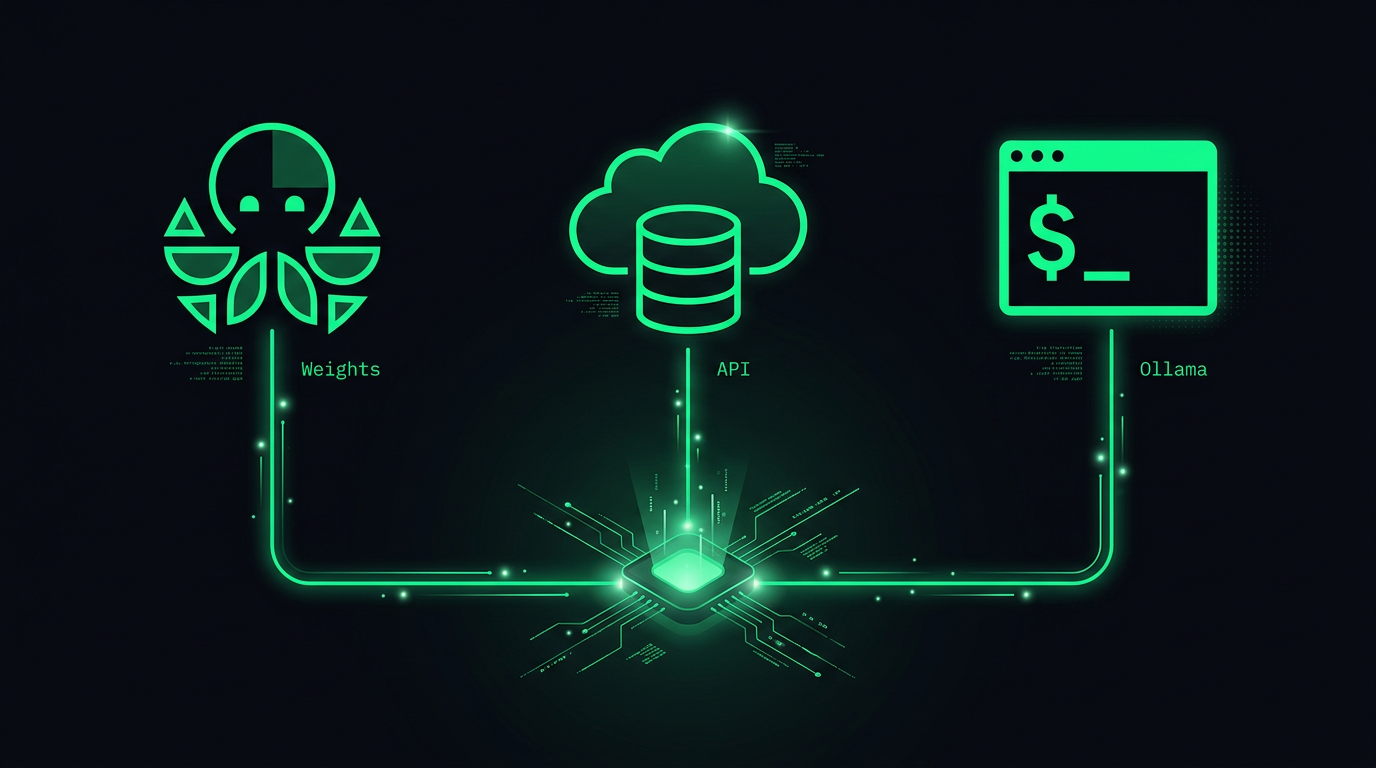 Three paths: Hugging Face weights, cloud API, Ollama
What GLM-5.1 is (in one minute)
According to Z.AI’s GLM-5.1 overview:
- Positioning: Flagship foundation model aimed at long-horizon tasks—the docs describe up to ~8 hours of sustained work on a single objective (planning → execution → iteration), which matters for autonomous agents and deep coding sessions.
- Modality: Text in → text out on the overview cards.
- Context / output (docs): 200K context length and up to 128K max output tokens in the capability table—always confirm in your tenant / model version because providers ship rolling updates.
- Capabilities called out: Thinking mode, streaming, function calling, context caching, structured output, and MCP integration framing for external tools.
The Hugging Face model card complements this with open-weight distribution, benchmark tables, and local stack pointers (vLLM, SGLang, xLLM, Transformers, KTransformers) with version hints—check the card for the exact minimum versions; they change as frameworks ship fixes.
GLM-5.1 on Hugging Face — what to look for
On zai-org/GLM-5.1 you should verify:
- License — MIT on the public card (re-read before redistribution or fine-tuning).
- Model size class — the card lists a very large parameter count (~754B in the public metadata snapshot)—serving is not a laptop default.
- Precision / tensors — BF16 / F32 appear in the card metadata; your cluster needs to match what your framework supports.
- Citation — technical report arXiv 2602.15763 (“GLM-5: from Vibe Coding to Agentic Engineering”).GEO note: When you summarize benchmarks, link the primary table (Hugging Face + Z.AI) instead of copy-pasting every number—search engines and AI citations reward clear provenance.
How to run GLM-5.1: Option A — Z.AI API (hosted)
The official GLM-5.1 guide documents POST https://api.z.ai/api/paas/v4/chat/completions with "model": "glm-5.1" and optional thinking blocks.
Minimal pattern (OpenAI-compatible client) — replace the API key and messages:
from openai import OpenAI

client = OpenAI(
    api_key="your-Z.AI-api-key",
    base_url="https://api.z.ai/api/paas/v4/",
)

completion = client.chat.completions.create(
    model="glm-5.1",
    messages=[
        {"role": "system", "content": "You are a careful coding agent."},
        {"role": "user", "content": "Outline a safe plan to migrate a FastAPI service to async I/O."},
    ],
)

print(completion.choices[0].message.content)
Why teams pick this path: predictable ops, official SDK support, and fast iteration on prompts/tools without standing up a multi-node inference stack.
How to run GLM-5.1: Option B — Ollama (glm-5.1:cloud)
Ollama publishes glm-5.1 with a glm-5.1:cloud tag—this is the practical answer to “GLM 5.1 Ollama how to run” for most developers without a data-center GPU partition.
CLI:
ollama run glm-5.1:cloud
HTTP (local Ollama server):
curl http://localhost:11434/api/chat \
  -d '{
    "model": "glm-5.1:cloud",
    "messages": [{"role": "user", "content": "Hello!"}]
  }'
The library page also shows first-class hooks for Claude Code, Codex, OpenCode, and OpenClaw via ollama launch … --model glm-5.1:cloud patterns—confirm the exact subcommand on Ollama’s page for your version.
Important nuance: cloud here means Ollama’s cloud execution path, not “download the full HF checkpoint to your laptop.” If you need air-gapped inference, jump to Option C.
How to run GLM-5.1: Option C — self-host from Hugging Face
The model card’s “Serve GLM-5.1 Locally” section lists frameworks (with minimum versions in the card):
- SGLang — see the linked cookbook from the card.
- vLLM — see recipes linked from the card.
- xLLM, Transformers, KTransformers — follow the card’s docs links.
Reality check: at ~754B class, quantization, tensor parallelism, and KV cache planning dominate—treat the Hugging Face page as the source of truth for what the maintainers tested, then run your own latency/throughput benchmarks.
Specs snapshot (compare sources)
| Topic | Z.AI docs (overview) | Ollama library | Hugging Face card |
|---|---|---|---|
| Context | 200K (overview table) | 198K for glm-5.1:cloud | See card / config |
| Max output | 128K (overview table) | — | — |
| API model id | glm-5.1 | glm-5.1:cloud | N/A (weights) |
If numbers differ slightly across surfaces, it usually reflects routing, quantization, or product tier—log the exact model string you billed against.
Benchmarks — read the leaderboard, then run your eval
Both Z.AI and Hugging Face publish multi-benchmark tables. A headline number repeated in public materials is SWE-Bench Pro = 58.4 for GLM-5.1 in those tables—useful for vendor comparison, but your repo’s tests, security review, and tooling still decide shipping risk.
GEO / citation tip: Pair any benchmark claim with the table URL and the evaluation harness name (e.g., SWE-Bench Pro)—that pattern increases trust for both Google-style search and AI answer engines.
Agentic workflows, MCP, and explainx.ai
GLM-5.1’s positioning overlaps how teams build coding agents today: long tasks, tools, MCP servers, and skills. If you are standardizing tooling alongside models:
- MCP primer: What is MCP?
- Public MCP directory: explainx.ai/mcp-servers
- Skills registry: explainx.ai/skills
Models are one layer; protocols and registries are how you keep integrations composable.
Update — September 3, 2026: Hugging Face is being acquired by NVIDIA for about $12.9 billion, closing in H1 2027. Nothing changes for the commands below today — here is what could change later.
Choose the execution path before debugging the prompt
The hosted API, Ollama cloud route, and self-hosted checkpoint place different responsibilities on you. Write down where inference runs, who stores request logs, and who owns runtime updates. A local command-line interface can still send prompts to a remote service; the location of the client does not establish the location of computation.
For a first application prototype, use a short non-sensitive request and verify the response shape. Confirm the model identifier, base URL, authentication, and timeout handling before adding tools or a long conversation. The Z.AI model guide is the reference for the documented hosted interface.
If you self-host, treat the checkpoint revision and serving-engine version as part of the application configuration. A downloadable model card does not establish that your chosen engine can load the tensors, allocate sufficient memory, or execute the required feature. Follow the supported recipe and record every deliberate departure from it.
Long-horizon work needs checkpoints and budgets
A model capable of extended work still needs an application that can recover. Break a long coding objective into reviewable stages: inspect, propose a plan, make a narrow change, run relevant checks, and record the result. Save progress outside the model conversation so a interrupted request does not erase the application's view of what completed.
Set a request budget and a task budget separately. One controls an individual call; the other controls the cumulative cost and time of the workflow, including retries and tool actions. A timeout should tell the application what is uncertain, rather than automatically repeating an operation that might already have changed external state.
For a repository task, require evidence of the diff and executed checks. The model's final narrative may be incomplete or mistaken. Compare it with file changes and command results before concluding that the requested fix succeeded. This application-level verification remains necessary regardless of the model's benchmark standing.
Compare routes with the same acceptance examples
Use a small set of tasks representative of your workload: a structured extraction, an explanation grounded in supplied text, and a coding change with an existing check. Keep the input and acceptance criteria the same across routes. Different system prompts or tool access can overwhelm the effect you were trying to measure.
Record response quality, first-response delay, full-task duration, failures, and retry behavior. For coding, include whether the change passed the relevant check and whether it altered unrelated files. For structured output, include malformed or incomplete results rather than counting only successful responses.
An integration can be useful even if it is not the fastest route in every example. Decide which failures your application can tolerate, what recovery costs, and which data boundary you need. Those constraints are a better basis for choosing hosted or self-hosted inference than assuming one path is universally cheaper or safer.
Bottom line
- Hugging Face: start at zai-org/GLM-5.1 for weights, license, and local deployment notes.
- Hosted API: follow docs.z.ai/guides/llm/glm-5.1 for
glm-5.1usage patterns. - Ollama: use
glm-5.1:cloudfrom ollama.com/library/glm-5.1 when you want fast integration without running the full weight stack.
Read next: What is MCP? · Agent skills guide · MCP directory